Vigor3900 Series User’s Guide
393
Type.
Subnet Mask – Choose the subnet mask from the drop
down list if you choose Subnet as Address Type.
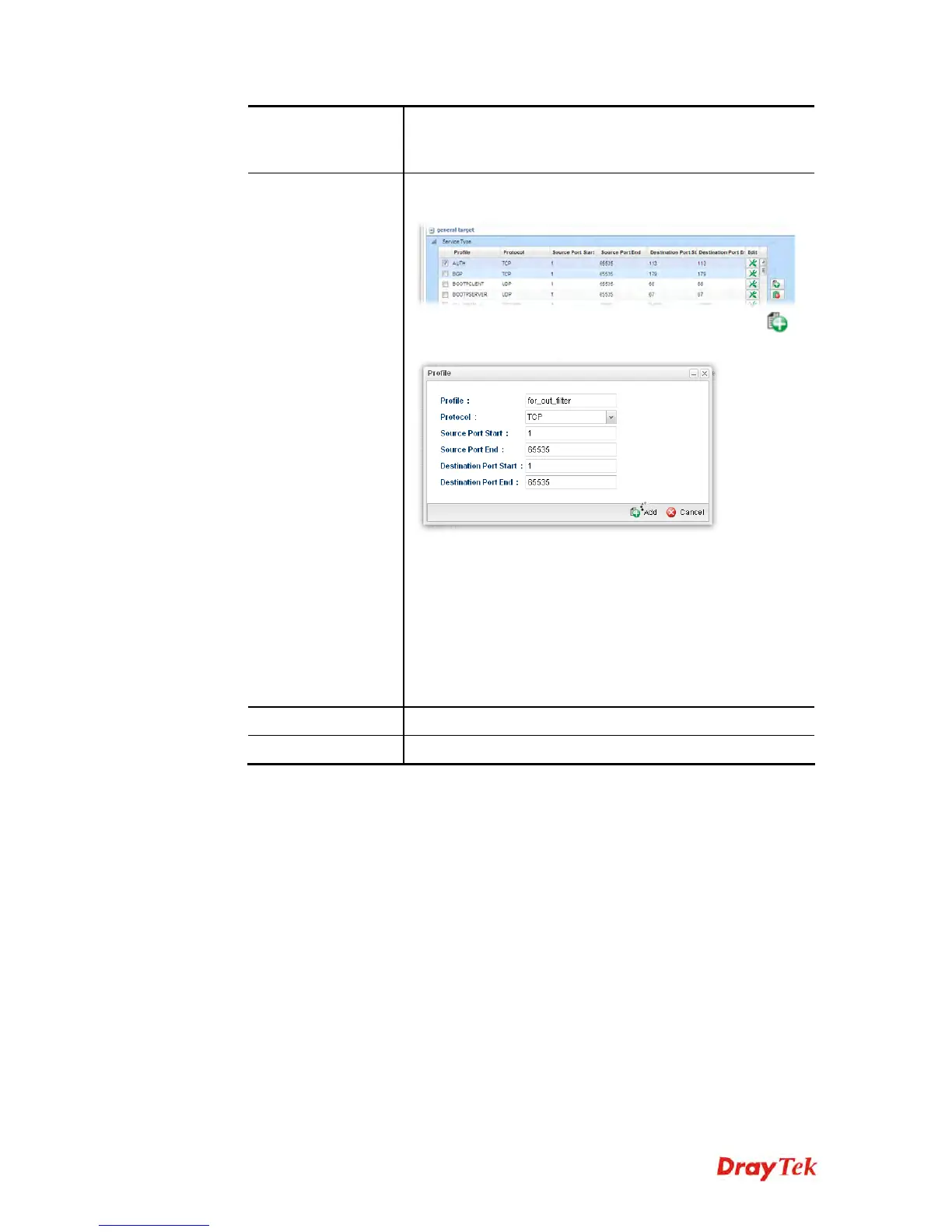
Service Type
Service Type - Choose one of the service types from the
drop down list.
If you want to create a new service type, simply click
to open the following dialog.
Profile – type a new name for such service type.
Protocol –There are two options: TCP, UDP and
TCP/UDP. Select the protocol that you want to use.
Source Port Start /End - Type the start /end number
for the port range of the source port for such filter.
Destination Port Start / End - Type the start /end
number for the port range of the destination port for
such filter.
Apply
Click it to save the configuration and exit the page.
Cancel
Click it to exit the page without saving the configuration.
4. Enter all the settings and click Apply.
5. A QoS rule profiler has been created.














 To Next Page