Vigor3900 Series User’s Guide
34
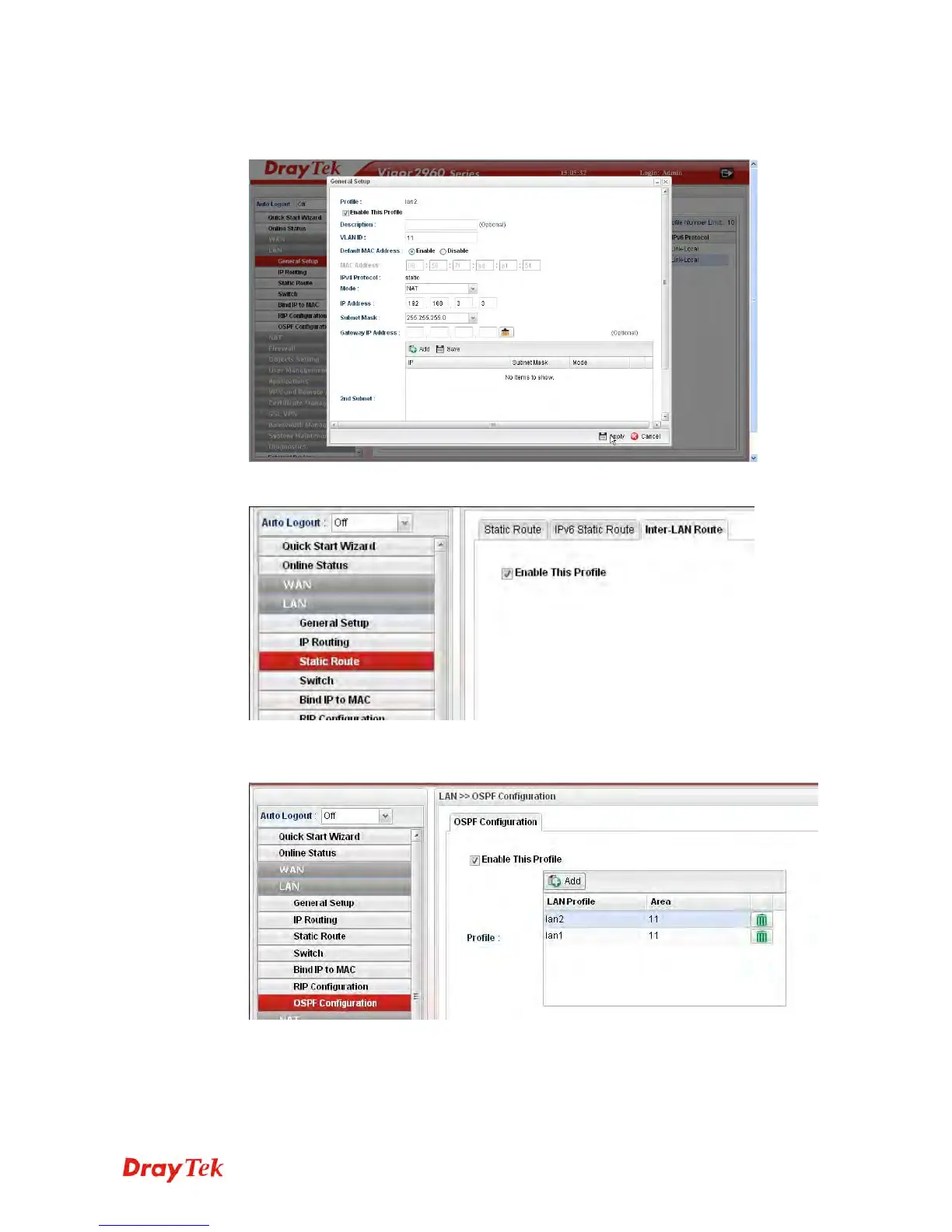
2. Next, continue to create a LAN (192.168.3.3/24) profile named lan2 with the settings
shown below.
3. Open LAN >> Static Route and click the Inter-LAN Route tab to enable this profile.
4. Open LAN >> OSPF Configuration to enable this profile. Click Add to make the LAN
Profiles lan2 area setting as 11 and lan1 area as 11. (As shown in the topology diagram.)














 To Next Page