Vigor3900 Series User’s Guide
420
4
4
.
.
1
1
4
4
.
.
4
4
.
.
2
2
S
S
y
y
s
s
l
l
o
o
g
g
A
A
c
c
c
c
e
e
s
s
s
s
S
S
e
e
t
t
u
u
p
p
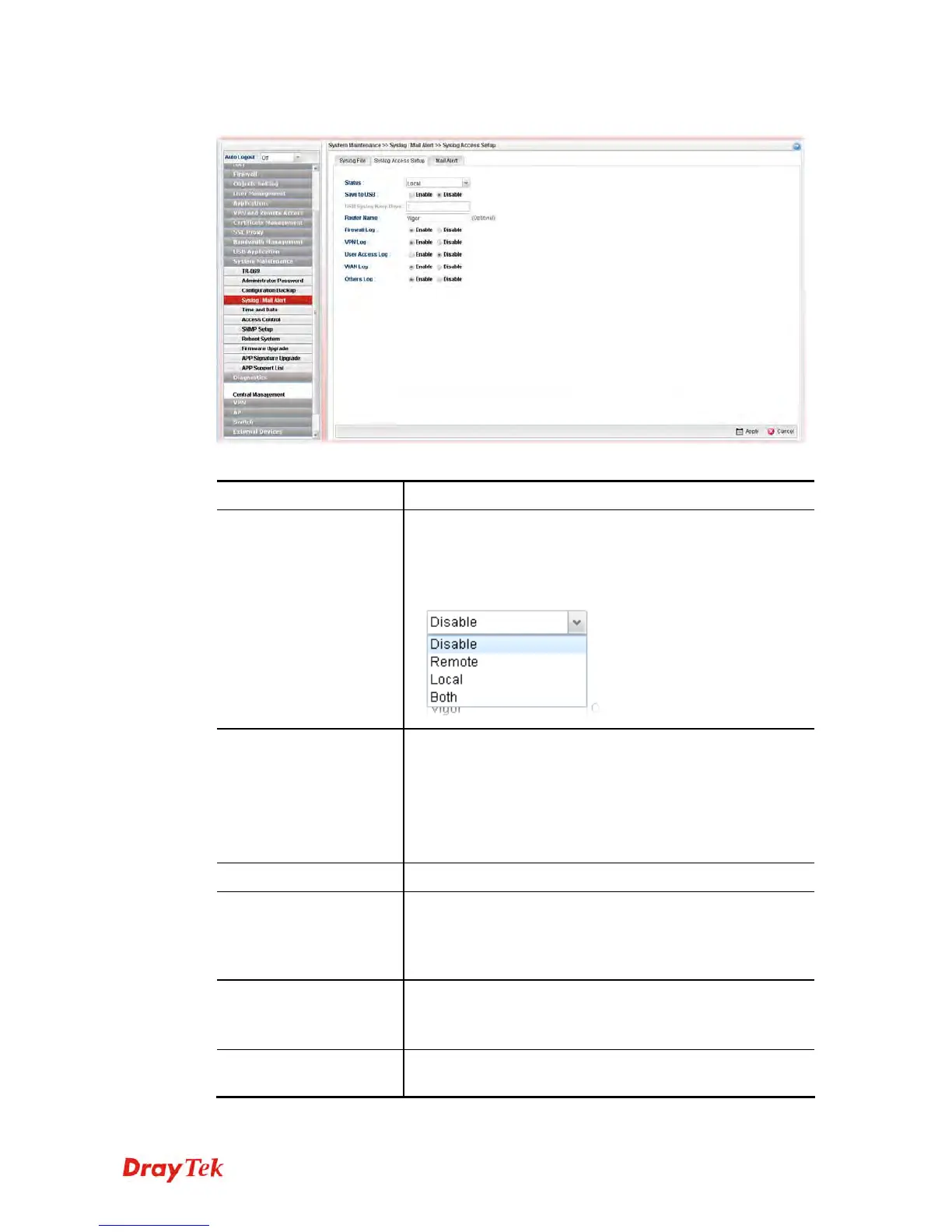
Available parameters are listed as follows:
Item Description
Status
Choose one of the selections to determine current status for
Syslog access. If you choose Local as Status, you don’t need
to type any server IP and port. Just give a name for the
router.
Save to USB
Such option is available when Remote/Local/Both is
selected in Status.
Enable – Click it to save the log onto USB disk.
Disable – Click it to disable the function of log to USB.
USB Syslog Keep Days – Type the days that USB disk will
keep the log without deleting.
Router Name
Type the name of the router. The default name is Vigor.
Server IP/Host Name
Such option is available when Remote/Both is selected in
Status. Type the IP address or host name of the Syslog
server.
It is available when Remote or Both is selected as Status.
Server Port
Such option is available when Remote/Both is selected in
Status. Type the port number for the Syslog server.
It is available when Remote or Both is selected as Status.
Firewall Log
Click Enable to make the firewall log recorded in the
Syslog.














 To Next Page