Vigor3900 Series User’s Guide
38
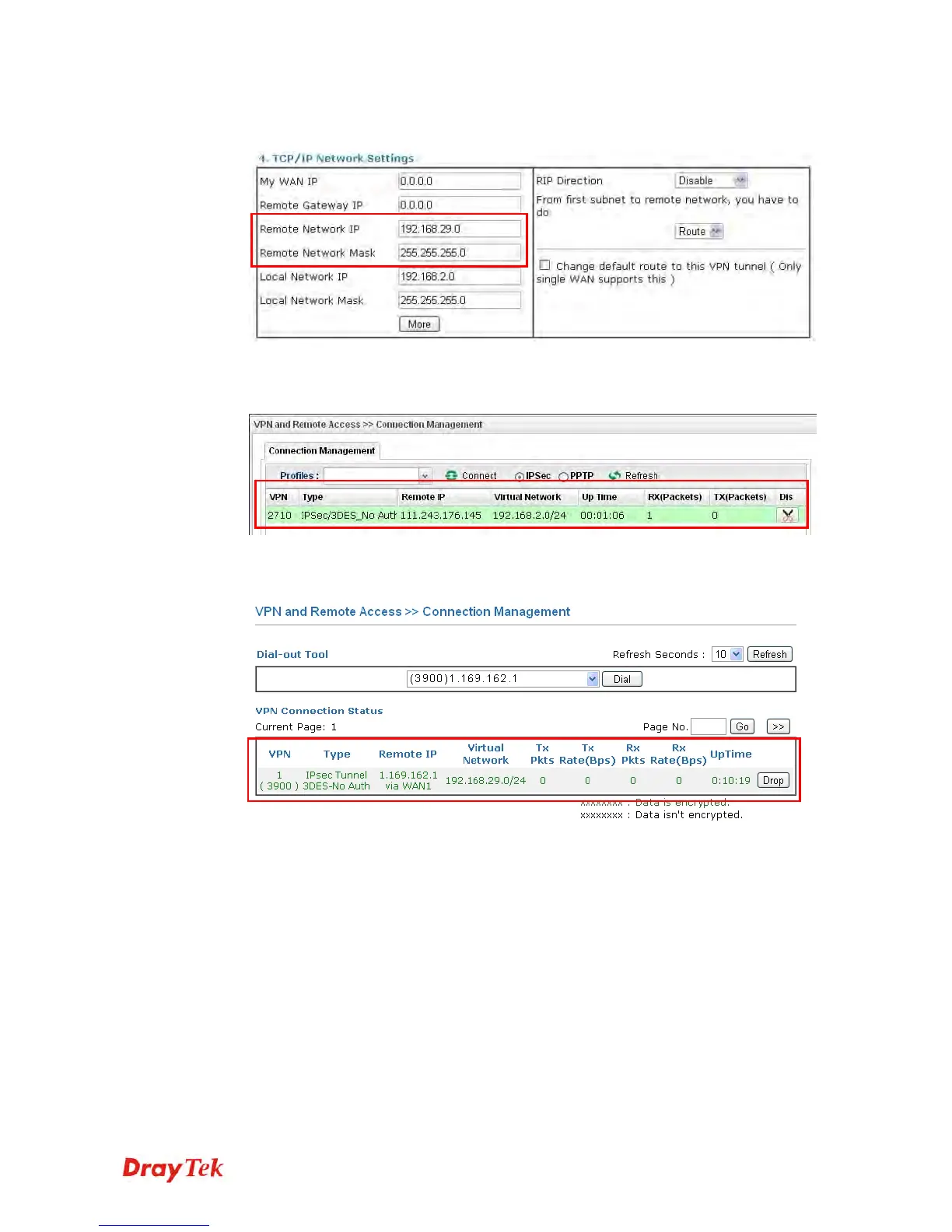
3. For the role of Vigor2710 is dialing-out, please skip Dial-In setting. Type the Remote
Network IP and Remote Network Mask of Vigor3900 to complete configuration.
4. Please check if the VPN connection is built successfully in both devices respectively.
For Vigor3900, open VPN and Remote Access>>IPSec>>Status for viewing the
result.
As to Vigor2710, please open VPN and Remote Access>>Connection Management
to confirm the result.














 To Next Page