Vigor3900 Series User’s Guide
463
firmware upgrade.
Configuration Backup – It means such profile will be used
for configuration backup of the selected CPE.
Configuration Restore – It means such profile will be used
for restoring the configuration of the selected CPE.
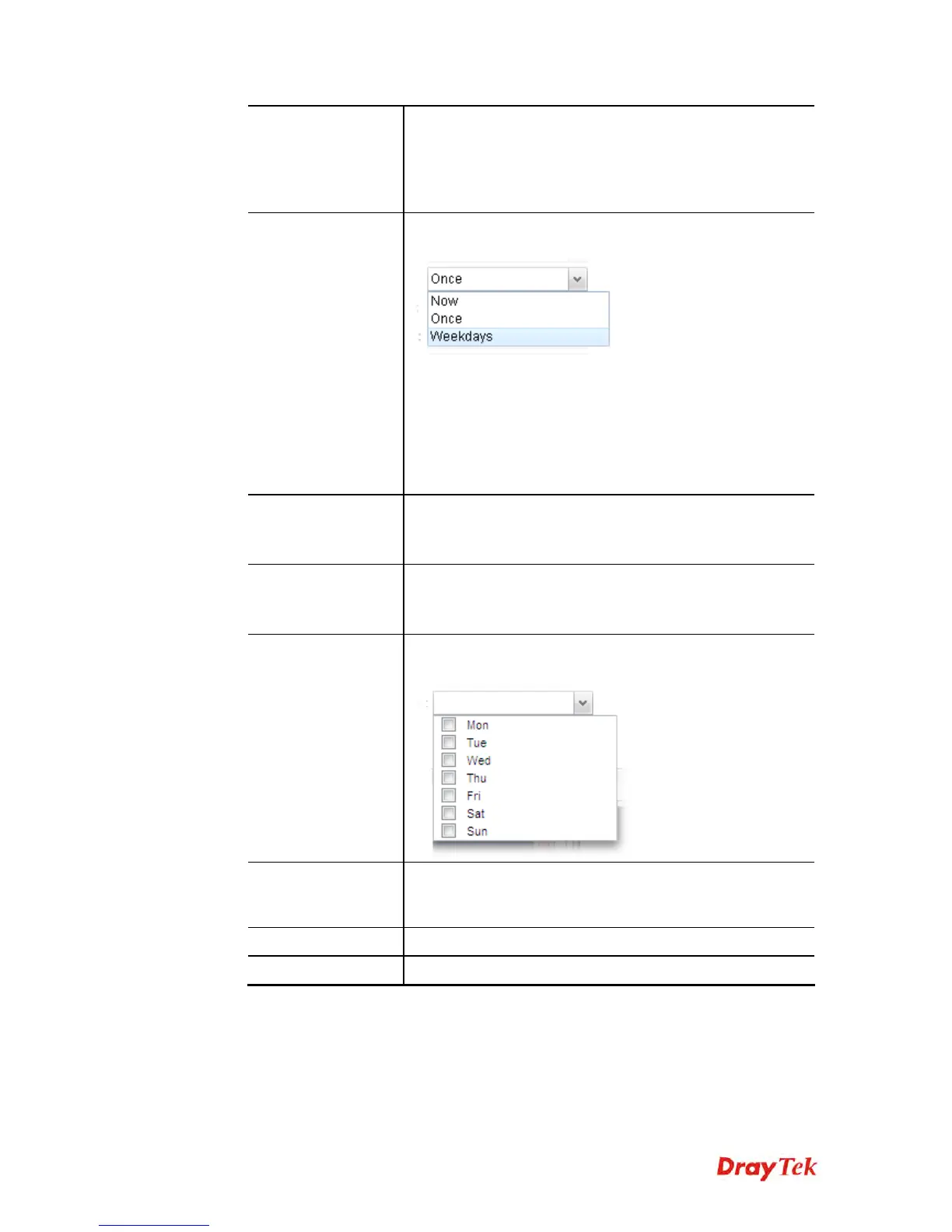
Schedule
The new created profile can be applied to the selected CPE
based on the schedule configured here.
Now – The action will be performed for the selected CPE
immediately.
Once – The action will be performed for the selected CPE at
the specified time, and will be done for once.
Weekdays – The action will be performed for the selected
CPE at the time and date specified below every week.
Start Date /
End Date
It is available only when Once is selected as Schedule.
Specify the starting date /ending date with the format
YYYY-MM-DD.
Start Time /
End Time
It is available only when Once is selected as Schedule.
Specify the starting time /ending time with the format
YYYY-MM-DD.
Weekdays
It is available only when Weekdays is selected as Schedule.
Simply check the day you want.
Filename
Type the name string of the file which will be used for
firmware upgrade, configuration backup or configuration
restore.
Apply
Click it to save and exit the dialog.
Cancel
Click it to exit the dialog without saving anything.
3. Enter all the settings and click Apply.
4. A new maintenance profile has been created.














 To Next Page