Vigor3900 Series User’s Guide
50
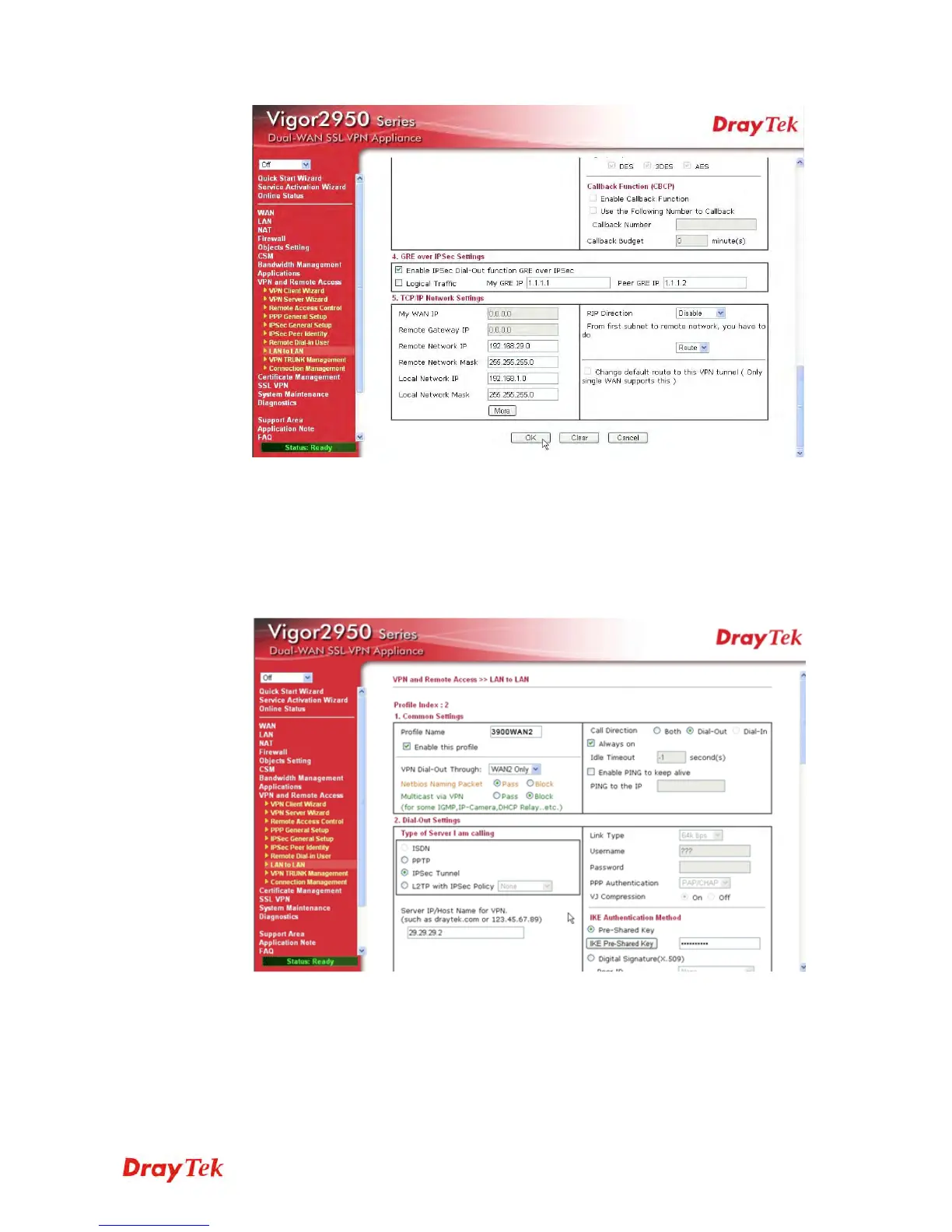
Please type the network IP address and subnet of Vigor3900 in the field of
Remote Network IP and Remote Network Mask. Type the network IP address and
subnet of Vigor2950 in the field of Local Network IP and Local Network Mask.
2. Continue to set the second VPN connection (profile name is 3900WAN2). The first
VPN tunnel will be used by WAN1 of Vigor2950. The second VPN tunnel will be
configured for the WAN2 of Vigor2950. Therefore, please choose WAN2 Only for
VPN Dial-Out Through.
Choose IPSec Tunnel and type the Server IP and Pre-shared Key as shown
below.
In the field of GRE over IPSec, please type the corresponding settings for
Vigor3900. Refer to the following figure.In this example, please type the 2.2.2.1
in the field of My GRE IP; and type the GRE IP address 2.2.2.2 in the field of
Peer GRE IP.














 To Next Page