7
I-2-4 PoE Connection
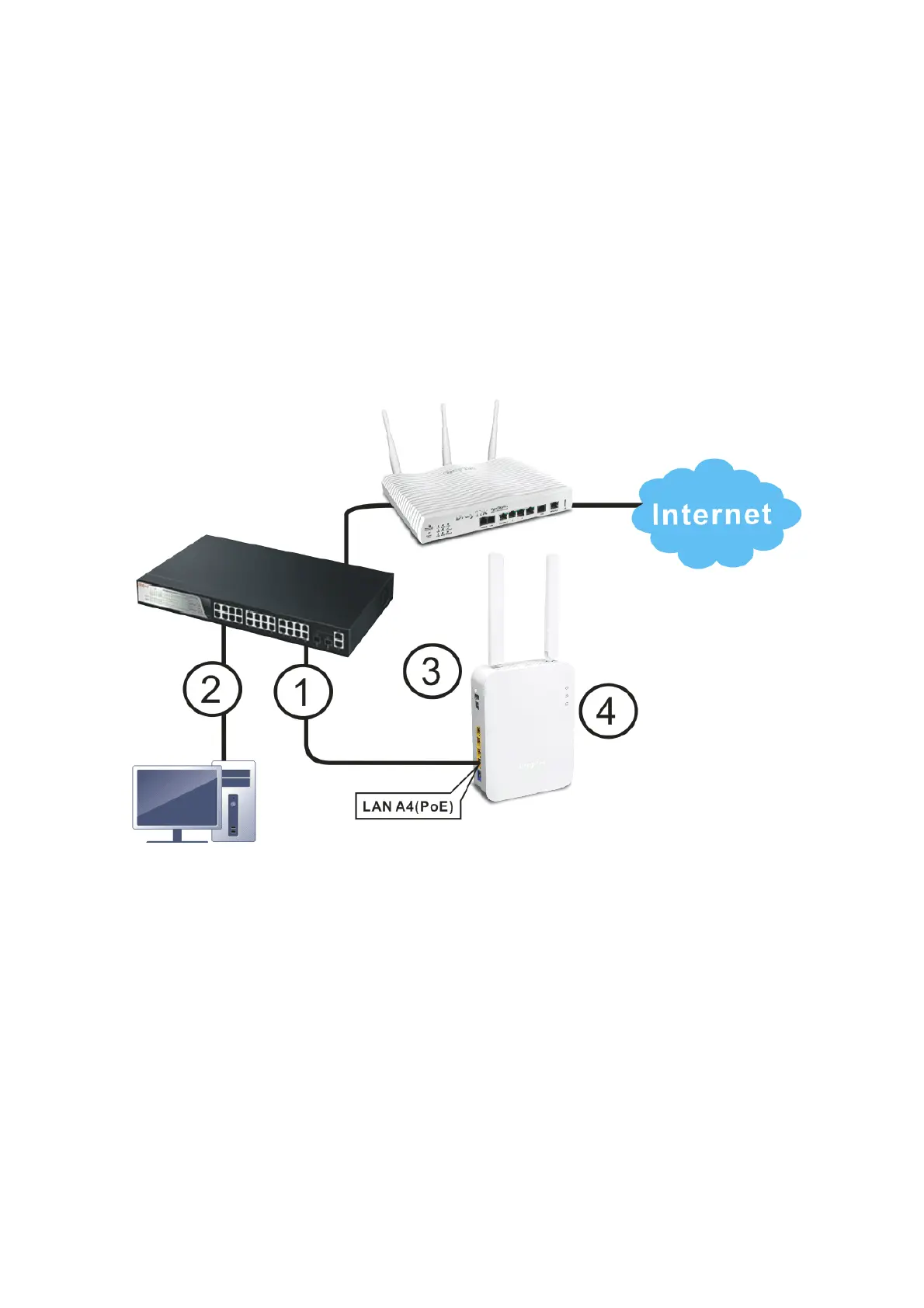
VigorAP 906 can gain power from the connected switch, e.g., VigorSwitch PQ2200xb. PoE (Power
over Ethernet) can break the install limitation caused by the fixed power supply.
1. Connect VigorAP 906 to a switch in your network through the LAN A4 (PoE) port of the access
point by Ethernet cable.
2. Connect a computer to VigorSwitch. Make sure the subnet IP address of the PC is the same as
VigorAP 906 management IP, e.g., 192.168.1.X.
3. Power on VigorAP 906.
4. Check all LEDs on the front panel. ACT LED should be steadily on, LAN LEDs should be on if
the access point is correctly connected to the ADSL modem, router, or switch/hub.













 To Next Page