21
I-7-2 Settings for Mesh Root
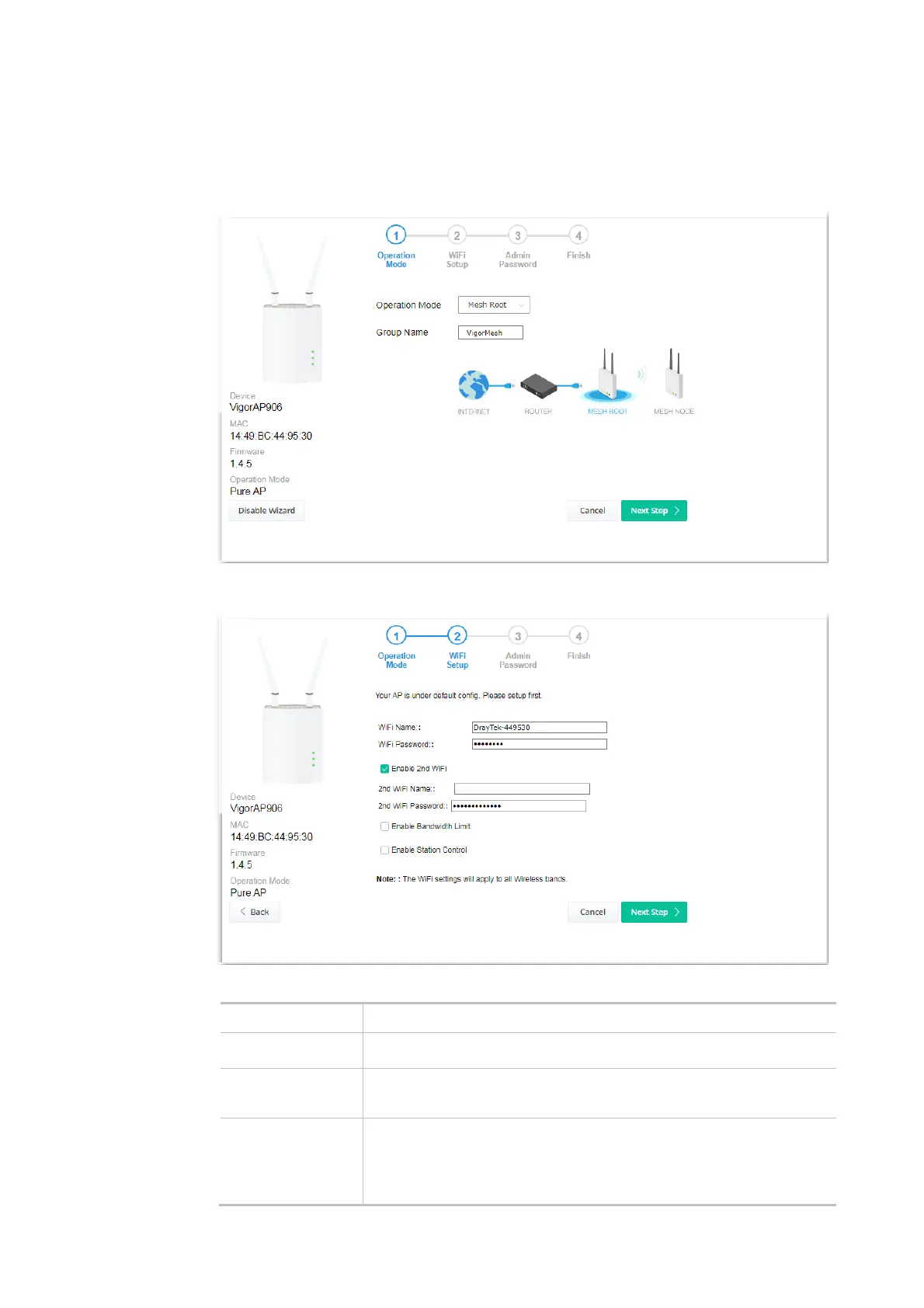
1. Choose Mesh Root as the operation mode and click Next Step.
2. Configure the settings for wireless LAN (for both 2.4GHz and 5GHz) and click Next Step.
Available settings are explained as follows:
Item Description
WiFi Name Set a name for VigorAP 906 to be identified.
WiFi Password Enter 8~63 ASCII characters, such as 012345678..(or 64 Hexadecimal
digits leading by 0x, such as "0x321253abcde...").
Enable 2nd WiFi
Check the box to enable the second wireless setting.
Such a feature is especially useful for free Wi-Fi service. For example, a
coffee shop offers free Wi-Fi service for its guests for one hour every
day.













 To Next Page