55
How to Use Band Steering?
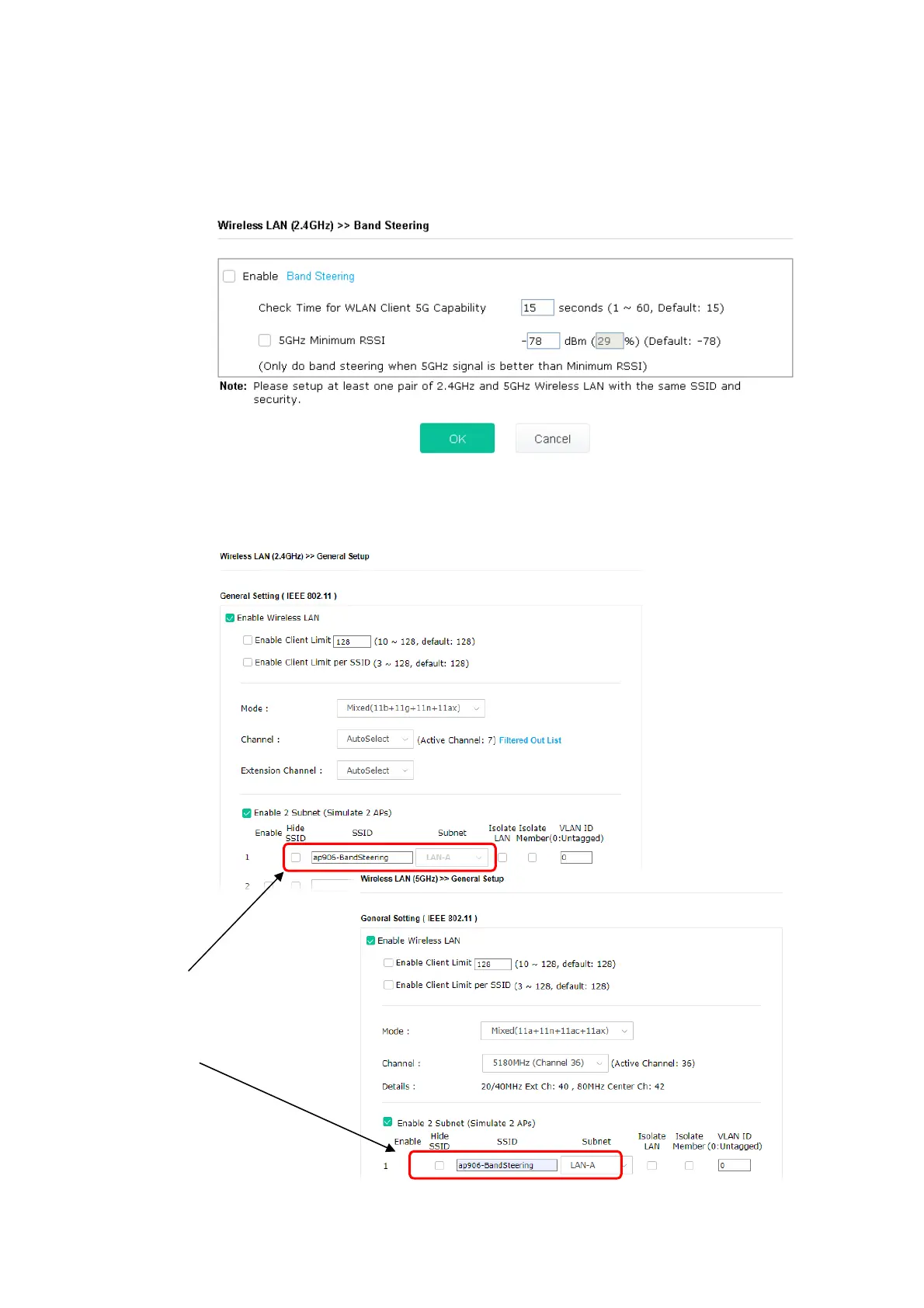
1. Open Wireless LAN(2.4GHz)>>Band Steering.
2. Check the box of Enable Band Steering and use the default value (15) to check the time
setting.
3. Click OK to save the settings.
4. Open Wireless LAN (2.4GHz)>>General Setup and Wireless LAN (5GHz)>> General Setup.
Configure SSID as ap906-BandSteering for both pages. Click OK to save the settings.
Same value
for 2.4GHz
and 5GHz













 To Next Page