166
, Electrical system
chap.4
(7) Adjusting Paper Eject Speed
Standard value
Adjustment procedure
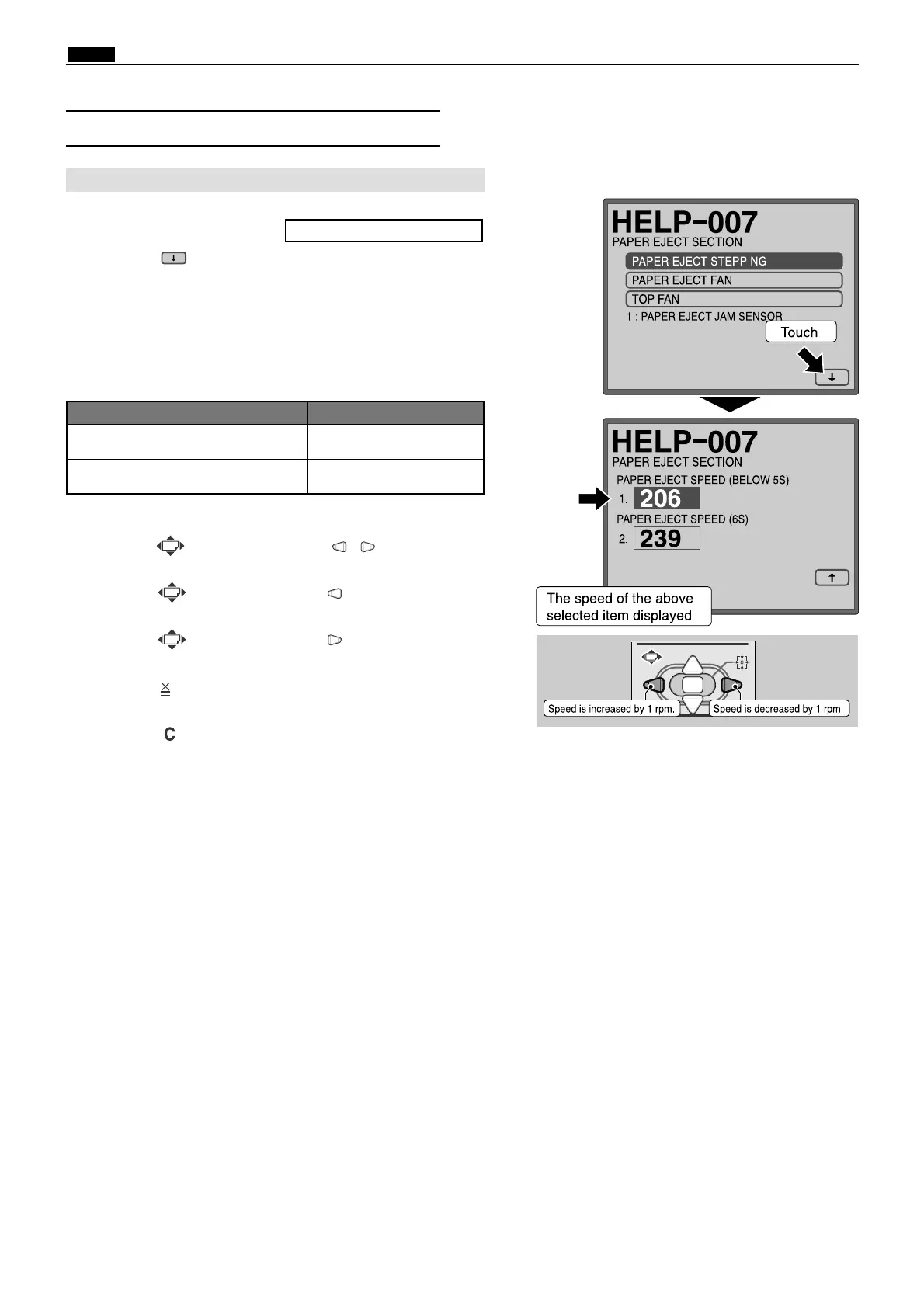
1. Access HELP-007.
2. Touch the (arrow) on the screen lower right once to
switch to page 2.
3. Touch the PAPER EJECT SPEED.
4. Check the displayed speed.
Standard values:
HELP - 007 \ see p.217
1. Adjusting the Paper Eject Speed
Item
Paper eject speed (below 5 speed) 206 rpm
¡HELP-007 display : Paper eject speed
Paper eject speed (6 speed) 239 rpm
If the value is not correct:
¡Press
the (PRINT POSITION) , keys
to obtain
the proper value in 4 above.
Press
the (PRINT POSITION) key
once: By 1 rpm
decreased
Press
the (PRINT POSITION) key
once: By 1 rpm
increased
5. Press the key to store all speed set values.
Initialization
¡Press the (CLEAR) key to initialize the displayed
value.


 To Next Page
 Loading...
