The menu
69
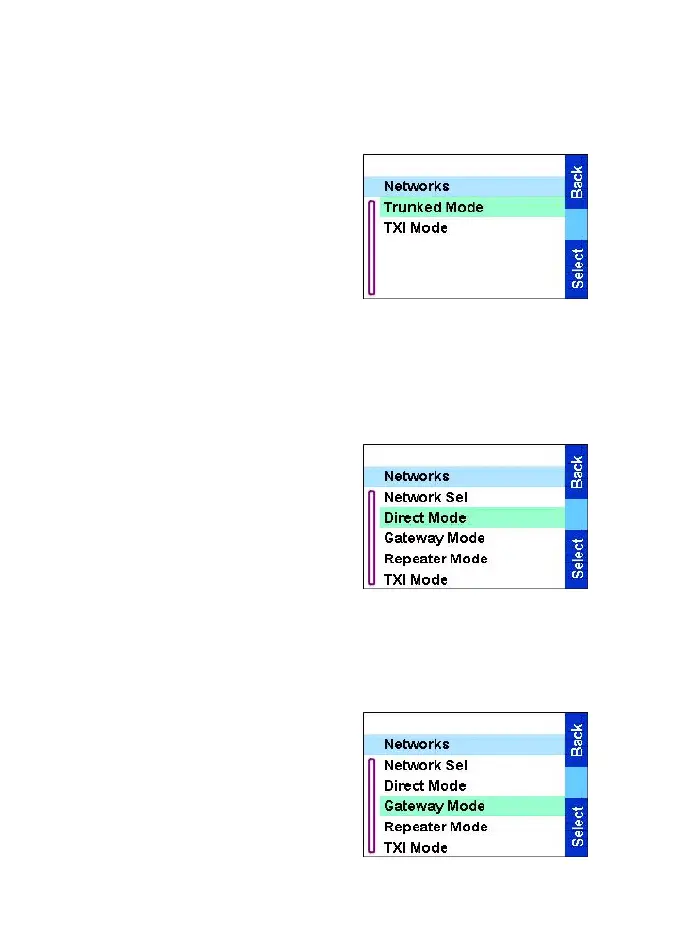
Selecting Trunked Mode
This sub-menu allows you to select the mode your TGR990 will be
operating on.
To set up your operating mode:
1. From the
Main menu
, select
Setup
→
Networks
→
Trunked
Mode.
2. The TGR990 switches to
Trunked Mode.
Selecting Direct Mode
This sub-menu allows you to select the mode your TGR990 will be
operating on.
To set up your operating mode:
1. From the
Main menu
, select
Setup
→
Networks
→
Direct
Mode.
2. The TGR990 switches to
Direct Mode.
Selecting Gateway Mode
This sub-menu allows you to select the mode your TGR990 will be
operating on.
To set up your operating mode:
1. From the
Main menu
, select
Setup
→
Networks
→
Gateway
Mode
.
2. The TGR990 switches to
Gateway Mode.
TGR990_features.book Page 69 Thursday, December 3, 2009 9:43 AM



 To Next Page