The menu
70
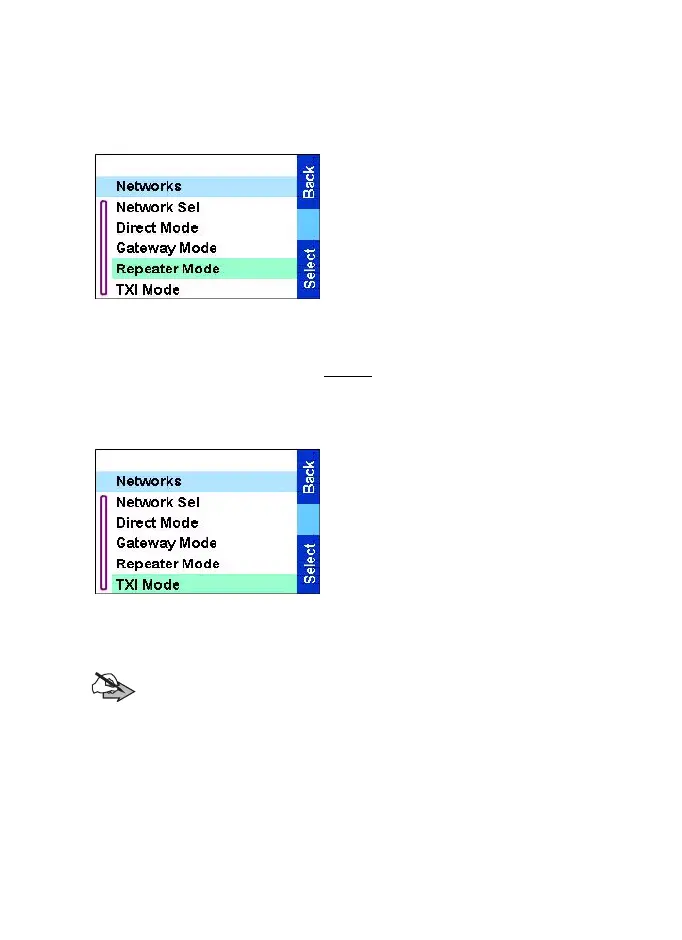
Selecting Repeater Mode
This sub-menu allows you to select the mode your TGR990 will be
operating on.
To set up your operating mode:
1.From the
Main menu
, select
Setup
→
Networks
→
Repeater
Mode.
2.The TGR990 switches to
Repeater Mode.
Setting Transmit Inhibit (TXI) Mode
This mode should always be set before entering areas where
transmission is prohibited, for example in hospitals or in potentially
explosive areas.
To activate the TXI Mode:
1.From the
Main menu
, select
Setup
→
Networks
→
TXI Mode.
2.Select
Activate
.
The TGR990 will sound the
"Transmit Inhibit" tone. The
display shows TXI Mode in the
first row, and the solid amber
LED indicates the TXI Mode.
Note:
All menu items which cause transmitting are blocked in
TXI Mode. It is not possible to change the group.
To deactivate the TXI Mode, for example after you have left the area
where transmission is prohibited:
1. From the
Main menu
, select Setup
→
Networks
→
TXI Mode.
2. Select
Deactivate
.
The
TGR990
sounds the "Transmit Inhibit" tone and exits TXI.
TGR990_features.book Page 70 Thursday, December 3, 2009 9:43 AM



 To Next Page