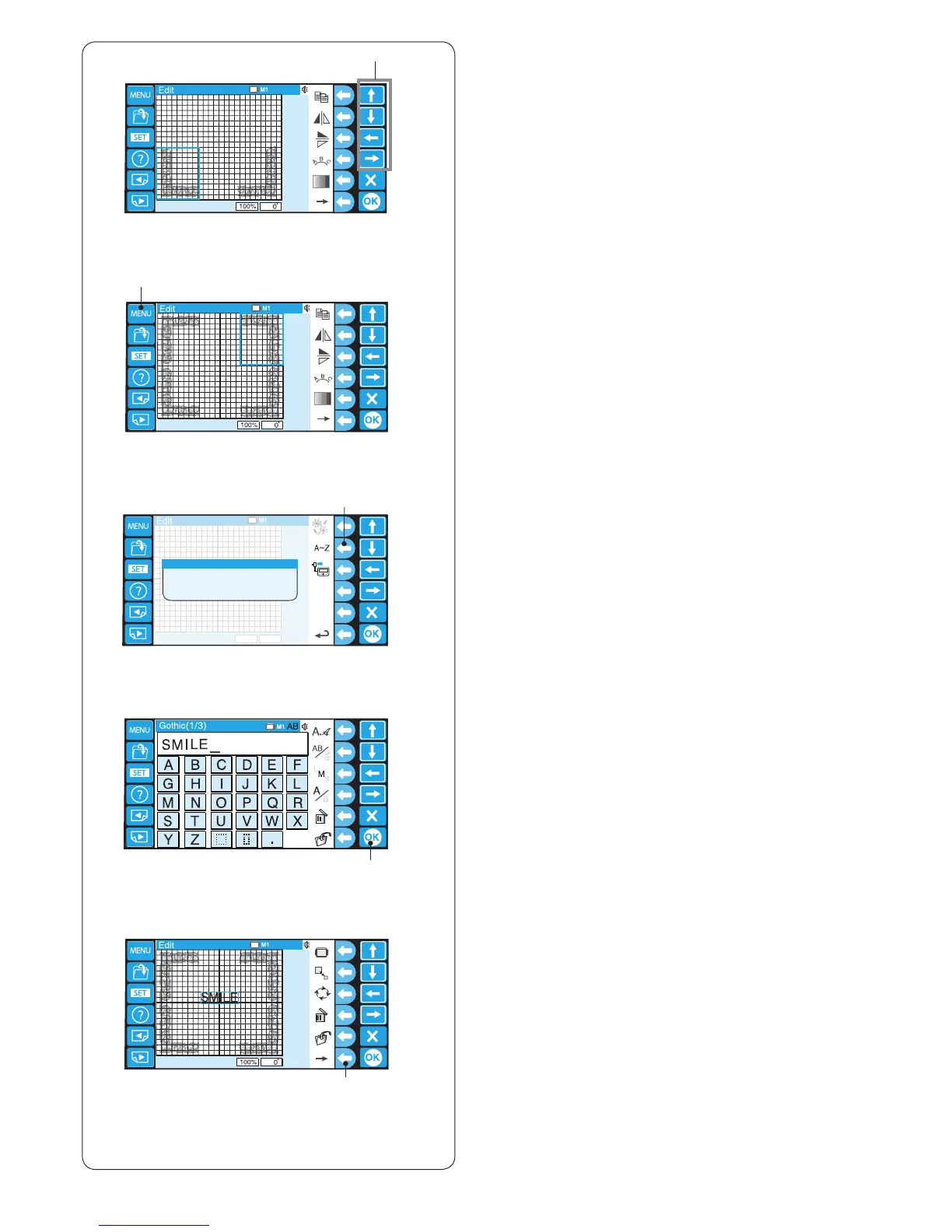
!0
.
⁄0
m Move the ipped pattern to the left bottom corner of
the editing screen by using the arrow keys or by
dragging it with your ngertip.
i Arrow keys
m
i
,
o
!1
⁄1
!2
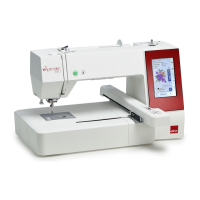
, Make a duplicate of the pattern and ip it horizontally.
Move the ipped pattern to the top left corner of the
editing screen.
Make a duplicate and ip it vertically.
Move the pattern to the right top corner of the editing
screen.
Press the MENU key.
o MENU key
. Press the function key next to the monogram icon.
!0 Function key (monogram)
⁄0 The monogram window will open.
Enter “SMILE” in the upper case of Gothic font and
press the OK key.
!1 OK key
⁄1 The screen will return to the editing window.
The stitch image of “SMILE” will appear in the center
of the frame pattern.
Press the function key next to the right arrow to show
the alternate function key assignment.
!2 Function key (right arrow)








 To Next Page