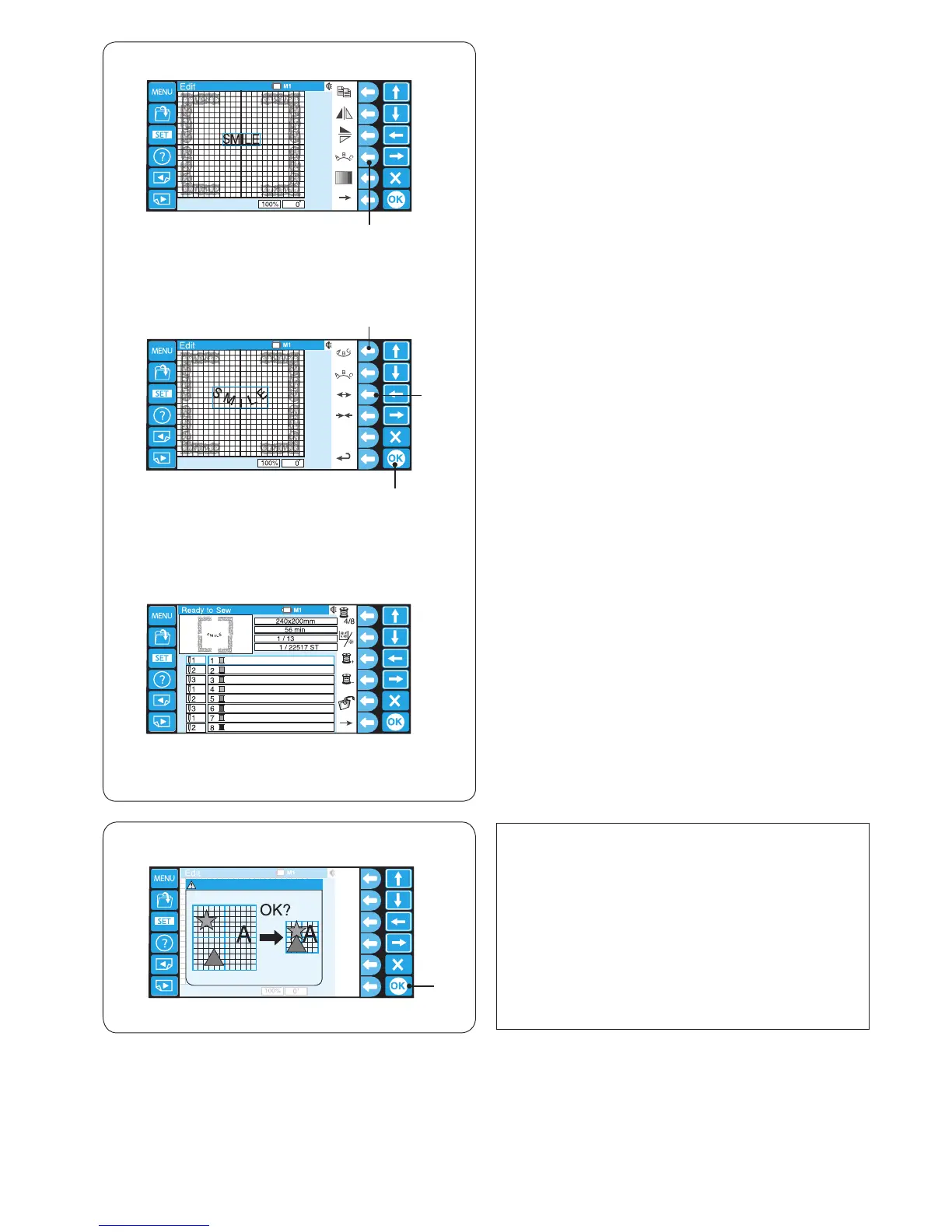
⁄3 Press the function key next to the lower arc icon to
make a lower arc.
Press the function key next to the outward arrow to
make the arc larger.
!4 Function key (lower arc)
!5 Function key (outward arrow)
Press the OK key
!6 OK key
⁄4 The Ready to Sew window will open and the
combined pattern image will appear.
* For saving the data, refer to page 78.
NOTE:
If you attempt to change the hoop to a smaller size,
a warning message will appear.
In some cases, the patterns may overlap each other
since the size of the patterns will not be reduced but
spacing of the patterns will be reduced to t in the
smaller hoop.
You are not able to resume the original layout after
pressing the OK key.
q Warning message
w OK key















 To Next Page