68
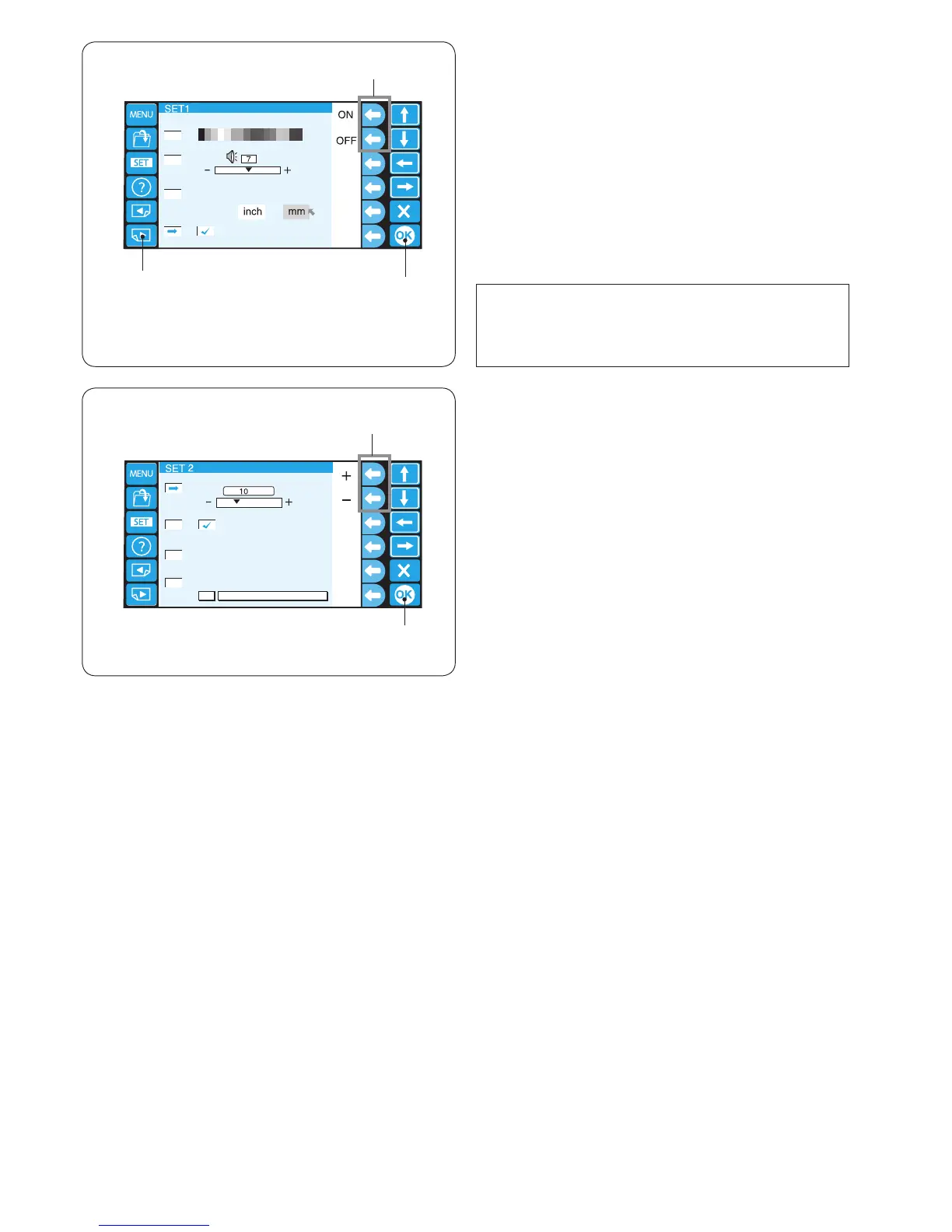
5. Eco mode setting
The sewing lights will turn off, and the LCD screen will
go dark if you have not used the machine for a while.
Touching the screen will turn on the sewing lights and
screen.
The Eco mode timer can be set from 1 to 30 minutes by
pressing the function key next to the “+” or “–” sign.
q
Function keys (+, –)
To turn off the Eco mode, press the function key next to
the “+” sign until “OFF” is displayed in the box.
Press the OK key to register the new setting.
w OK key
4. Resume mode ON/OFF
When resume mode is enabled, the last stitch of the
pattern sewn before turning the power off will be resumed
when the power is turned on again.
Press the function key next to “ON” or “OFF” to turn on or
off the resume mode.
q Function keys (ON, OFF)
Press the OK key to register the new setting.
w OK key
To go to the next page, press the next page key.
e Next page key
NOTE:
When you turn the power on, the conrmation window
will open. Press the OK key to resume the last stitch of
the pattern sewn.
q
w
e















 To Next Page