Maintenance 8. Trouble Shooting
RC180 Rev.17 231
Vision Calibration
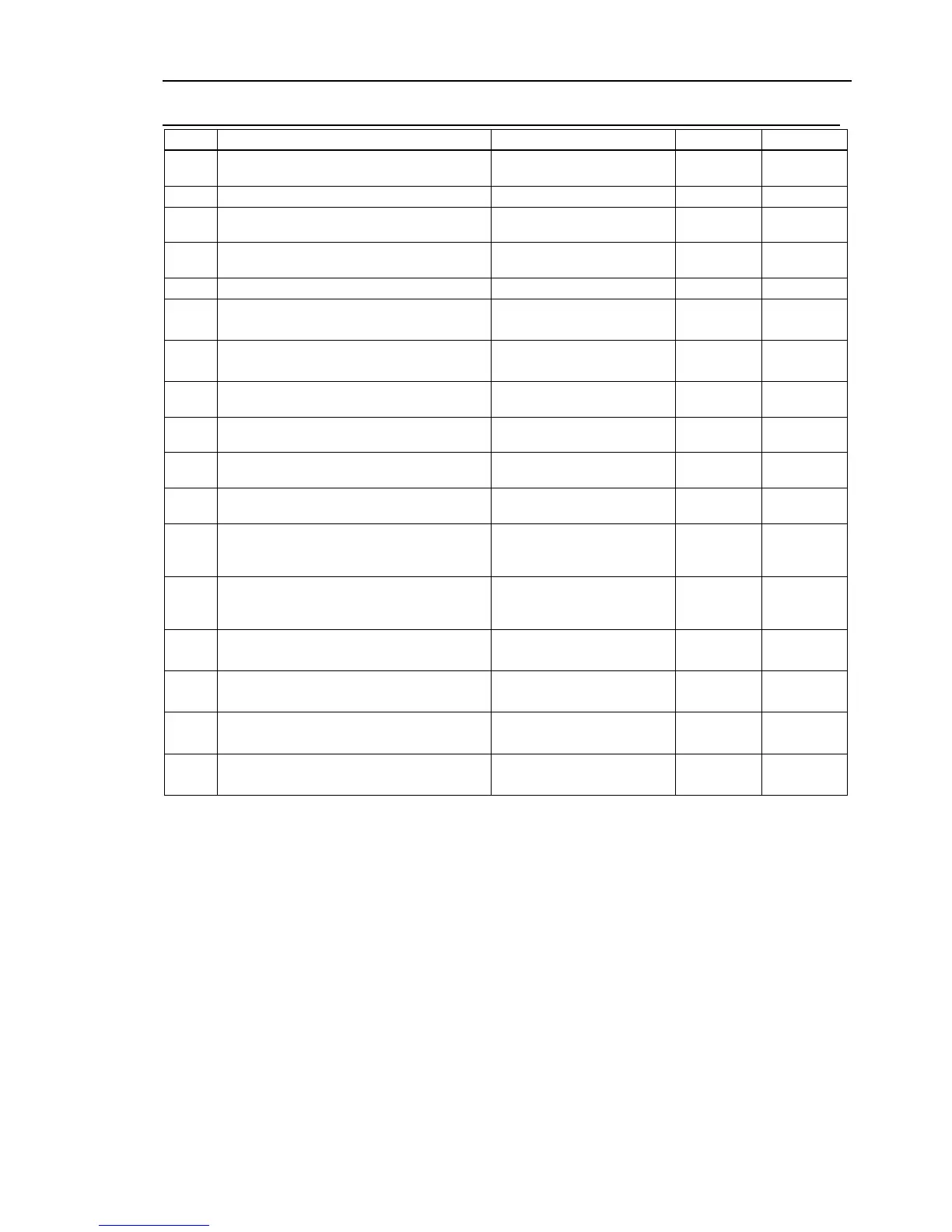
No. Message Remedy Note 1 Note 2
6001 Calibration number is out of range.
Correct the calibration
number.
Calibration data is not defined.
6003 Camera mounting direction is out of range.
Correct the
CameraOrientation value.
6004 2-point measurement flag is out of range.
Correct the TwoRefPoint
value.
There is an invalid data in the pose data.
Calibration failure: Invalid data prevents
calculation.
Perform point teaching and
calibration again.
6007
Coordinate conversion: Invalid data prevent
calculation.
Reteach the points.
6009 Calibration file name is not correct.
Correct the calibration file
6010 Calibration file does not exist.
Correct the calibration file
name.
6012 Failed to load the calibration file.
Correct the calibration file
name.
6013 Failed to write into the calibration file.
Check access permission for
Specify continuous 9 data for the Pixel
coordinate.
Make sure that at least 9
results are obtained in the
Specify continuous 18 data for the Pixel
Make sure that at least 18
results are obtained in the
6016
Specify continuous 9 data for
Specify continuous 18 data for the Robot
coordinate.
Reteach the points.
6018
Specify continuous 9 data and 1 reference point
for the Robot coordinate.
Perform point teaching and
calibration again.
6019
Specify continuous 9 data and 2 reference
points for the Robot coordinate.
Perform point teaching and


 To Next Page