Basic Navigation 9
Chapter 2
Basic Navigation
This manual covers functions and configuration of
the CEM+ and Sensor+ Connect that are available
to the User and Power User login levels of the full
face panel menu. The Basic/Portable feature set and
menu is covered in
Basic/Portable Mode
on
page 61
.
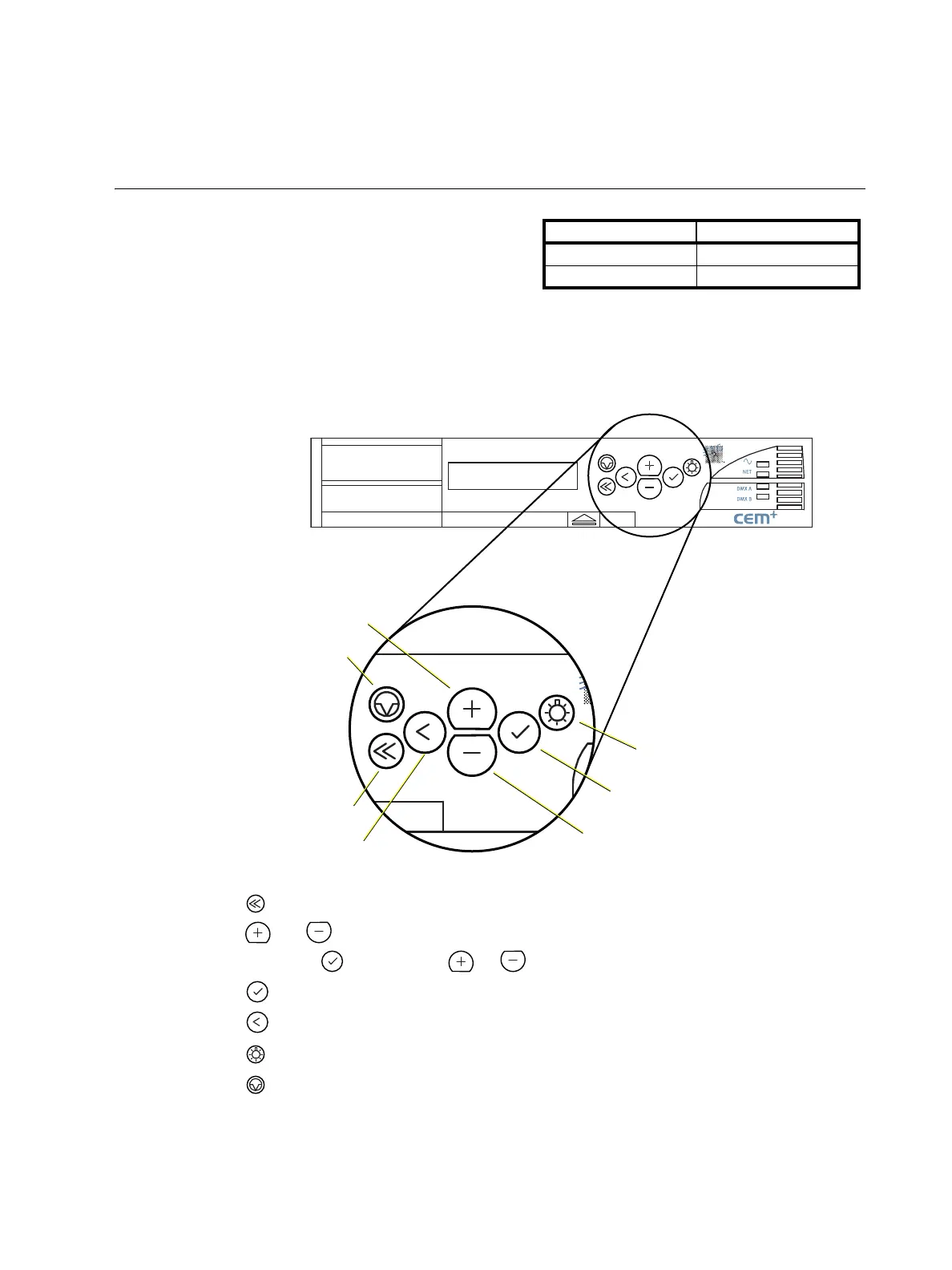
The CEM+ User Interface
You can access all the menus described in this chapter using the buttons on the face of the CEM+
module. Menus and messages are displayed on the integral 2x20 LCD display.
The CEM+ user interface:
• Use to return to the main menu at any time.
• Use and to scroll through menus and through digits and letters in screens requiring user
input. Pressing while holding or will jump by 100.
• Use to accept settings and to view the error list.
• Use to step back through menus.
• Use to access the Set Levels menu.
• Use to reset the CEM+.
User Level PIN
Default/User None
Power User 3333
?
?
?
?
Reset
Home
Back
Plus
Set Levels
Minus
Accept



 To Next Page