Sensor+ Connect Web Interface 31
Configuration
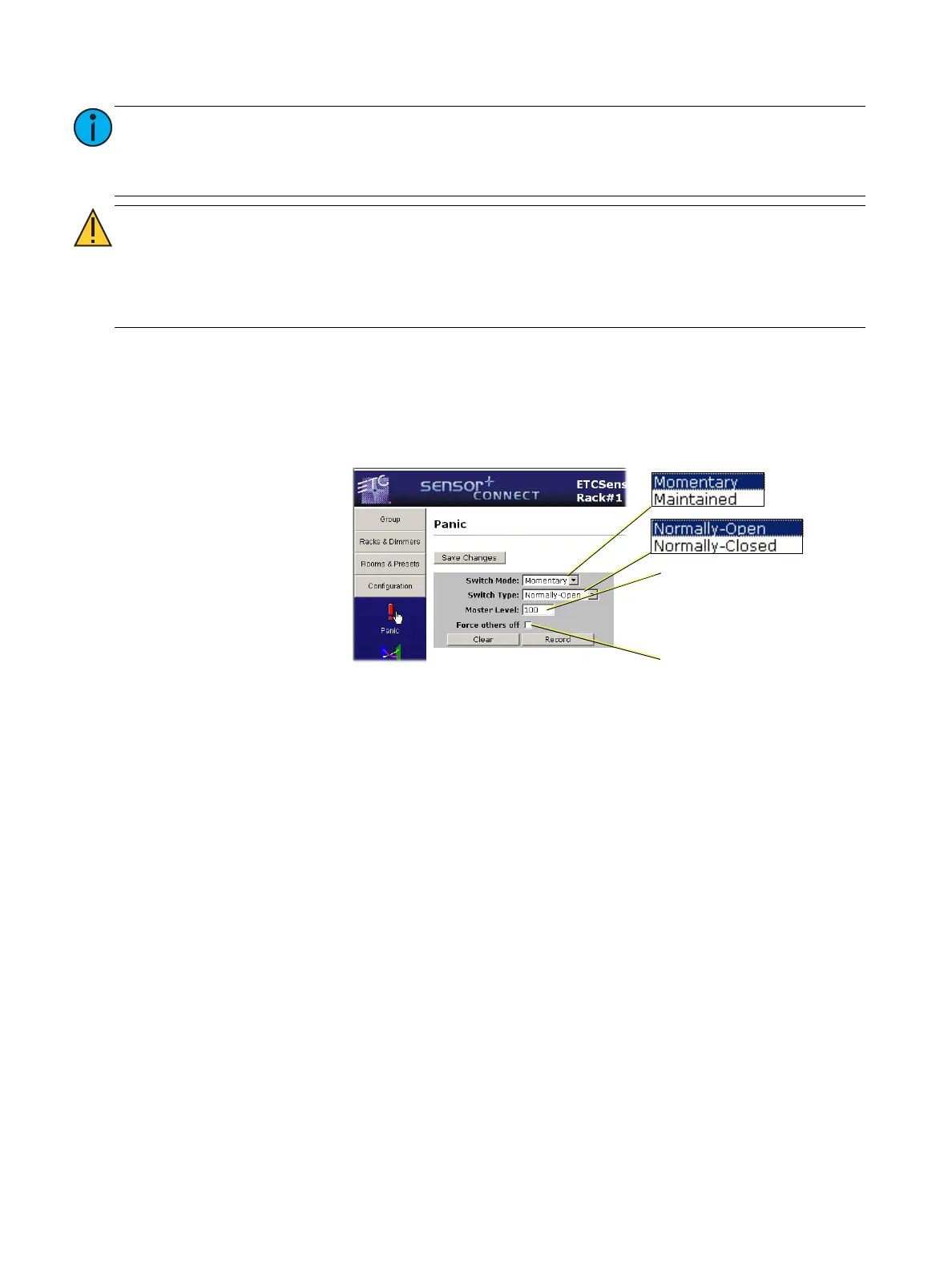
Panic
This is the page where you configure Panic for switch mode and type as well as record or clear the
Panic preset.
Patch
Port Settings
The port settings page is where you can enable/disable any of the data input ports as well as the port
relative priority inside the CEM+, and any port’s data loss behavior on any of the Sensor+ racks. Along
with the port settings are the some basic patch settings. You can assign the starting DMX address for
each rack’s data port (DMX, EDMX and sACN).
The default patch gives every port on every rack a starting address and sequentially addresses the rest
of the dimmers in the rack from that point. By default every rack added will be set to an incremental
DMX address starting at one (1) and continuing with the next available DMX address available with
only port A enabled on each rack (Port B, EDMX and sACN are disabled by default).
Note:
If DMX output is enabled, Each DMX output address can be manually included in the
preset by adding an intensity level in the rows named “DMX output xxx.” Once
included in the preset, the preset will be prioritized with other incoming sources
according to the priority entered for the preset.
CAUTION:
Sensor+ internally saves the preset level information by “virtual dimmer”
number rather than by DMX output. The first virtual dimmer number equals
the last physical dimmer number + one. Thus, if you try to set DMX output
address by using the SET DIMMER LEVELS feature in Sensor+ connect or at the
face panel, you need to add the number of dimmers in your system to the
address number to set the correct DMX output address.
Force others off enables load
shedding. (If a dimmer is not part
of the recorded Panic, they are
turned off.)
Master Level is the threshold for
dimmer levels when recording
Panic. Dimmers with levels below
the threshold will not be
recorded in Panic.



 To Next Page