EasyManua.ls Logo

ETC sensor+ CEM+ - Racks & Dimmers

ETC sensor+ CEM+
96 pages
Print Icon
To Next Page IconTo Next Page
To Previous Page IconTo Previous Page
Loading...
Sensor+ Connect Web Interface 23
Racks & Dimmers
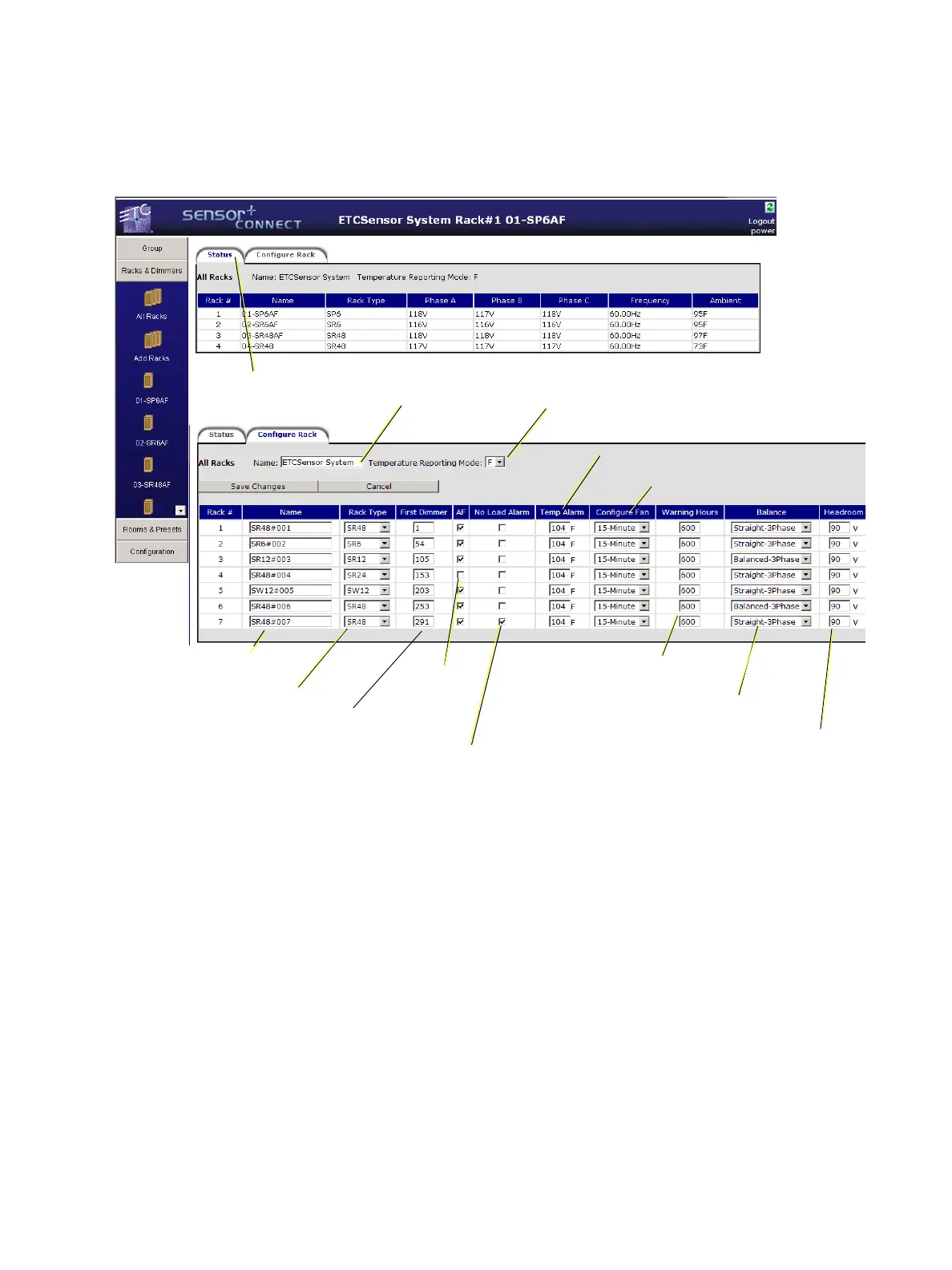
All Racks
All Racks provides a place to access and set the properties of all racks in the configuration.
Provides current rack status information for
all racks in the Group.
Set the rack name
Set the name of the
group
Set the temperature
scale to use
Set the rack type
Set the first dimmer of
the rack
Turn on/off
Advanced
Features
Set the ambient
alarm temperature
Set the voltage headroom warning
Set the load balancing according
to supply power
Set the fan cleaning
countdown reminder
Set the rack fan time-out
(15 min. or Always On)
Enable “No Load
Alarm” for the rack

Table of Contents

Other manuals for ETC sensor+ CEM+

Related product manuals