EasyManua.ls Logo

ETC sensor+ CEM+ - Appendix F CEM+ LCD Menu; CEM+ LCD Menu

ETC sensor+ CEM+
96 pages
Print Icon
To Next Page IconTo Next Page
To Previous Page IconTo Previous Page
Loading...
CEM+ LCD Menu 77
Appendix F
CEM+ LCD Menu
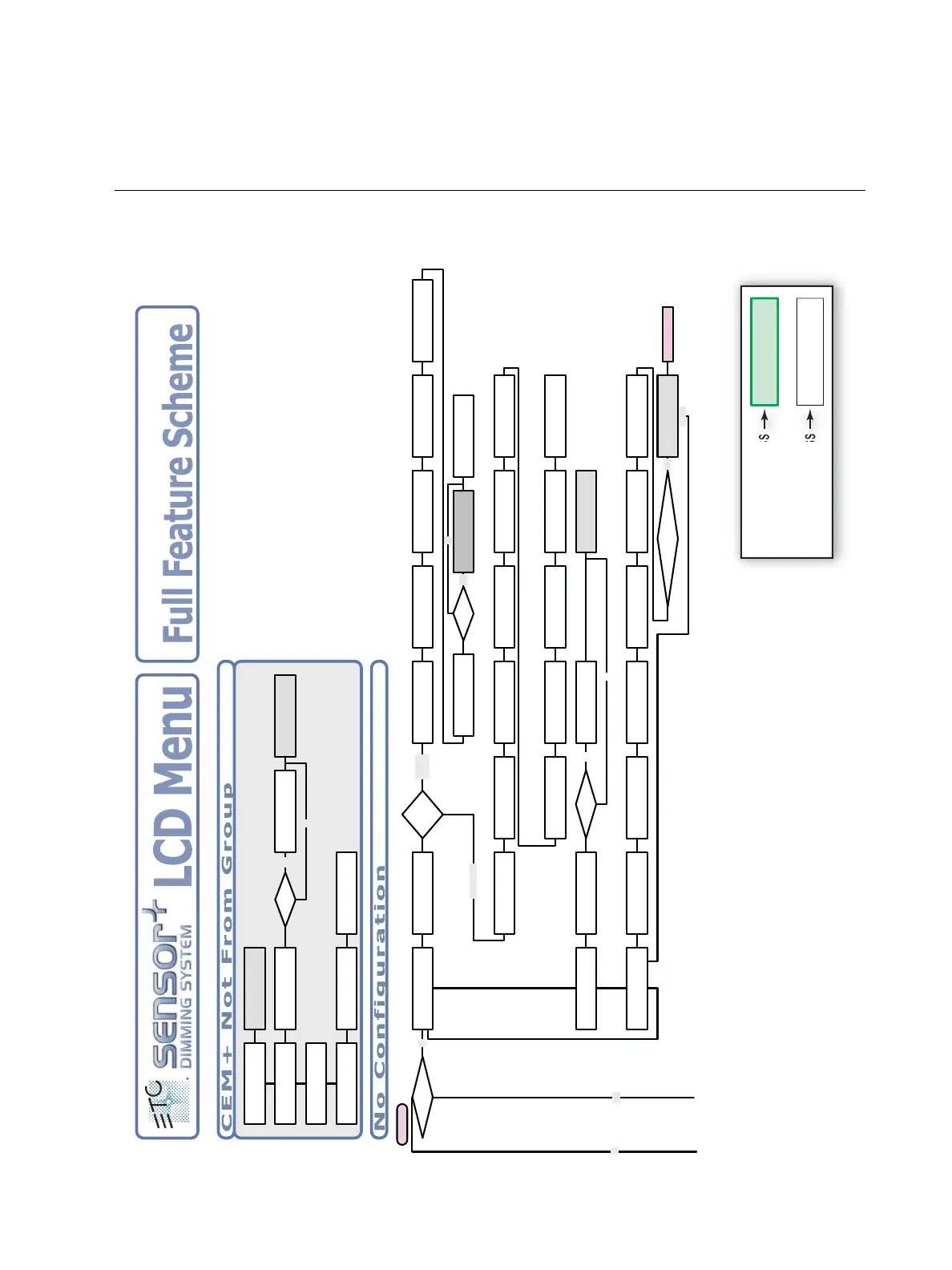
This appendix contains the entire face panel menu structure. Note that the different color of the
screens denotes a different user level required for access.
No Config Menu
No
If Valid Config
No Config R__/ 0
[Get Config From]
On Boot
No Config R__/ 0
[Set Group/Rack/Net]
Download From
[Rack __ ]
Set Network Table
Group Number [__]
Set Network Table
Rack Number [__]
Set Subnet Mask
[www.xxx.yyy.zzz]
Set IP Address
[www.xxx.yyy.zzz]
Network Enable
[Enabled]
Set Gateway
[www.xxx.yyy.zzz]
Updating Settings
IP, Subnet Or
Gateway Changed?
Cancel
Basic/
Portable
Set Module Type
Module = [D20]
Set Phase Balance
[Balanced-3Phase]
Advanced Features
[Off]
Save Changes?
[No]
No Config R__/ 0
[Generate Defaults]
Set Quantity of
Racks to add [__]
Set Input Power
[120] Volts
Patch Dimmers [DMXA]
Start Address [001]
Set Temp Alarm
[104] F
Set Group Number
Group Number [__]
Set Rack Type
[SR48]
Set First Dimmer
Dimmer [_____]
Operating
Scheme
Generate Defaults
[Full Feature]
Full Feature
Yes
Config Loaded from
Rack xx successful
To - On Boot
CEM+ Version 2.2
Set FTP IP Address
xxx.xxx.xxx.xxx
If Server
yes
No
Set Input Power
[120] Volts
Set Phase Balance
[Straight 3 Phase]
Set Rack Type
[SP6]
Set Module Type
[D20]
Set Dimmer Double
[OFF]
Set DMX Start
[xxx]
Save Changes?
[No]
Dimmer Double DMX
257
If DD Yes
No
CEM+ Not from Group
[Use this CEMConfig]
Replace Group Config
w/this CEMConfig [Y]
CEM+ Not from Group
[Get Config from]
CEM+ Not from Group
[Use Rack’s Config]
CEM+ Not from Group
[Go To No Config]
Please wait!
Updating CEM+
Download From
[Rack __ ]
Config Loaded from
Rack xx successful
Set FTP IP Address
xxx.xxx.xxx.xxx
If Server
yes
No
Send to All Racks?
Are you Sure [Yes]
No
Yes
Menu Key
Ad
Level r User
Power User Access
Access Granted
Level: Power User
Access Granted
Level: User
User Access

Table of Contents

Other manuals for ETC sensor+ CEM+

Related product manuals