24 Sensor+ CEM+ User/Config Manual
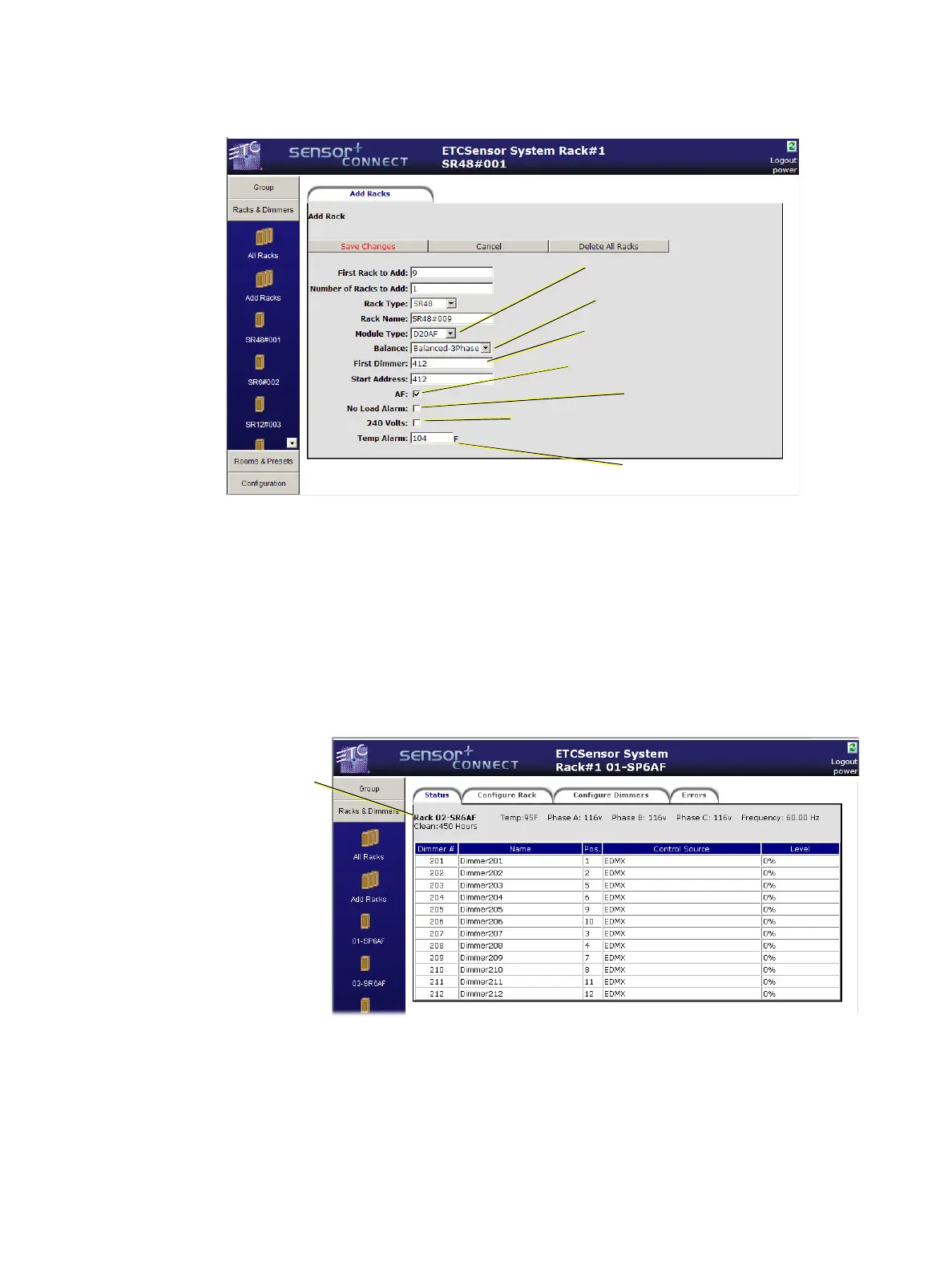
Add Racks
This page is where you add racks to your configuration.
To change the rack and module types to the European models, click the 240V check box. After
checking 240V, you must click Save Changes before you will see the available rack and module types
change to European (ESR/ESP) models. Clicking Save Changes the first time after the 240V check box
has been altered (checkmark vs. no checkmark) will not add a rack to the group.
Rack #
Status
This page displays the individual rack’s power information, the dimmers’ control source and current
intensity level.
First dimmer of the
first added rack.
Enable Advanced
Features for added racks.
240V changes the available rack & module
types to European models. (Read below)
Set ambient
temperature alarm.
Set the default
module type
Set the phase
balancing type
Enable “No Load Alarm”
Displays which rack’s
info you are viewing
which may be different
from the rack you
logged in to.



 To Next Page