Sensor+ Connect Web Interface 35
File Upload
The File Upload web page is where you send either a
configuration file or a software file to the CEM+ you are
logged into. The CEM+ looks at the file being sent to
automatically handle the file type or part of the
configuration file.
Load Management
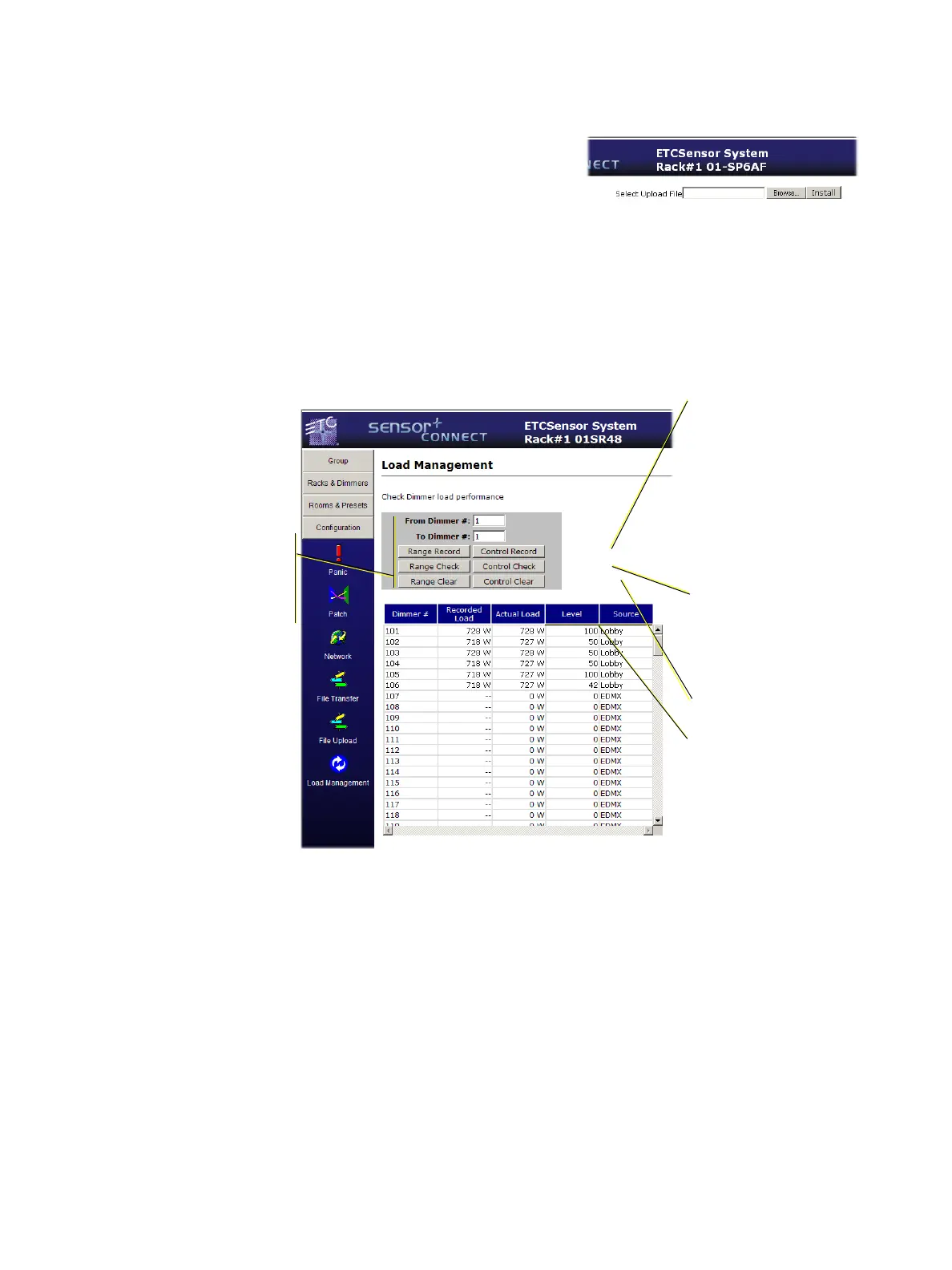
From this webpage, you can record, check, and clear load information for Advanced Feature modules
(such as the D20AF).
For the functions on this page to work properly, you must turn on Load Errors for each of the advanced
features (AF) dimmer modules you want to use in load management. See
Configure Dimmers
on
page
25
for more information about enabling load errors for a dimmer.
Performs a Control Check by
running the levels of the
dimmers up & down
checking for differences
between recorded and
actual loads.
Control Record finds all of
the AF dimmers with a non-
zero level and runs the levels
up & down to record the
loads.
You must turn on (check)
Load Errors for Record Loads
in
Configure Dimmers
on
page 25
, for this to work
properly. Just turning on AF
does not turn on Load Errors
by default.
Control Clear will delete the
previously recorded loads.
Level & Source display the
current dimmer level and
the control source for the
dimmer.
Shown above, dimmers 101-
106 are controlled by the
Lobby preset.
The range versions of these
buttons use the From/To
dimmer fields to determine
what dimmers to include in
the load management
functions instead of
dimmers with a non-zero
control level as is normal.



 To Next Page