58 Sensor+ CEM+ User/Config Manual
CEM+ Fuses
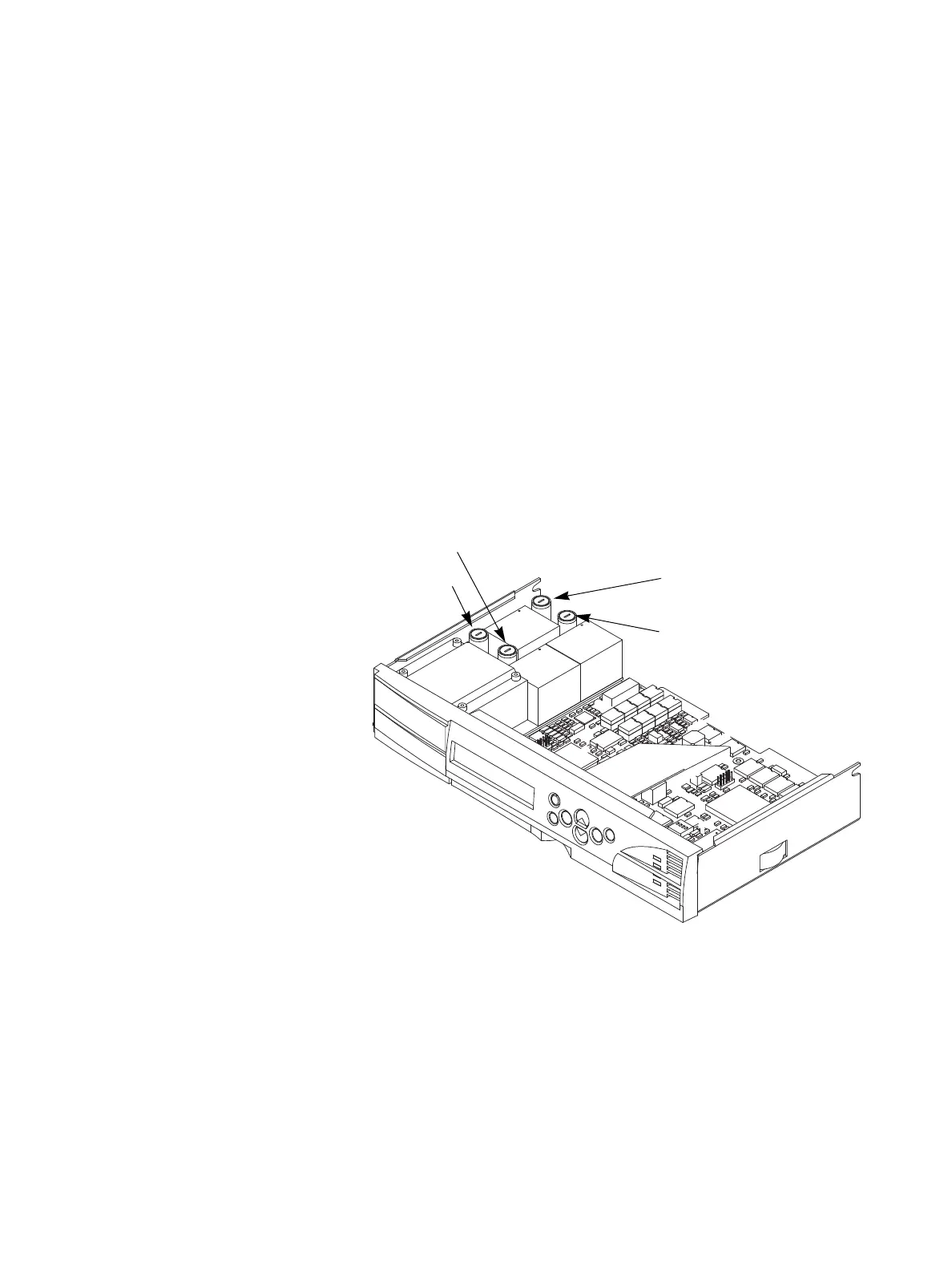
The CEM+ has two fuses:
• The F1 fuse is a 250V, 0.75 amp, fuse. CEM+ operating power and power for the dimmer module
electronics, is drawn through this fuse. If F1 fails, the CEM+ will not operate and dimming will not
work. The Sensor+ rack beacon will be dark. The fuse in the F2 position is a spare 0.75 amp fuse.
• The F3 fuse is a 250V, 5 amp fuse. Power for the rack’s fan is drawn through this fuse. If F3 fails,
the fan will stop running and the CEM+ will display an air flow error. The Sensor+ rack beacon
will flash to signal a problem. The rack may shut down due to overheating. The fuse in the F4
position is a spare 5 amp fuse.
Replacing a Fuse:
1. Remove the CEM+ module (See
Changing Installation Rack Modules
on
page 55
).
2. Locate and replace the defective fuse. Fuses are held in vertical fuse holders.
a. Use a flat-blade screwdriver to gently turn the cap of the fuse holder to the left until it comes
free.
b. Lift the cap and the fuse straight out of the fuse holder.
c. Remove the defective fuse and replace it with a fuse of the same type. A spare fuse of each
type is provided on the CEM+.
d. Replace the fuse and cap in the fuse holder and use a flat-blade screwdriver to gently turn
the cap to the right to fully capture the fuse.
3. Replace the CEM+ module and close the door.
(F1) Fuse - 0.75A - CEM+ and
Module Electronics
(F2) Fuse - 0.75A - Spare
(F4) Fuse - 5A - Spare
(F3) Fuse - 5A - Fan Power



 To Next Page