64 Sensor+ CEM+ User/Config Manual
Synchronization
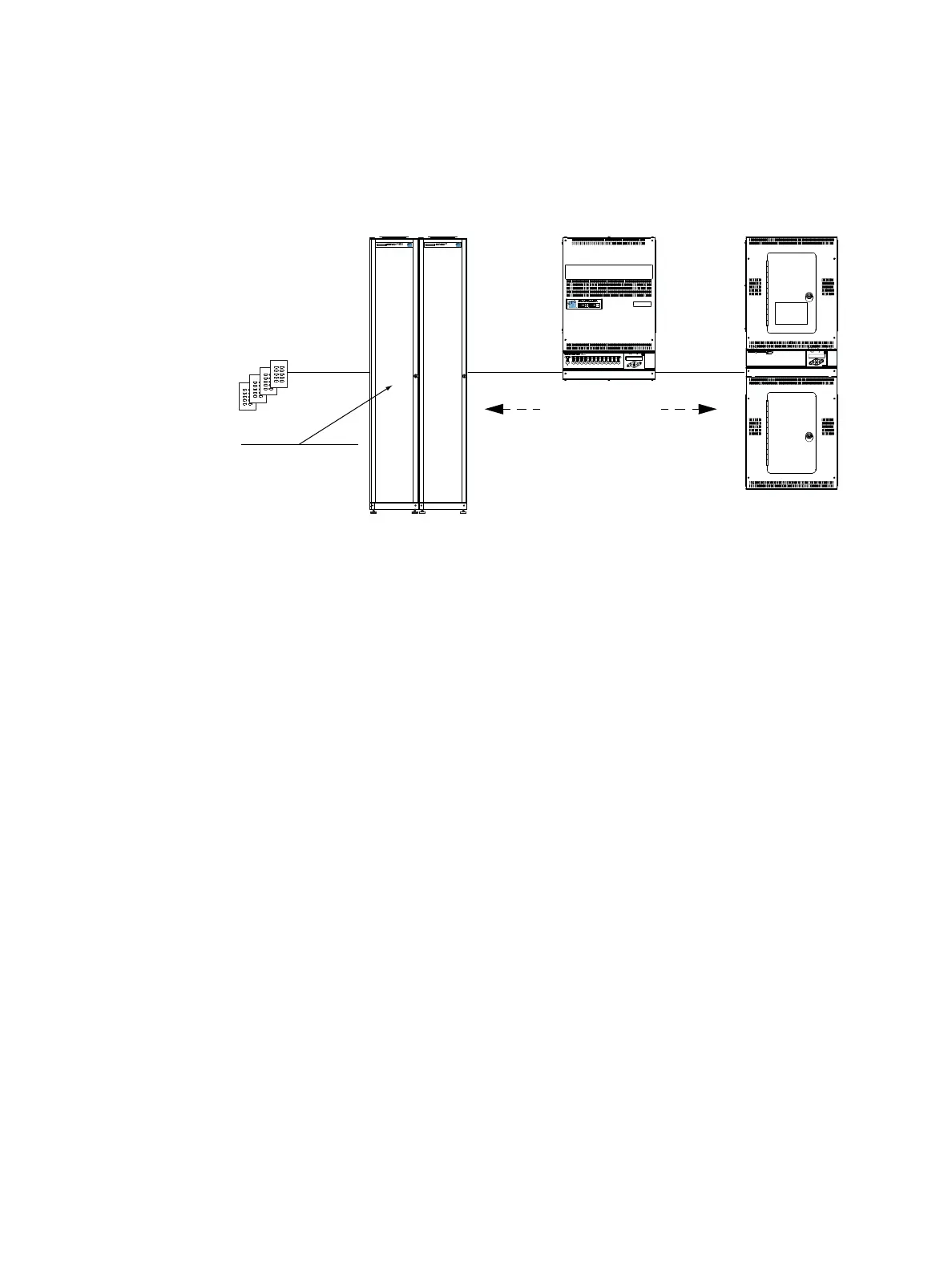
It is possible to synchronize presets and sequence activation across up to four Sensor+ groups,
SmartPack or SmartSwitch products when they are connected on a SmartLink network. SmartLink
connected products share various configuration parameters and events, known as host messages, as
sent from the host product. Reference
Host Messages
on
page 63
for more information.
Preset and Sequence Synchronization
Default functionality is that the last CEM+, SmartPack or SmartSwitch updated in the system acts as the
host product and sends its host messages to the other SmartLink enabled products in the system. Each
product will retain its own preset and sequence (SmartPack and SmartSwitch) configuration as
programmed but when a host product is selected each SmartLink enabled product will activate and
play its sequence with the number of steps and timing (fade up, fade down, hold time) as sent by the
host product.
Preset Synchronization
Selecting a preset on any rack/pack affects the same numbered preset to run on all inter connected
SmartLink enabled products simultaneously.
If “Preset 1” is activated from the facepanel of a SmartLink device:
That device will act as the host product and send its host messages to the other SmartLink enabled
products in the system to activate “Preset 1”. The preset will activate with the same fade up time, hold
time, and fade down time as sent from the host product.
Sequence Synchronization
Sequence is a host product feature native to SmartPack and SmartSwitch only. CEM+ does not support
sequence as a host product. However, because of the way messages are transmitted over SmartLink, a
CEM+ will respond to the messages generated by a sequence activated on an SmartPack or
SmartSwitch.
Activating a sequence on any pack causes all connected SmartLink enabled SmartPack and
SmartSwitch products to run the same sequence in lock-step synchronization using the host product
fade up, hold, and fade down times. In addition, sequence loop “yes” or “no” will be sent from the
host product to all inter-connected SmartLink enabled products to ensure lock step synchronization.
12
10
11
12
10A. 120V
DMX
Service by authorised persons only.
This equipment must be grounded
Isolate power before removing covers.
RISK OF ELECTRICAL SHOCK
DANGER!
D I M M I N G S Y S T E M
D I M M I N G S Y S T E M
Preset 1
Preset 2
Preset 3
Preset 4
Preset 5
Preset 6
Preset 7
Preset 8
Preset 9
Preset 10
Preset 1
Preset 2
Preset 3
Preset 4
Preset 5
Preset 6
Preset 7
Preset 8
Preset 9
Preset 10
Preset 1
Preset 2
Preset 3
Preset 4
Preset 5
Preset 6
Preset 7
Preset 8
Preset 9
Preset 10
Preset 1
Preset 2
Preset 3
Preset 4
Preset 5
Preset 6
Preset 7
Preset 8
Preset 9
Preset 10
Sensor+ Racks SmartPack SmartSwitch 48
Belden 8471
SmartLink Power Board
installed in rack 1 with
LinkPower enabled
Belden 8471Belden 8471
Presets, Sequence,
Sequence timing



 To Next Page