EasyManua.ls Logo

ETC sensor+ CEM+ - Network

ETC sensor+ CEM+
96 pages
Print Icon
To Next Page IconTo Next Page
To Previous Page IconTo Previous Page
Loading...
Sensor+ Connect Web Interface 33
Network
The Network screen displays the network table for the CEM+. This information is local to the CEM+
and changing IP information here does not change the corresponding CEM+’s actual IP address. It only
serves as a place to store and lookup the IP addresses of other CEM+s in the same group. This table
does get shared to the other CEM+s in the group.
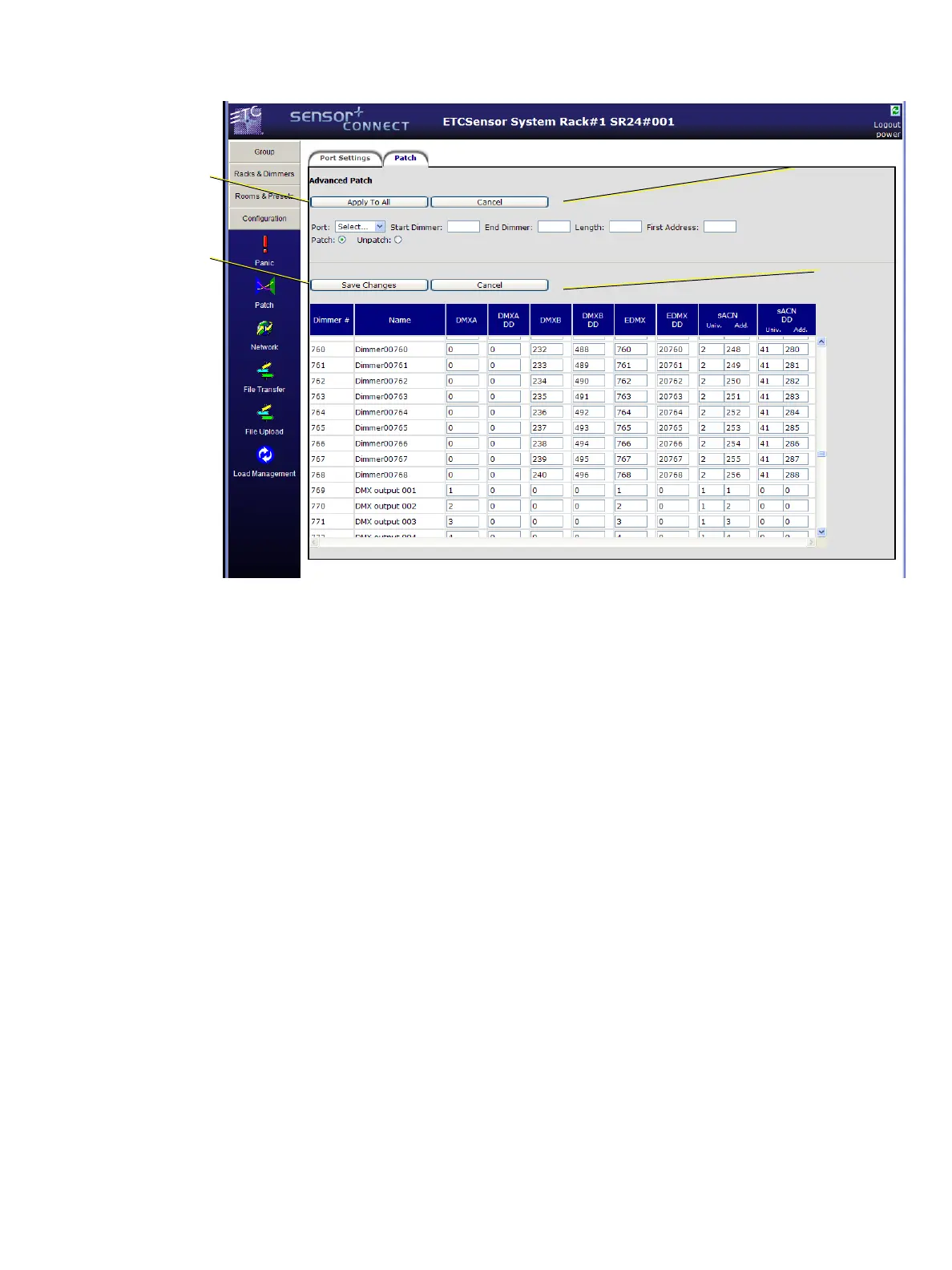
Use this section
to do range
patching based
on the criteria
given in the
fields provided.
Use this
section to
edit
individual
dimmers for
all ports.
Apply to All
makes the
changes to the
table below.
Save Changes
updates the
information in
the CEM+

Table of Contents

Other manuals for ETC sensor+ CEM+

Related product manuals