Sensor+ Connect Web Interface 21
Chapter 3
Sensor+ Connect Web Interface
This section covers functions and
configuration of the CEM+ and
Sensor+ Connect that are available
to the Guest, User and Power User
login levels.
The web interface is a series of web
pages intended to give you easier
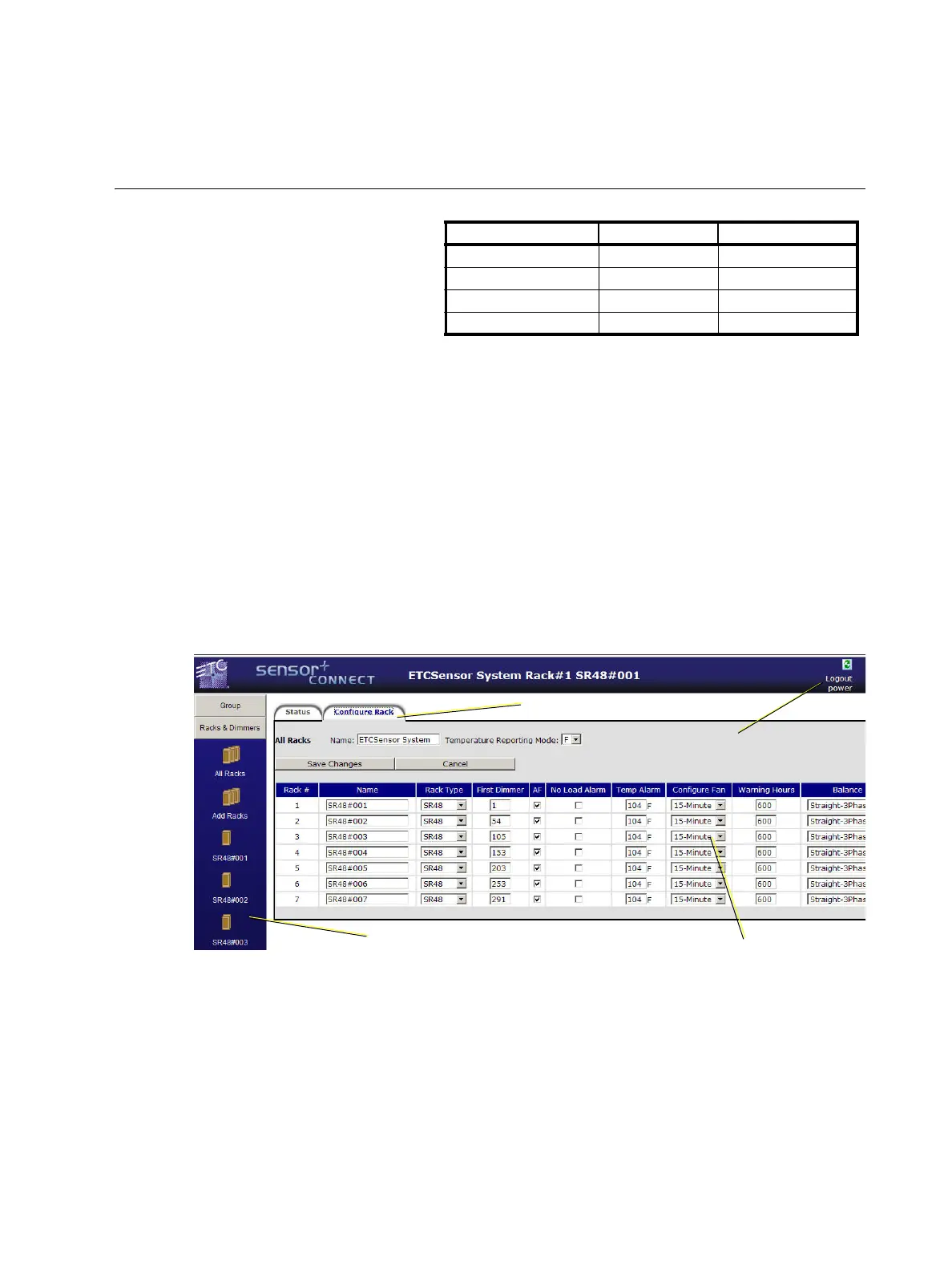
access to all of a CEM+ module’s features and settings. This section will provide you screenshots of
various key pages and provide further insight into how to use them. Setup and configuration
procedures are covered in
CEM+ Procedures
on
page 37
For a complete web interface site map outline, see
Sensor+ Connect Site Map
on
page 85
The CEM+ module contains a web server that delivers graphical web pages for you to use during
system configuration. The Sensor+ Connect Web browser interface can be used instead of the direct
buttons on the CEM+ module itself. You can use an Ethernet-capable PC connected to the ETCNet2
network and running Windows 2000 or XP and Internet Explorer 6 or later to browse into any of the
Sensor+ racks on the network. Any changes made in the web interface are not communicated to the
CEM+ until you send that information by clicking Save Changes on that page.
If you are using an Emphasis Control System running version 1.8.0 software or later, there is a
command in the WYSILink menu that automatically opens a browser window and connects to Sensor+
racks.
User Level Login Password
Default [empty field] [empty field]
Guest guest guestpass
User user userpass
Power User power powerpass
Refresh button
Logout and
User level
Navigation Frame
Edit Frame
Edit Tabs



 To Next Page