CEM+ Procedures 49
File Transfers
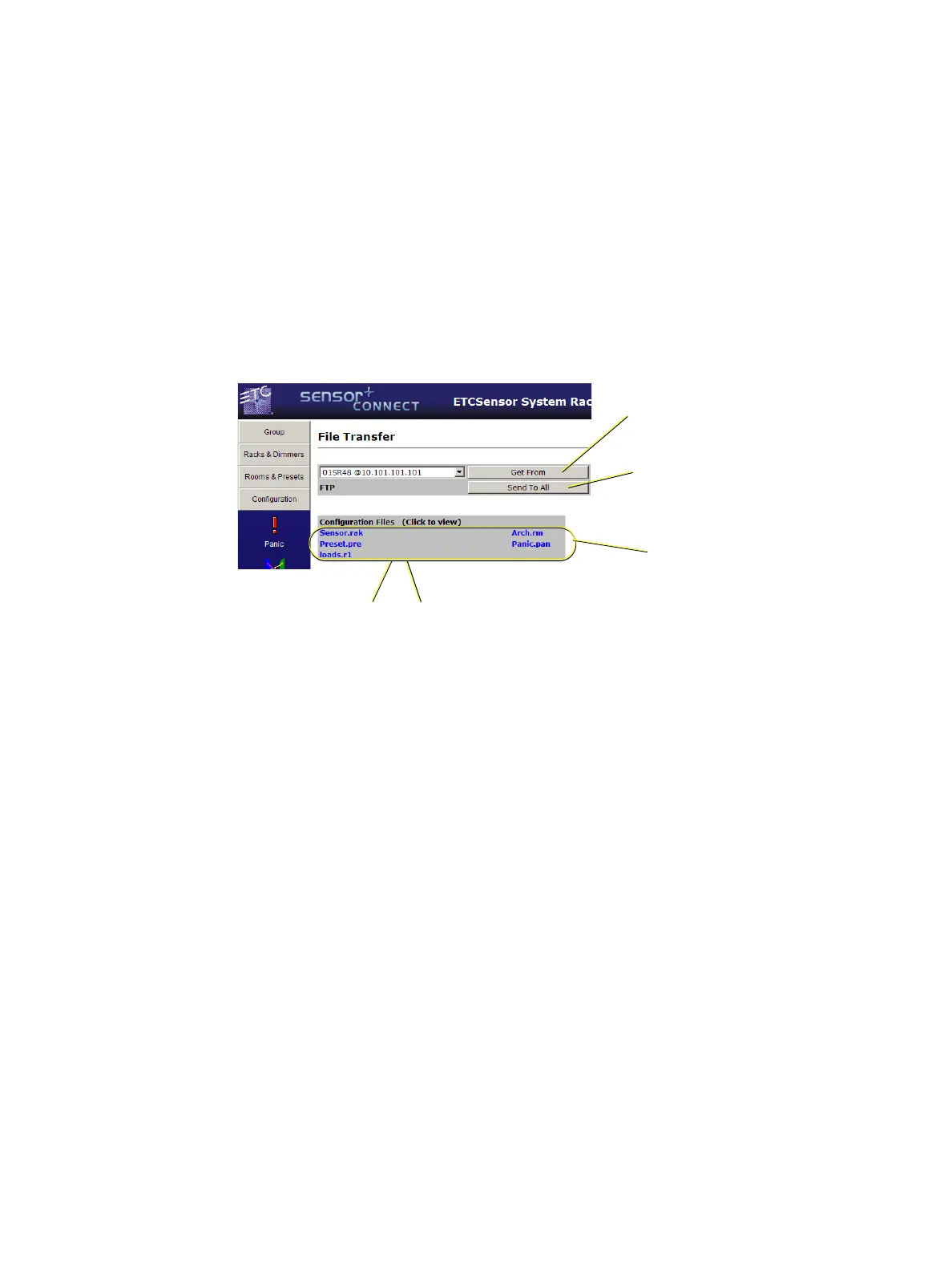
The configuration files that are shared from CEM+ to CEM+ in a group are XML files that are sent and
received via FTP (File Transfer Protocol). They are then parsed at each CEM+ for use locally within that
CEM+ depending on the rack number (the CEM+ knows what rack number it is and looks to that part
of the configuration to get its settings).
There are four (4) separate files that make up the user-defined configuration.
• Sensor.rak - Contains all of the rack configurations and dimmer information including the patch.
• Preset.pre - Contains the preset information for the group.
• Arch.rm - Contains the room/dimmer assignments for the group.
• Panic.pan - Contains the settings for Panic within the group.
Understanding these few pieces of information first makes the rest of this section easier to use and
understand.
Download (config from selected IP)
This function will make the local CEM+ (the one you are logged into) get the group configuration (all
of the racks configurations in one) from the specified device and IP address in the pull-down menu. The
configuration will go from the specified device to only the one device asking for the configuration.
This is useful to get an existing configuration into a new or replacement CEM+.
Backup (to all)
This function will send the local CEM+ module’s group configuration to all other devices (CEM+
modules and FTP if one is configured) in the group as set in the network table.
This is useful to send a newly uploaded/modified configuration to the other CEM+ modules in the
group.
“Get from” retrieves the
configuration from selected
device IP address
“Send to All” sends the
configuration to all other
devices in the group.
The five files that make
up the group
configuration.
Left-click file name
to view
Right-click & “Save Target as...”
to save the file to disk.



 To Next Page