30 Sensor+ CEM+ User/Config Manual
Create room preset
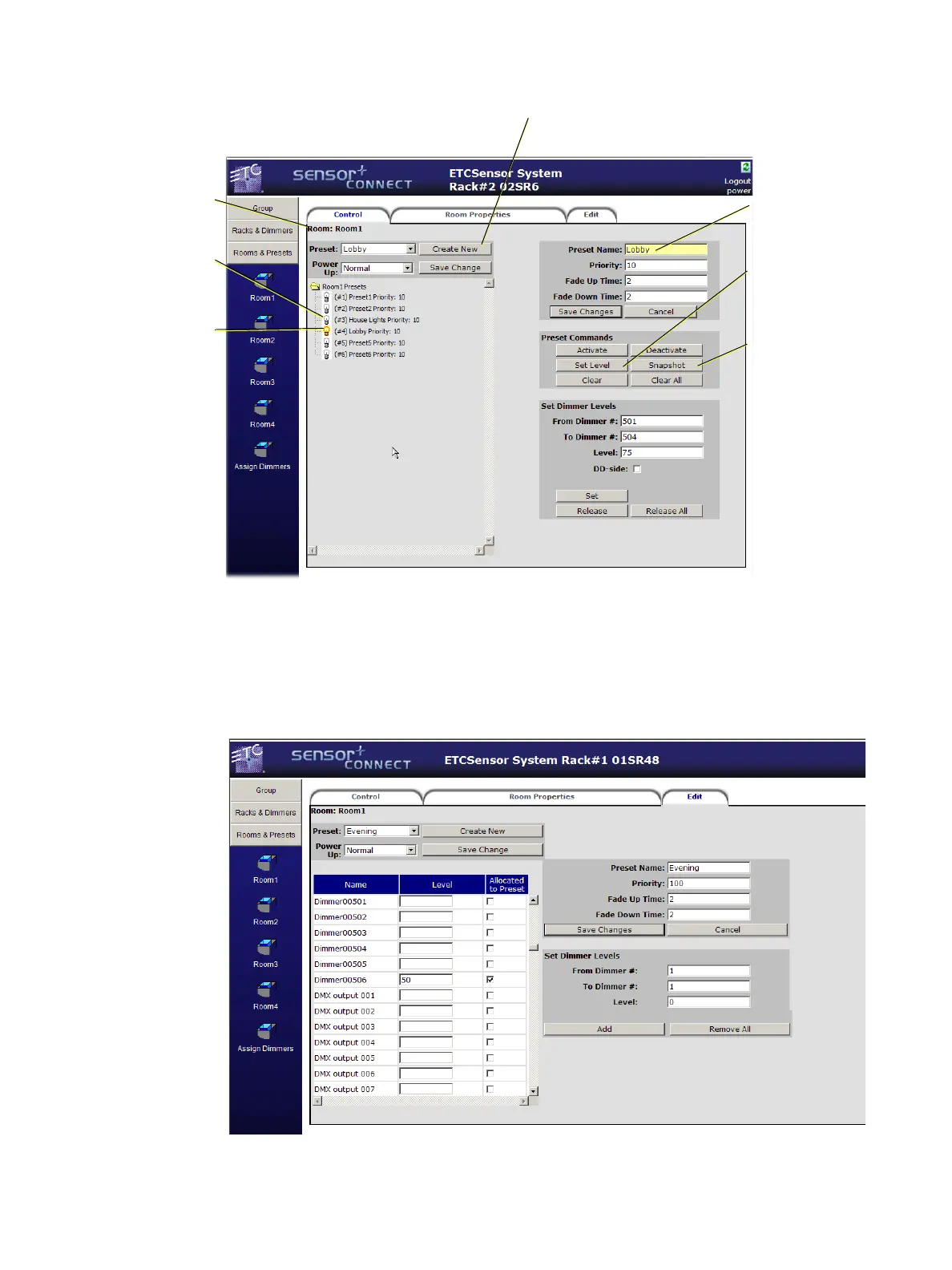
Manually creating and editing of presets can be performed from the Edit tab within each of the room
pages. Either select an existing preset from the preset drop down or type the desired text in the Preset
Name field and click Create New. Type desired intensities in the “Level” field and check “allocate to
preset” to include that information in the preset. Remember to click Save Changes before starting a
new preset or navigating away from the page.
Set Level will
record only the
level information
set at the CEM+ in
the preset.
Indicates an
active preset.
Snapshot will use
all level
information
available to the
CEM+ in the
preset.
Indicates an
inactive preset.
Creates a new preset to be
named and recorded later.
Indicates which
preset is being
manipulated.
Indicates which
room you are
currently
viewing.



 To Next Page