EasyManua.ls Logo

ETC sensor+ CEM+ - Appendix B SmartLink Stations Enabled; Features

ETC sensor+ CEM+
96 pages
Print Icon
To Next Page IconTo Next Page
To Previous Page IconTo Previous Page
Loading...
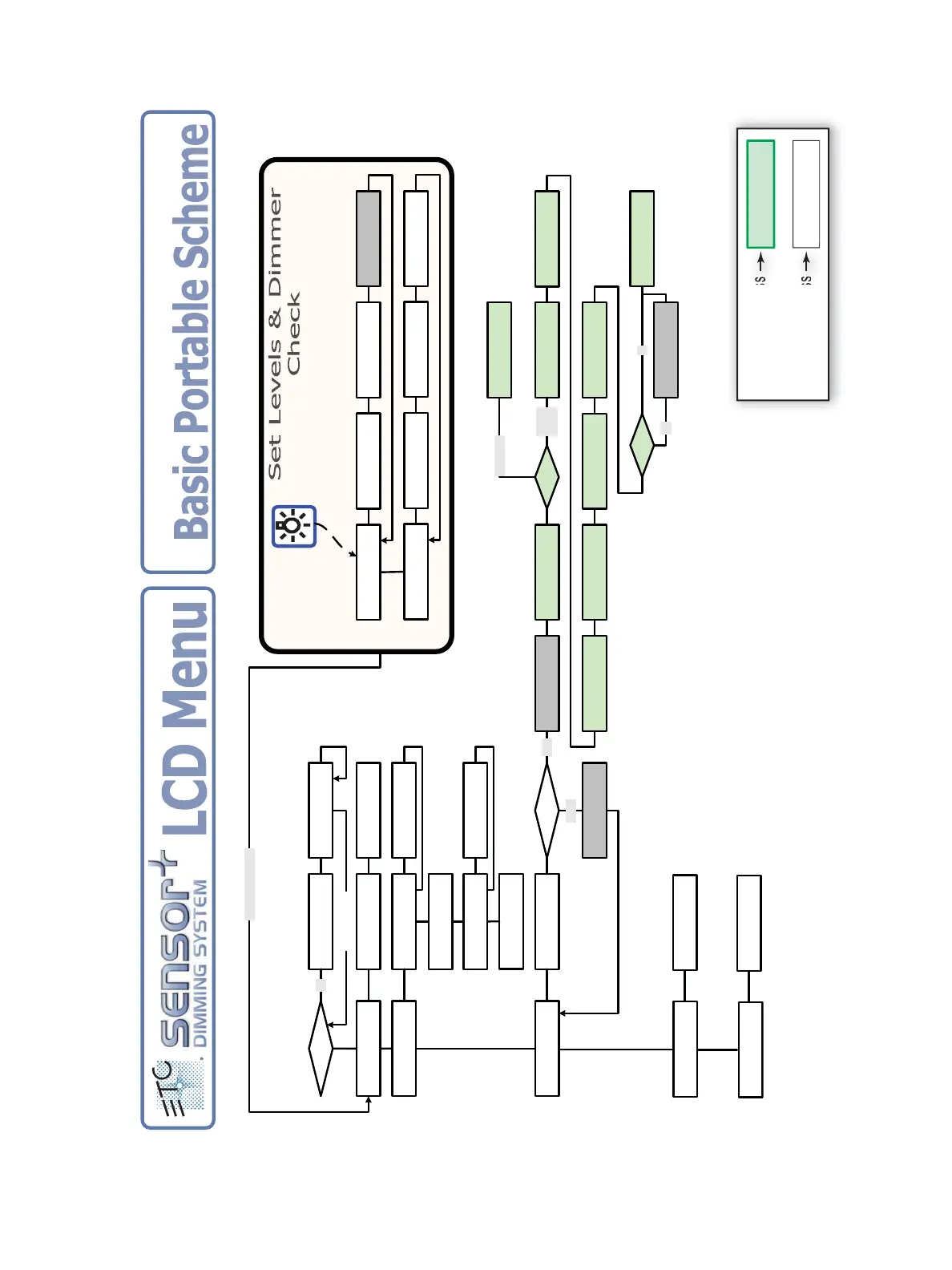
62 Sensor+ CEM+ User/Config Manual
SP48 D100AF Rack OK
DMX Start XXX to YYY
Dimmer
[Set/Release Levels]
Set Levels
Set level [00-FF]
Set/Release Levels
[xxx] to [xxx]All
About Power Input
60.0 Hz SINGLE_PHASE
About Software
[V 2.2.0.9.0.xx]
Dimmer: [ xxx]
Switched: [ Y ]
Rack Power Input
V a:123 b:125 c:126
About
if error
YY Enter to Clear
+/- [No Data Port A]
About
[Dimmer]
Dimmer [xxx] Level
yy% DMXA
Press Enter to View
[Rack Error(s)]
About DMX Input
DMX A:OK DMX B:Off
Set Rack Type
[SP6]
Save Changes?
[No]
Enter PIN
PIN: 0 0 0 0
Invalid Pin
Config Unchanged
PIN
Config Scheme
[Basic Portable]
Set Input Power
[120] Volts
Yes
Home (<<) to Exit
Configure Rack
Dimmer Mode
Invalid
Please Wait
Updating Settings
Please Wait
Setting Levels
Access Granted
Level: [Power User]
Valid
Set Phase Balance
[Straight 3 Phase]
SP6 D20 Rack OK
Set DMX Start [xxx]
Set Module Type
[D20]
Set DMX Start
[xxx]
Dimmer
[Dimmer Check]
Dimmer Check
+/– Dimmer [xxx]A
Dimmer Check
Set level [100]
Dimmer Check
First Dim [xxx]A
On Type
Basic
Portable
Full Feature Config
Are You Sure? [No]
Full Feature
Home button goes to
Set Dimmer Double
[OFF]
Dimmer Double DMX
257
If DD
Yes
No
CEM+ Version 2.2
Main Power
Main Power
[3-Phase]
Menu Key
Ad
Level r User
Power User Access
Access Granted
Level: Power User
Access Granted
Level: User
User Access

Table of Contents

Other manuals for ETC sensor+ CEM+

Related product manuals