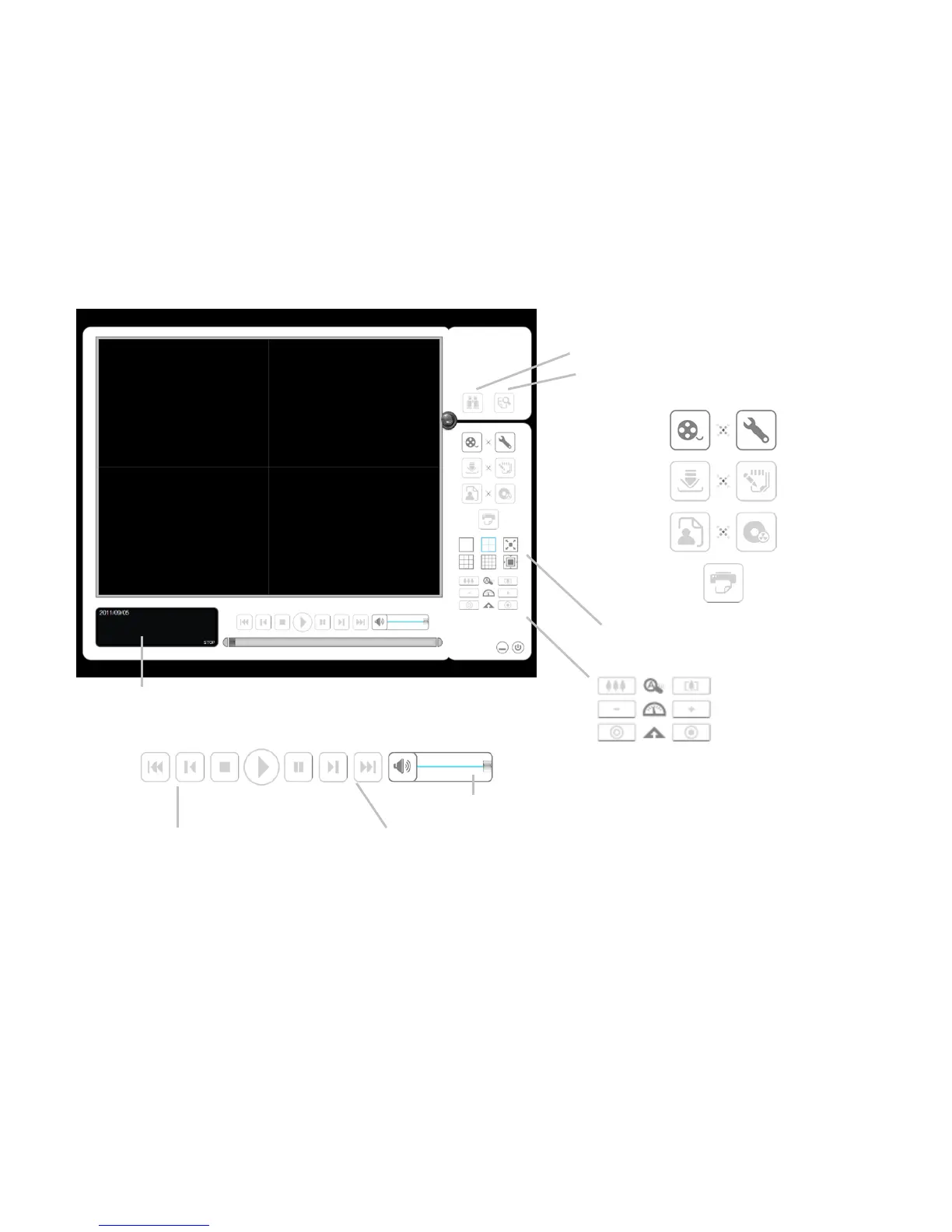
7. Playback
There are two ways to execute the playback function: with Internet Explorer or
with the Playback System application.
7.1 Internet Explorer
7.1.1 Playback Control Panel
Information Display Window: Displays video date and time, cue-in /
cue-out point times, and speed.
Audio Volume Control: Adjust the sound level.
Screen Division: Allocate the sub-screen display by clicking on the
desired layout icon. To switch to single camera display, double click a
particular sub-screen. Double click the screen again to regain previous
screen division layout.
Browse Mode: Play the recorded video when in Search Mode.















 To Next Page