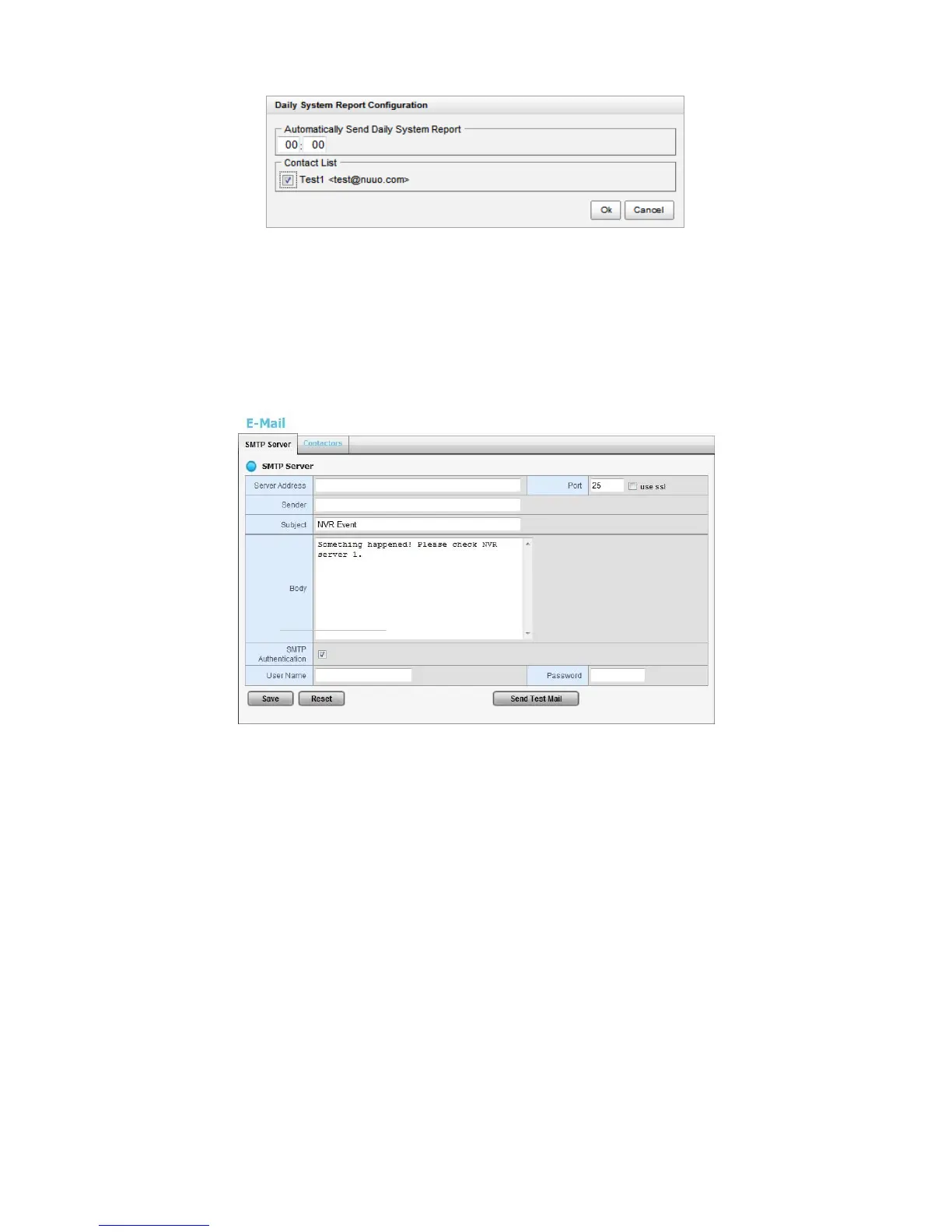
2.2.6 SMTP Server Setup
1. Open Internet Explorer and log in to the unit.
2. Click Settings / Recording & Event / E-Mail.
3. Click the SMTP Server tab.
Server Address: SMTP (Simple Mail Transport Protocol) server IP
address.
Port: SMTP port.
Sender: Sender information.
Subject: The subject of the mail.
Body: E-Mail content.
SMTP Authentication: Before sending out an E-Mail, enter the user
name and password for SMTP authentication.
Username
Password
4. Click the Send Test Mail button and the system will send a test mail to the
sender. Check it after testing.
5. Click the Save button.















 To Next Page