Port: Playback transmission port.
Maximum Users: The number of users who can access playback
functions at the same time. (Max: 8)
Log Access: Check to record playback access information on NVR Log
page, including access time, playback video channels, and time frame.
Allowed/ Blocked List
Allowed List: Only IP addresses from the allowed list are allowed to log
in.
Blocked List: IP addresses from the blocked list will be unable to log in.
When setting Maximum Connections in Live Streaming Server settings, 1 connection
means that one user connects to one camera. If the maximum connections value is
set to 16, and each user connects to 4 cameras, the allowed connections per user will
become 4, rather than 16.
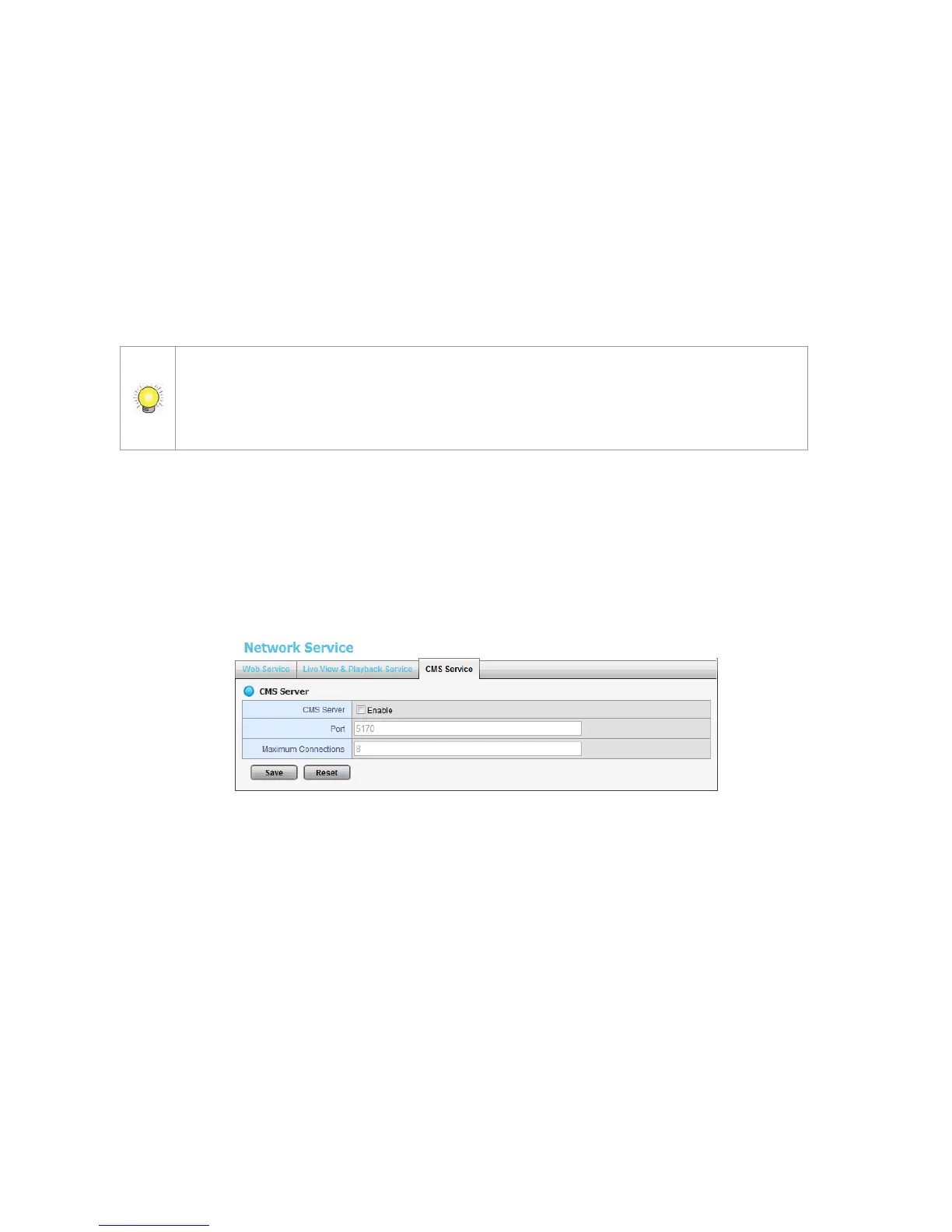
2.5.5 CMS Service Setup
1. Open Internet Explorer and log in to the unit.
2. Click Network Setup / Network Service.
3. Click the CMS Service tab.
CMS Server: Check the Enable option to enable CMS service.
Port: the port number through which the CMS connects to this unit.
Maximum Connections: The maximum number of allowed CMS
connections.
2.6 Management
2.6.1 View the List of Users
1. Open Internet Explorer and login the unit.
2. Click Management/ User Management.
3. Click the Create New Users tab.















 To Next Page