None, Even, Odd, Mark, Space
None, RTX/CTS, XON/XOFF, DTR/DSR
3.1.2 Hardware Installation – SCB-C31A
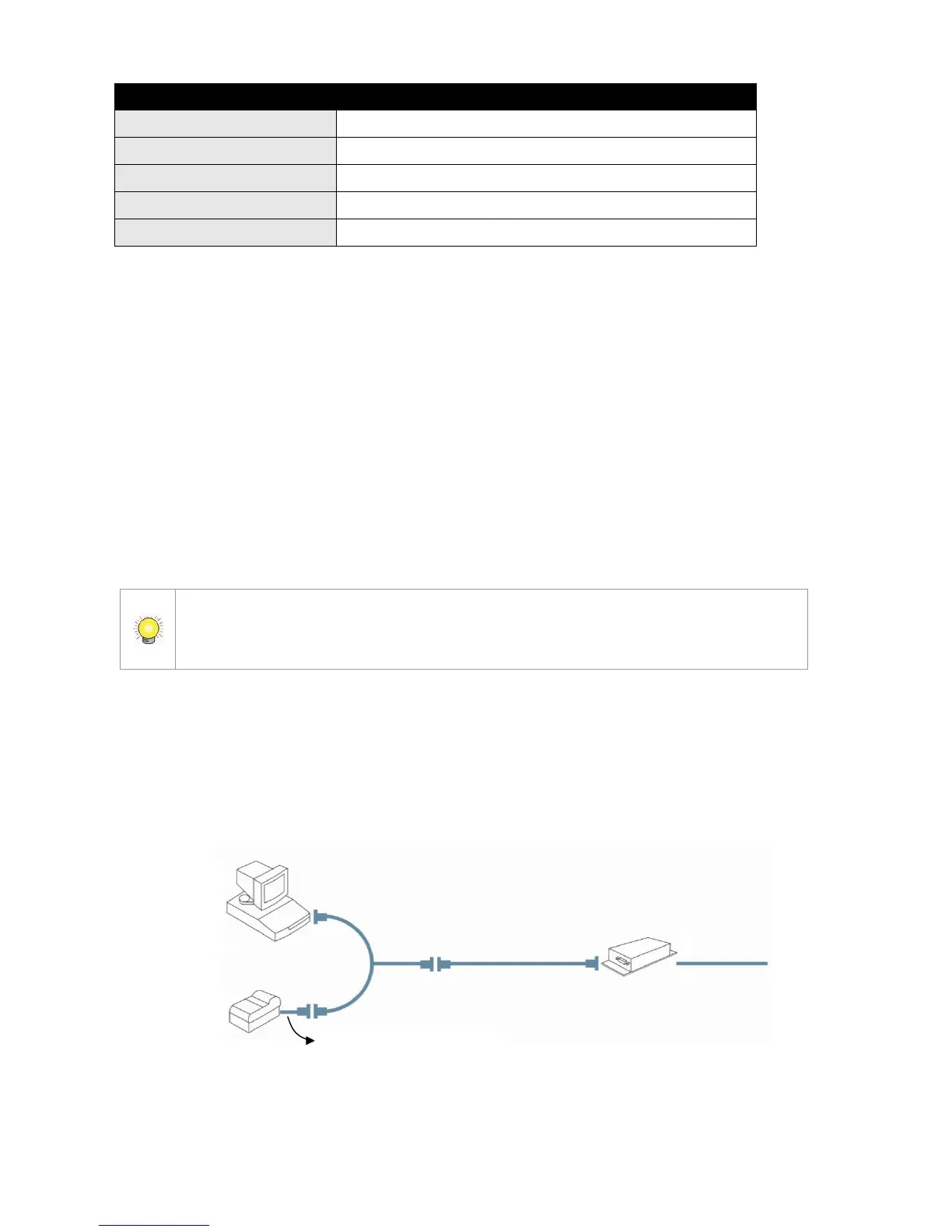
To connect Cash Register, Printer, and SCB-C31A POS data capture converter
together, please follow below steps:
Step 1: Please refer the user manual to setup Cash Register and printer.
Step 2: Using a “Y-shape” DB-9 cable, one DB-9 female connect to POS
system and one DB-9 male connect to the receipt printer Y-shape
(provided by Printer vendor).
Step 3: Using another DB-9 female connect to SCB-C31A POS Data Capture
R232/Ethernet converter with Null modem.
There are two kinds of serial cable: Straight pass-through and Null-Modem. The
connection between SCB-C31 POS Data capture box and Y-cable must be null modem
(in package).
Step 4: Check the system switch of the SCB-C31A is switched to OFF-OFF
position.
Step 5: Connect SCB-C31A with power source.
Step 6: Connect SCB-C31A with internet port by RJ45 LAN cable.















 To Next Page