9. Verification Tool
The Verification Tool verifies whether the data created by the system has been
tampered with. It’s the process by which a digital watermark (a digital signature)
is added to each recorded video frame to ensure its authenticity.
There are three types of data could be verified by Verification Tool:
1. File in (.dat) (.264) format will be displayed as .
2. File in (.avi) (.asf) format will be displayed as .
3. File in (.bmp) (.jpg) format will be displayed as .
9.1 Execute Verification Tool
1. Startup > NVR > Verification Tool.
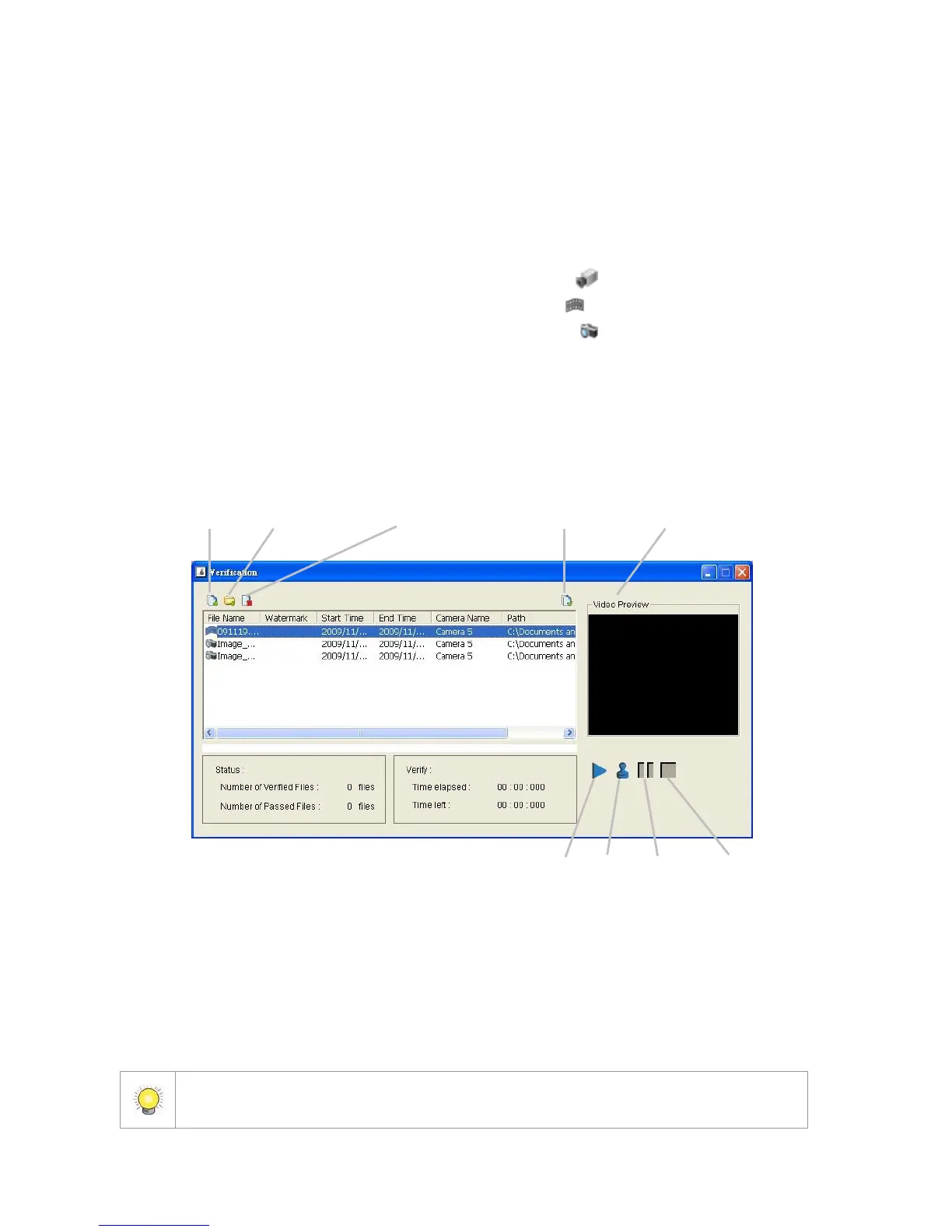
2. Verification Tool Overview
Add File: Insert the single file to list for verification.
Add Folder: Choose the folder with multiple files to list for verification.
Remove File: Remove indicated file(s) from list.
Select All: Select all files in list for verification.
Choose the file type first before selecting files. Only (.dat) (.264) (.avi) (.asf) (.bmp)
(.jpg) are available to open.















 To Next Page