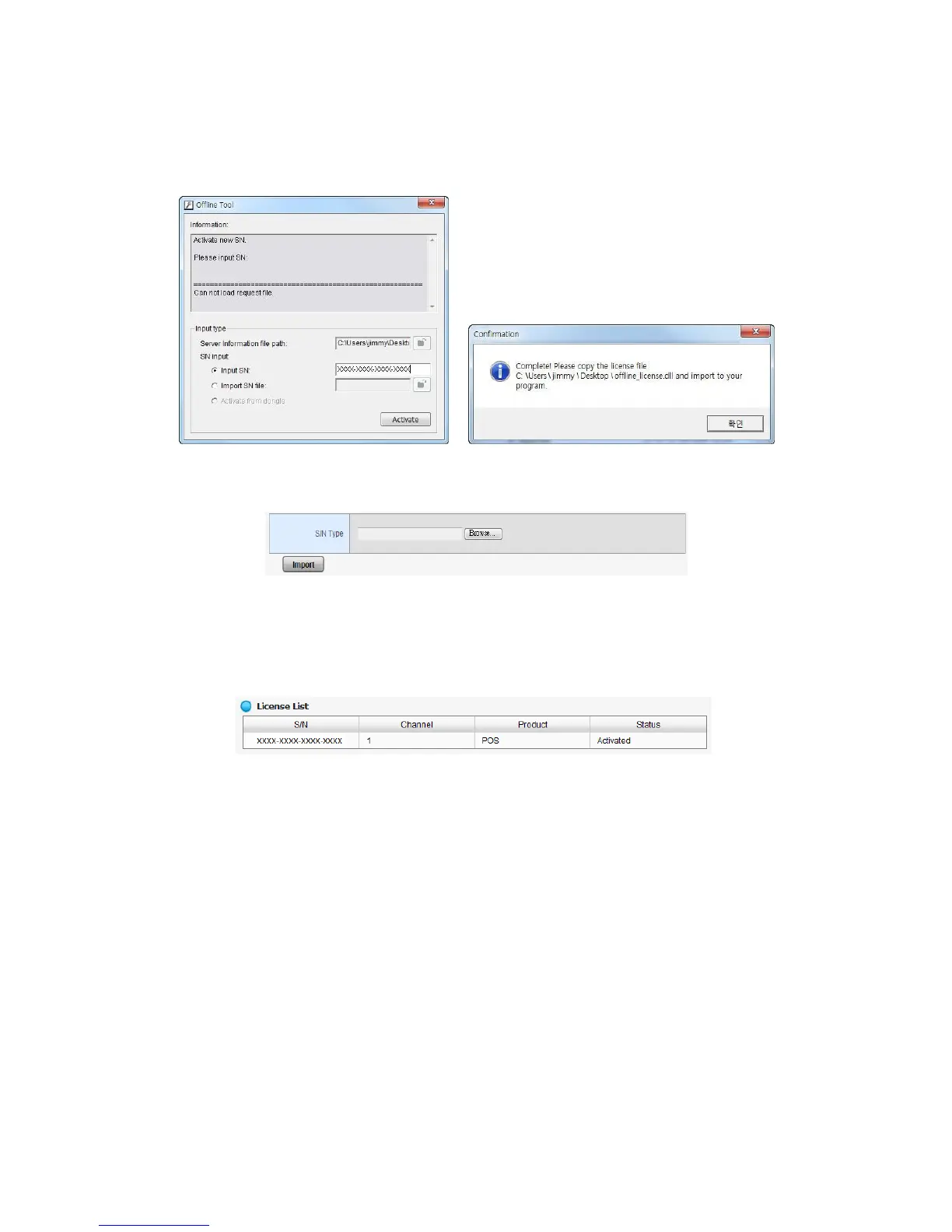
6. Input the serial number, click the Activate button, and save the .dll file
offline_license.dll.
7. Import the license file to the unit.
8. The license will be updated in License List if activated successfully. System
will reboot automatically.
2.6.8 View the Event Log
1. Open Internet Explorer and log in to the unit.
2. Click Management / Log System to find the event list of your unit.















 To Next Page