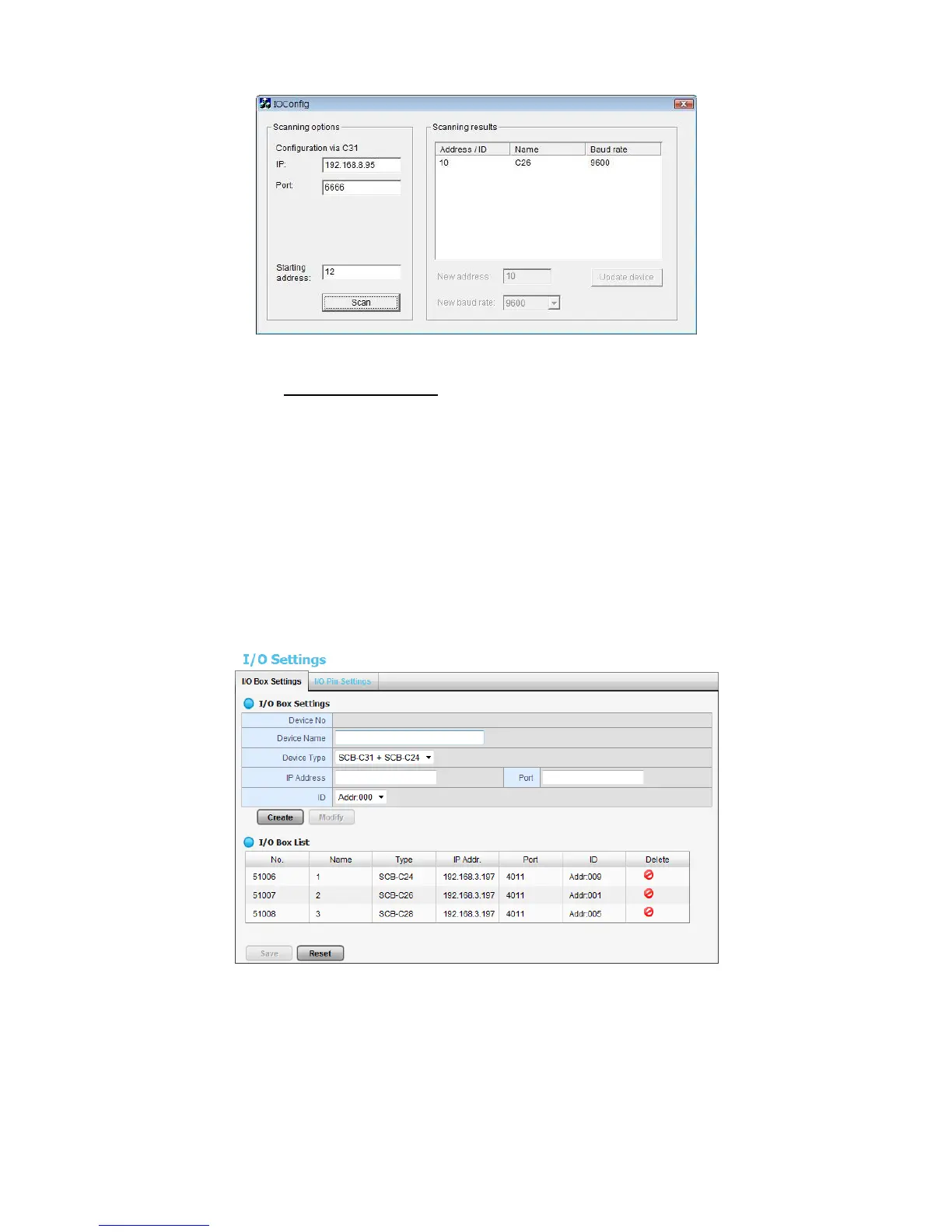
4. Refer to the HW Installation section to connect other I/O Box and repeat
the steps 1 through 3 above to configure more I/O Boxes.
4.2 Software Setup
4.2.1 Add I/O Box
1. Open Internet Explorer and log in to the unit.
2. Click POS & I/O / I/O Settings / I/O Box Settings.
3. Enter the information of I/O box.
Device No: The unique ID system distributes in sequence automatically.
Device Name: The name of the I/O box.
Device Type: The types of I/O box, including SCB-C24, SCB-C26, and
SCB-C28.
IP Address: The IP Address of SCB-C31.















 To Next Page