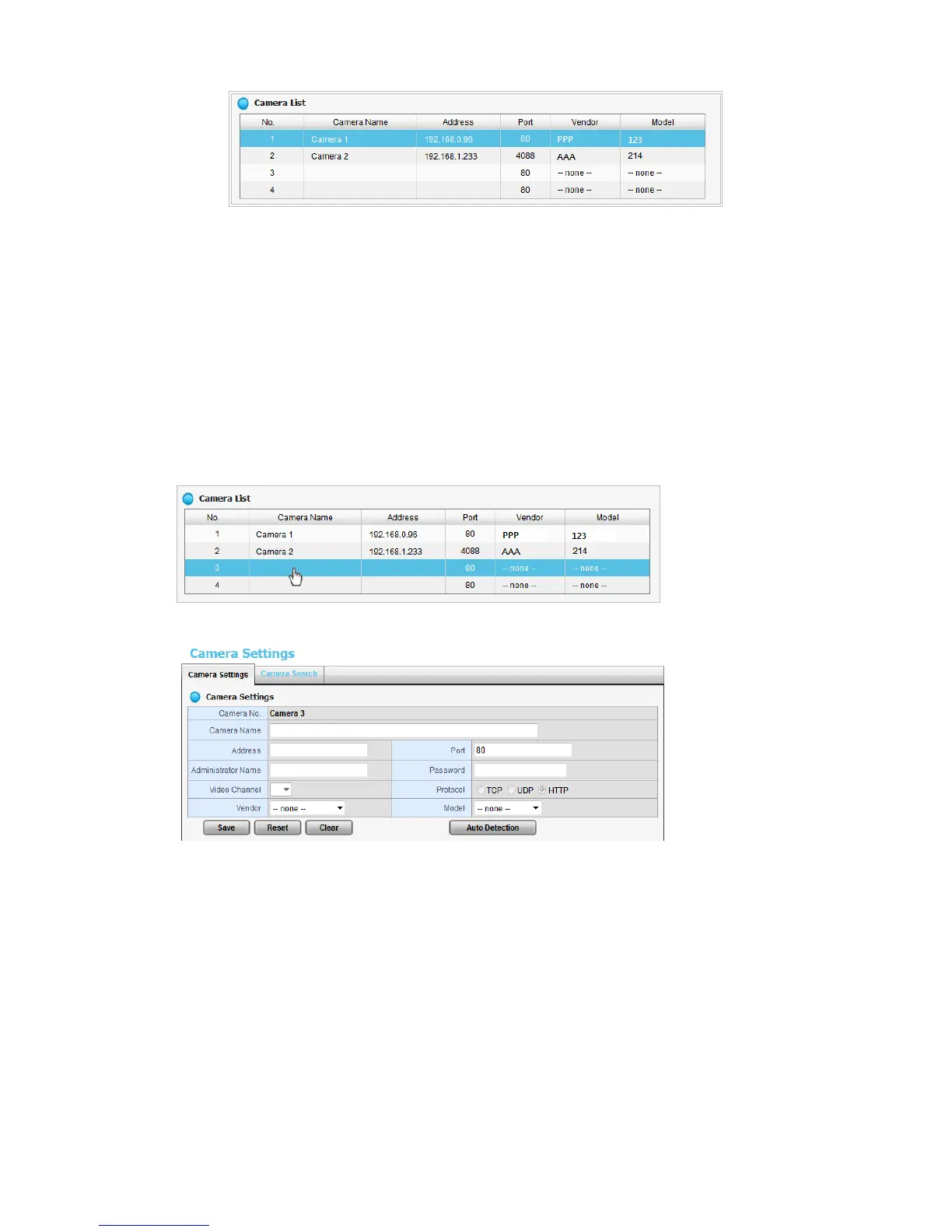
2.1.2 Add Cameras Manually
1. Open Internet Explorer and log into the NVR.
2. Click Settings / IP Camera / Camera Setting.
3. Click the Camera Settings tab. The Camera List will be displayed on the
bottom of the page.
4. On the Camera List, click on the number that you want to assign to the
camera (also called the “camera channel number”). Enter the camera’s
information into that number’s setup page by double-clicking on the
number’s field.
5. The camera channel number’s configuration field will open:
Camera name: The name of the camera channel.
Address: The IP address.
Port: The transmission port.
Administrator Name: Login username.
Password: Login password.
Video Channel (feeds per channel): Select the number of analog
cameras supported by one video server or select the number of IP
cameras possessing multiple lens/channels.
Protocol: Data transmission protocol.
Vendor: Camera vendor name.
Model: Camera model name.















 To Next Page