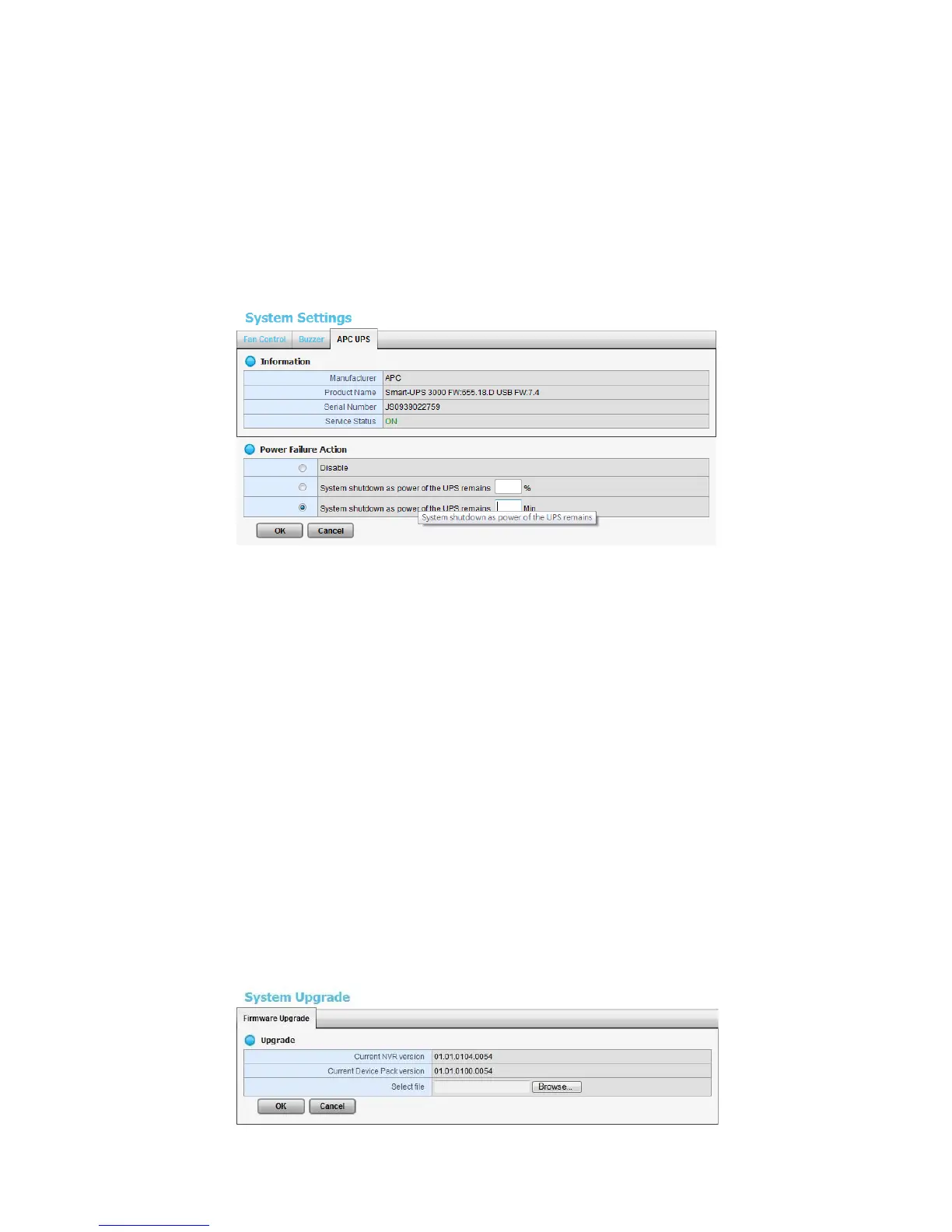
after power failure.
1. Attach the APC UPS to one of the unit’s USB ports.
2. Open Internet Explorer and log in to the unit.
3. Click System / Settings.
4. Click the APU UPS tab.
5. Check one of the options:
Disable: Run until the UPS battery is depleted
System shutdown as power of the UPS remains __ %: Run until the
UPS battery remains this percentage.
System shutdown as power of the UPS remains __ min.: Run until
the UPS battery remains the certain period of time.
6. Fill in the specific value if you choose the last two options.
7. Click the OK button.
2.7.5 Upgrade the System
1. Open Internet Explorer and log in to the unit.
2. Click System / Upgrade.
3. Click the Firmware Upgrade tab.















 To Next Page