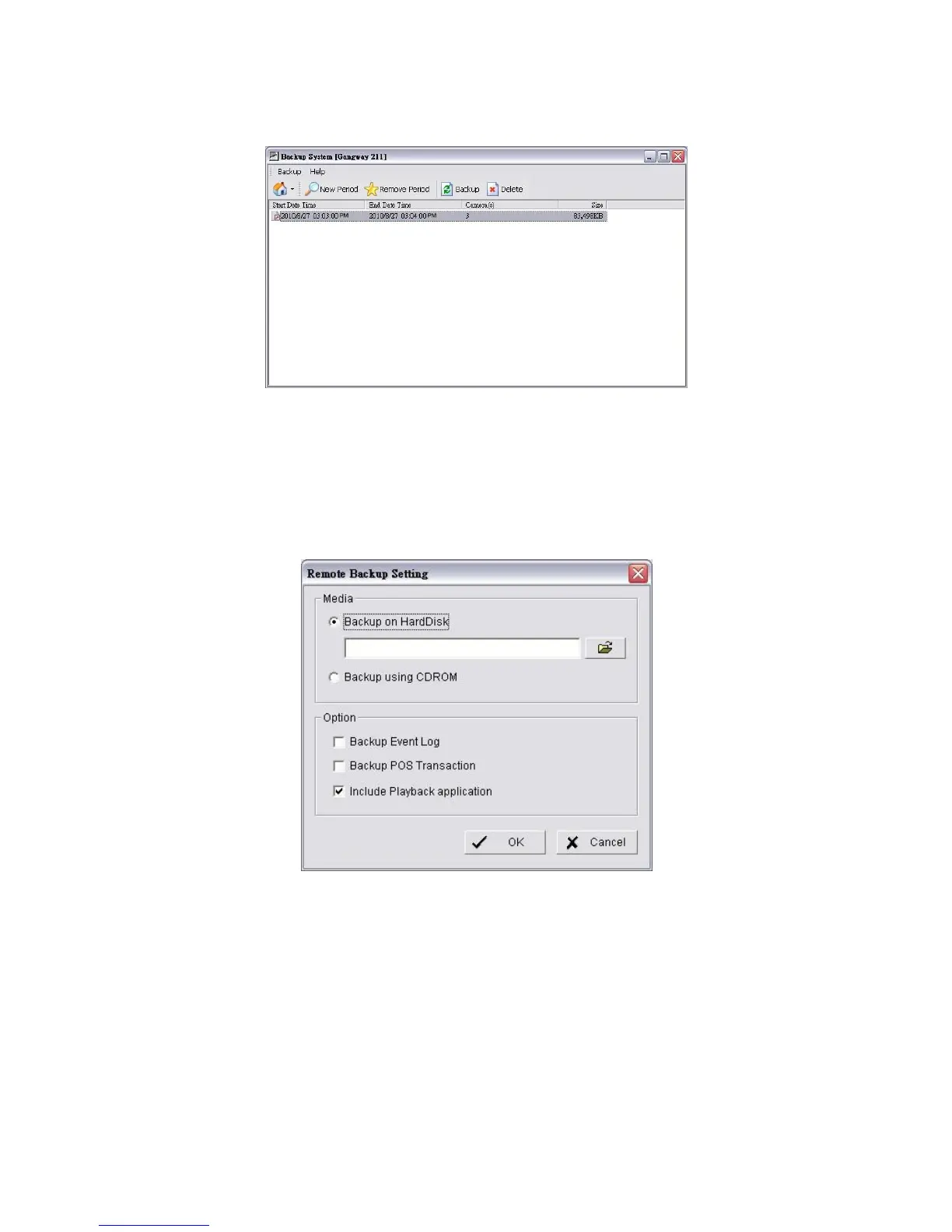
17. Select the time slot which you want to backup.
18. Click the Backup button.
19. Select the way and directory you want to save the backup data.
20. Check the Include Playback application option, which will add
Playback application into the backup folder.
21. Click the OK button.
8.2 Backup the Recorded Video through Windows Explorer
1. Find your unit through Windows Explorer (insert “\\” plus the IP address of
your unit)
2. Open the “public” folder.
3. Insert the name and password of the administrator.















 To Next Page