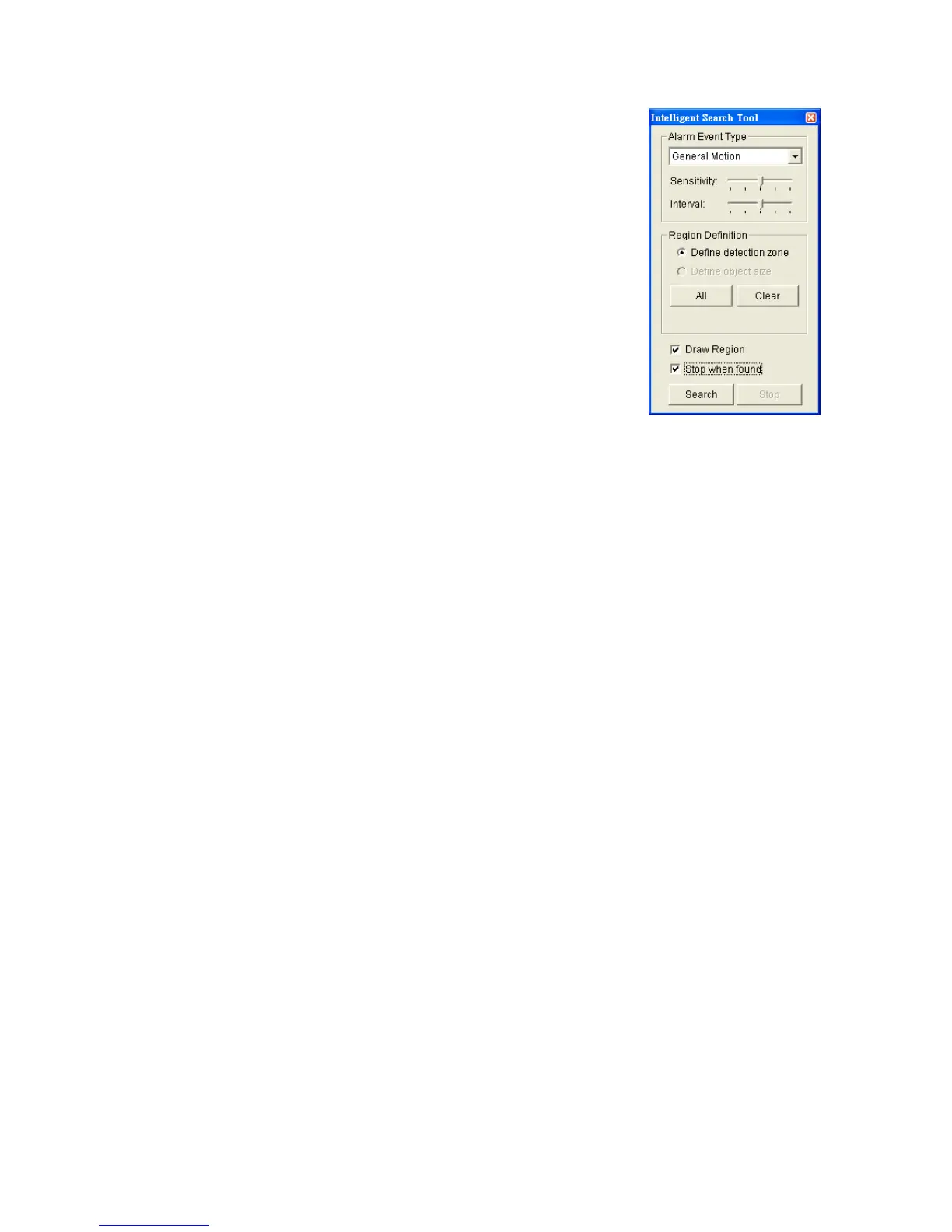
General Motion: Detect all movements in the
defined area.
1. Define detection zone by dragging to draw a
detection zone. You may define more than one zone
by repeating this step.
2. Modify the sensitivity setting by changing the slider
control. Moving toward the right will increase the
sensitivity level, which means a relatively small
movement will trigger the alarm.
3. Set the interval. Moving toward right will increase
time interval so that the alarm will only be triggered
when the movement lasts longer.
4. Check the Stop when found option. If unchecked, the search tool will list
all the events it found, instead of stopping at the moment the event found.
5. Click the Search button.
Foreign Object: Alarm is set on when any additional object appears in
the defined area on the screen.
1. Define detection zone by dragging to draw a detection zone.
2. Modify the sensitivity setting.
3. Set the Interval.
4. Check the Stop when found option. If unchecked, the search tool will list
all the events it found, instead of stopping at the moment the event found.
5. Click the Search button.
Missing Object: Alarm is set on when the selected object is removed
from the defined area on the screen.
1. Define detection object by dragging to draw a detection zone.
2. Modify the sensitivity setting.
3. Set the Interval.
4. Check the Stop when found option. If unchecked, the search tool will list
all the events it found, instead of stopping at the moment the event found.
5. Click the Search button.
Focus Lost: System will inform you when the camera(s) lose its focus.
Camera Occlusion: Alarms when the camera is blocked.















 To Next Page