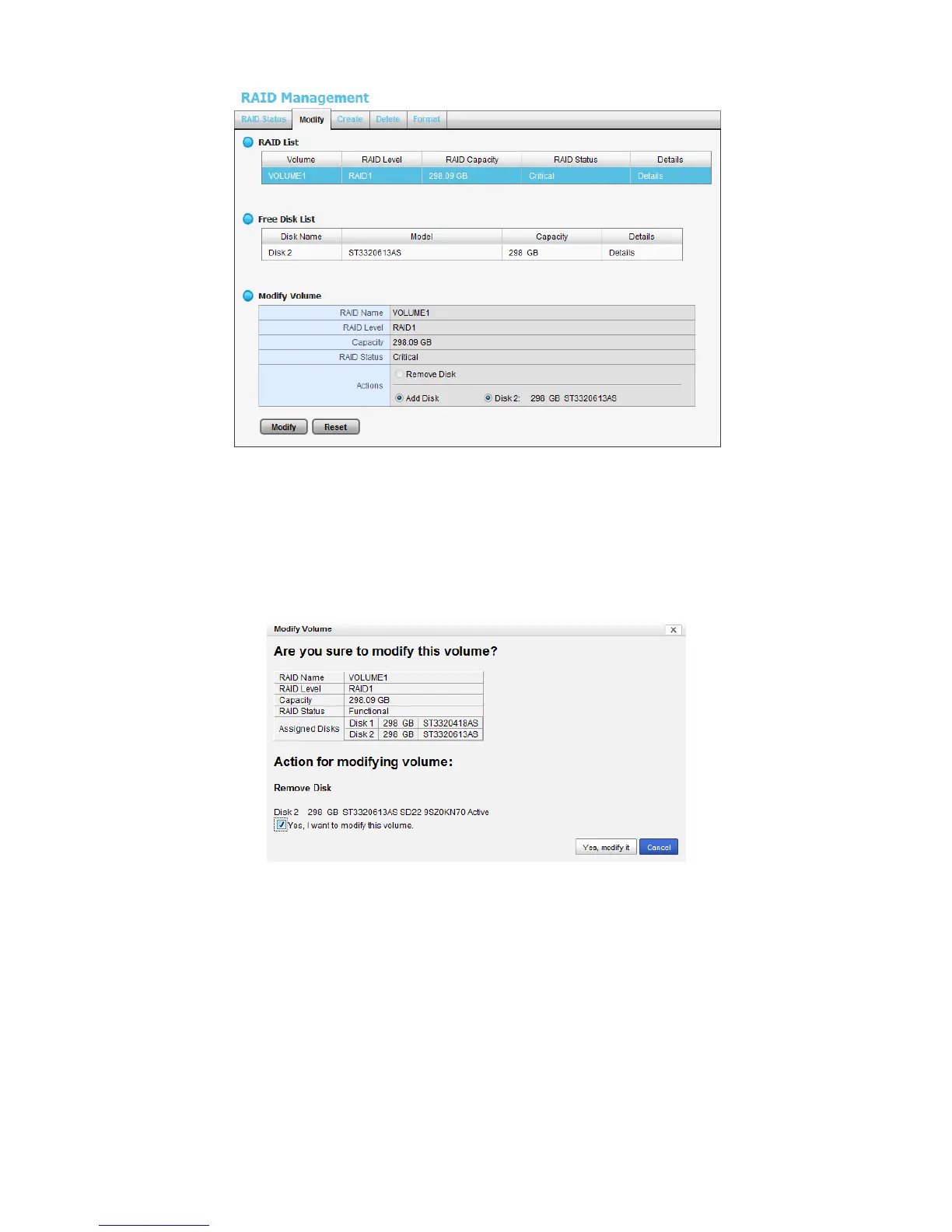
5. After removing the damaged disk. Add a free disk to replace the damaged,
and click the Modify button.
6. A confirmation dialog pops up. Check the Yes, I want to modify this
volume box, and click the Yes, modify it button.
7. Modifying RAID volume takes a while, depending on the size of disks you
choose. Recording won’t be stopped during the modification, and the data
of this RAID volume is fully accessible.















 To Next Page