7800 MultiFrame Manual
7812DCDA2Q-HD (-AA, –AES4) Dual Path HDTV Down-converter
Page 48 Revision 1.0
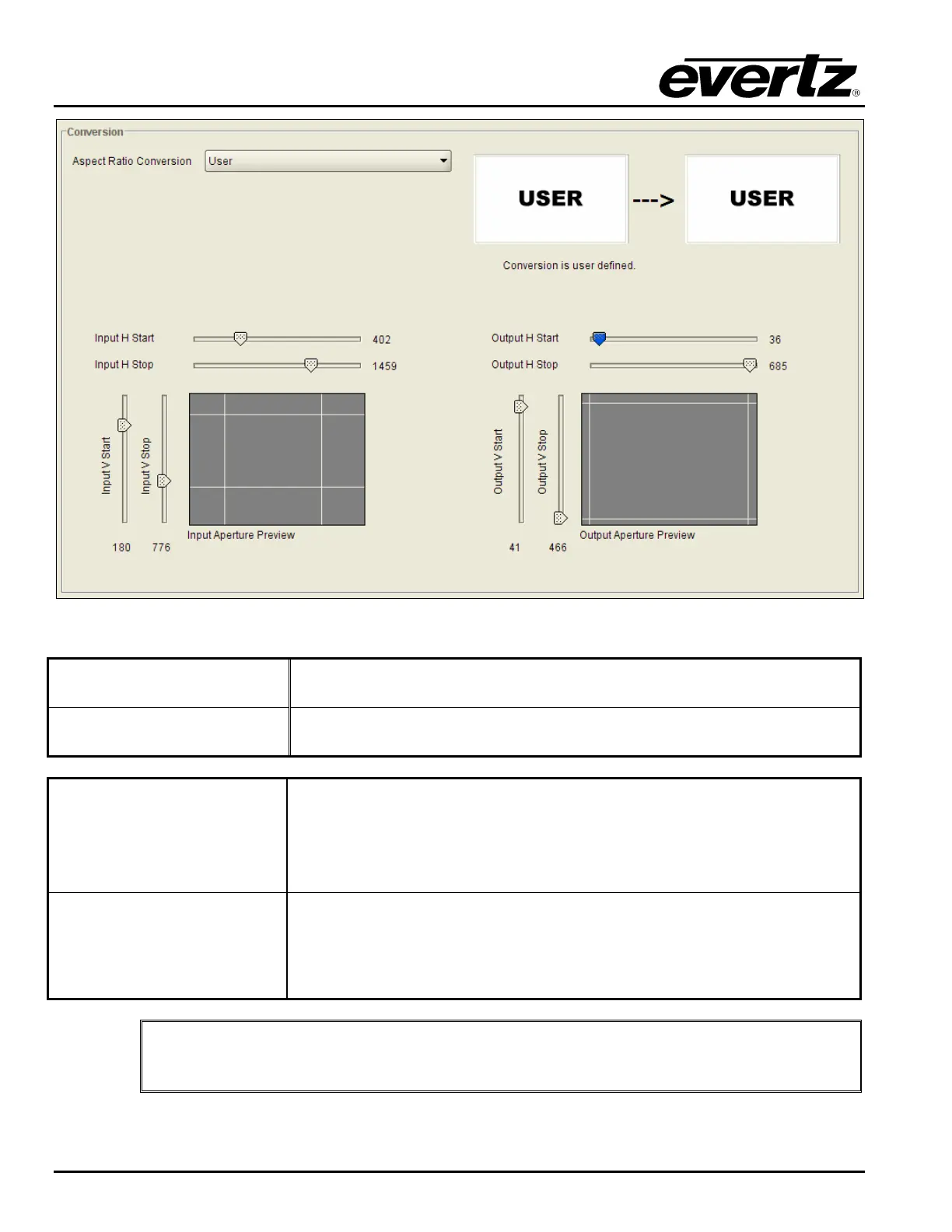
Figure 7-31: Aspect Ratio
Input H Start/ Input H Stop:
The Input H Start and Input H Stop define the horizontal portion of the
input image to process to the output raster.
Input V Start/ Input V Stop:
The Input V Start and Input V Stop define the vertical portion of the input
image to process to the output raster.
Output H Start/ Output H
Stop:
The Output H Start and Output H Stop define how to scale the cropped
input image horizontally and where to place it horizontally on the output
raster. The image will be stretched to fill the width (i.e. For 1080i the
range of values are 0 to 1919. The range of values for 720p output is 0
to 1279).
Output V Start/ Output V
Stop:
The Output V Start and Output V Stop define how to scale the cropped
input image vertically and where to place it vertically on the output raster.
The image will be stretched to fill the height (i.e. For 1080i, the range of
values are 0 to 539. The range of values for 720p output is 0 to 719).
"
Changes to any vertical aspect parameters will cause the video output to be
interrupted momentarily. To achieve minimum process delay, the internal timing is
automatically adjusted to achieve the desired aspect settings.



 To Next Page