7800 MultiFrame Manual
7812DCDA2Q-HD (-AA, –AES4) Dual Path HDTV Down-converter
Page 66 Revision 1.0
7.11.6. Setting the Down Mix Type Control
This control enables the user to set the type of audio down-mixing that will be performed. The user may
select from LoRo (Left Only and Right Only), LtRt (Left Total and Right Total) Prologic I and LtRt (Left
Total and Right Total) Prologic II OR may choose to perform a Custom down-mix.
LoRo
When set to LoRo, the down-mixer will generate Left Only and Right Only
(LoRo) stereo audio.
LtRt (Prologic I)
When set to LtRt (Prologic I), the down-mixer will generate Left Total and Right
Total (LtRt) Prologic I compatible stereo audio.
LtRt (Prologic II)
When set to LtRt (Prologic II), the down-mixer will generate Left Total and
Right Total (LtRt) Prologic II compatible stereo audio.
Custom
When set to custom, the down-mixer will generate Left and Right channels of
audio using the custom down-mixing equations.
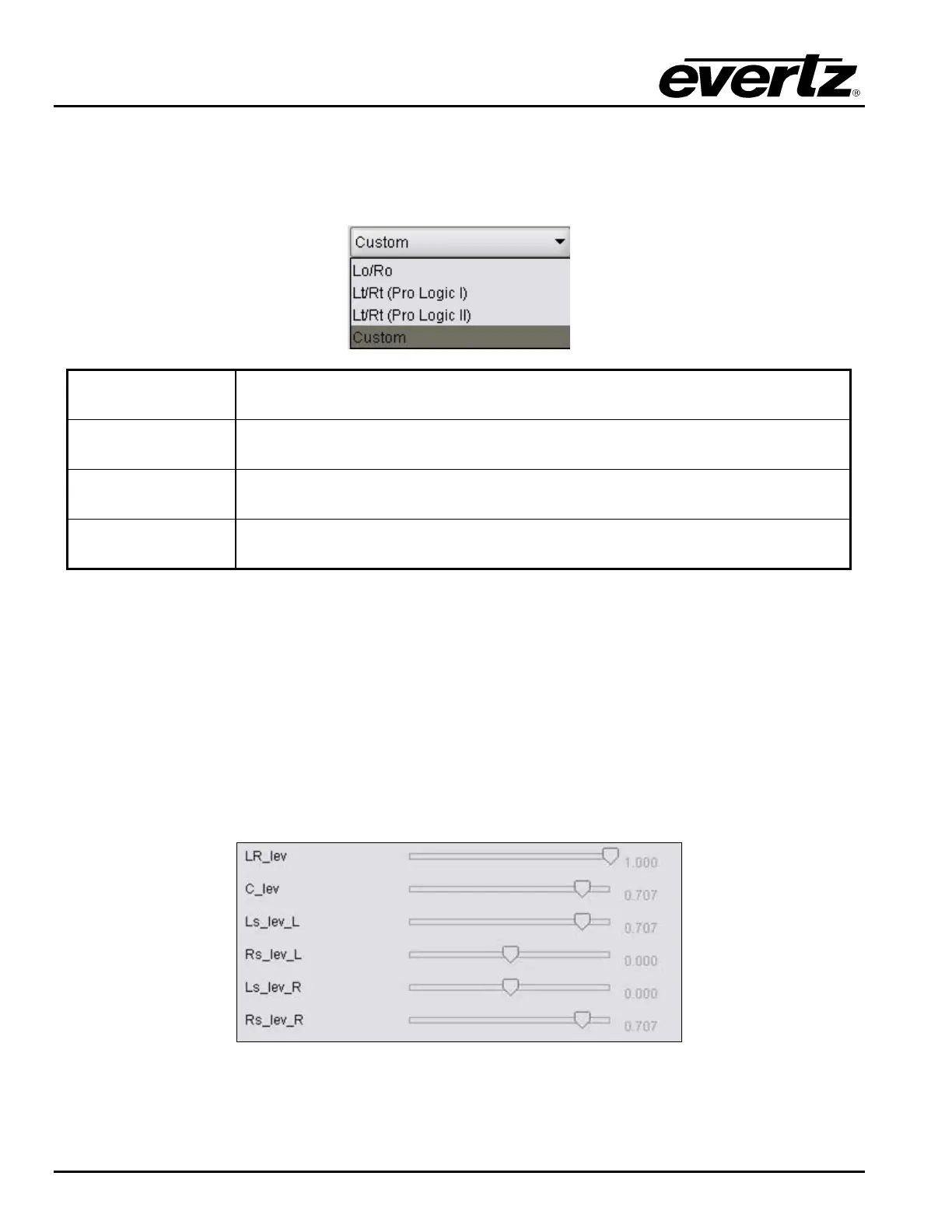
7.11.7. Custom Down Mix Type Control Settings
When the Down Mix Type is set to Custom the following equation will be used to generate the down-mixed
audio.
L = (LR_lev * L + C_lev * C + Ls_lev_L * Ls{0°/90°} + Rs_lev_L * Rs{0°/90°} + lfe_gain * LFE) * gain / norm
R = (LR_lev * R + C_lev * C + Ls_lev_R * Ls{0°/90°} + Rs_lev_R * Rs{0°/90°} + lfe_gain * LFE) * gain / norm
Where lfe_gain is controlled by LFE Mixing and LFE Gain, gain is controlled by Output Gain and norm is
controlled by Output Scaling Mode and where LR_lev, C_lev, Ls_lev_L, Rs_lev_L, Ls_lev_R and
Rs_lev_R are custom specified user coefficients. These custom down-mixing coefficients are controlled
using the appropriate slider bars in the Down Mix Type control section as shown below.
Figure 7-46: Down Mix Type Control



 To Next Page