7800 MultiFrame Manual
7812DCDA2Q-HD (-AA, –AES4) Dual Path HDTV Down-converter
Revision 1.0 Page 53
Production
Selects the Production Aperture to be used when converting input signals.
Clean
Selects the Clean Aperture to be used when converting input signals.
7.8.2. AP Aspect Ratio Settings
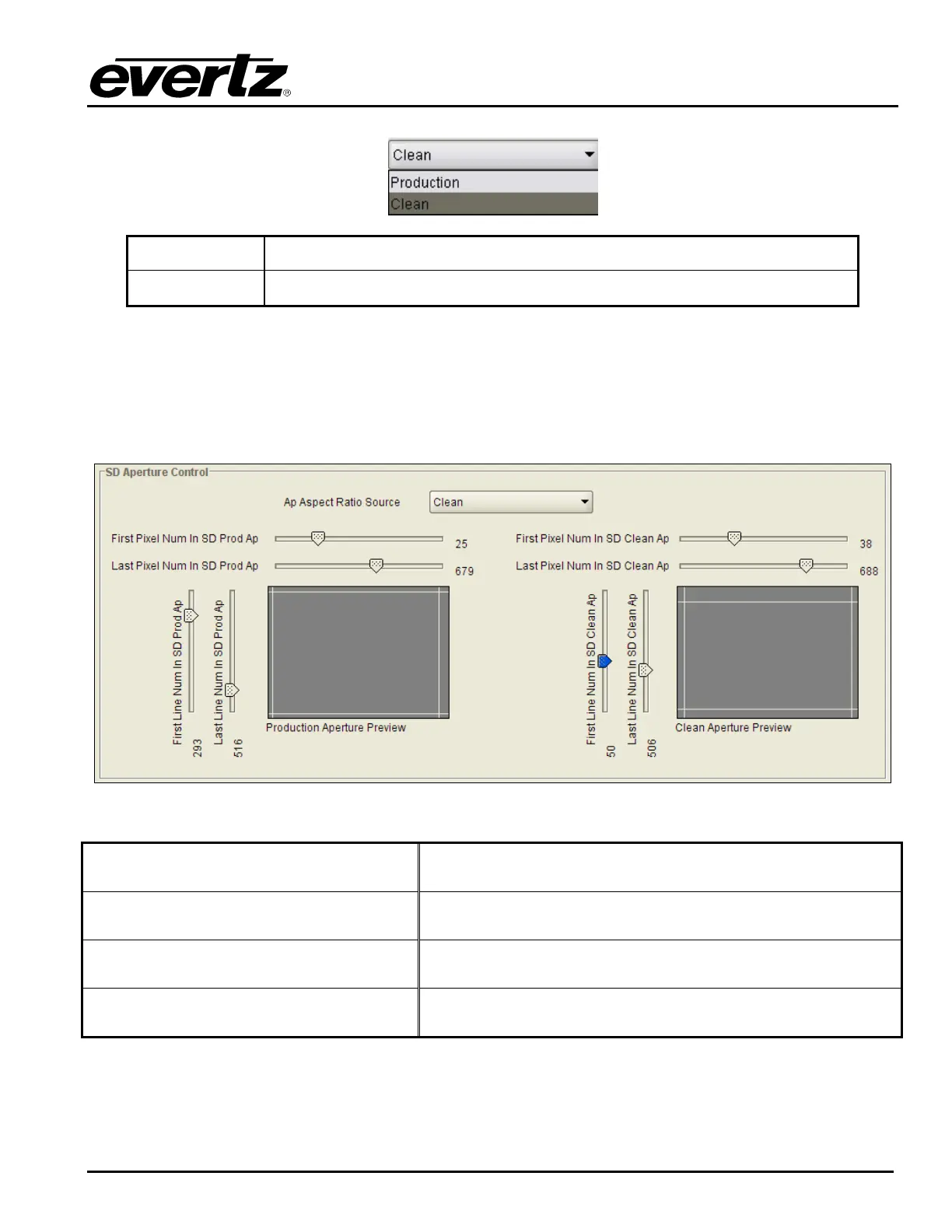
These controls allow the user to set the exact pixels and exact lines that are used to define the SD Clean
Aperture and the SD Production Aperture. Move the slide bars to the left to decrease a control value and
move the slider bar to the right to increase a control value. A pictorial representation of the selected value
will be presented in real time as various values are changed as shown in Figure 7-37.
Figure 7-37: Defining a Line Number on the SD Aperture Control Screen
First Pixel Num in SD Prod Aperture
By moving the slider bar up and down you can define the first
active horizontal pixel for the SD Production Aperture.
Last Pixel Num in SD Prod Aperture
By moving the slider bar up and down you can define the last
active horizontal pixel for the SD Production Aperture.
First Line Num in SD Prod Aperture
By moving the slider bar up and down you can define the first
active line for the SD Production Aperture.
Last Line Num in SD Prod Aperture
By moving the slider bar up and down you can define the last
active line for the SD Production Aperture.



 To Next Page