7800 MultiFrame Manual
7812DCDA2Q-HD (-AA, –AES4) Dual Path HDTV Down-converter
Page 72 Revision 1.0
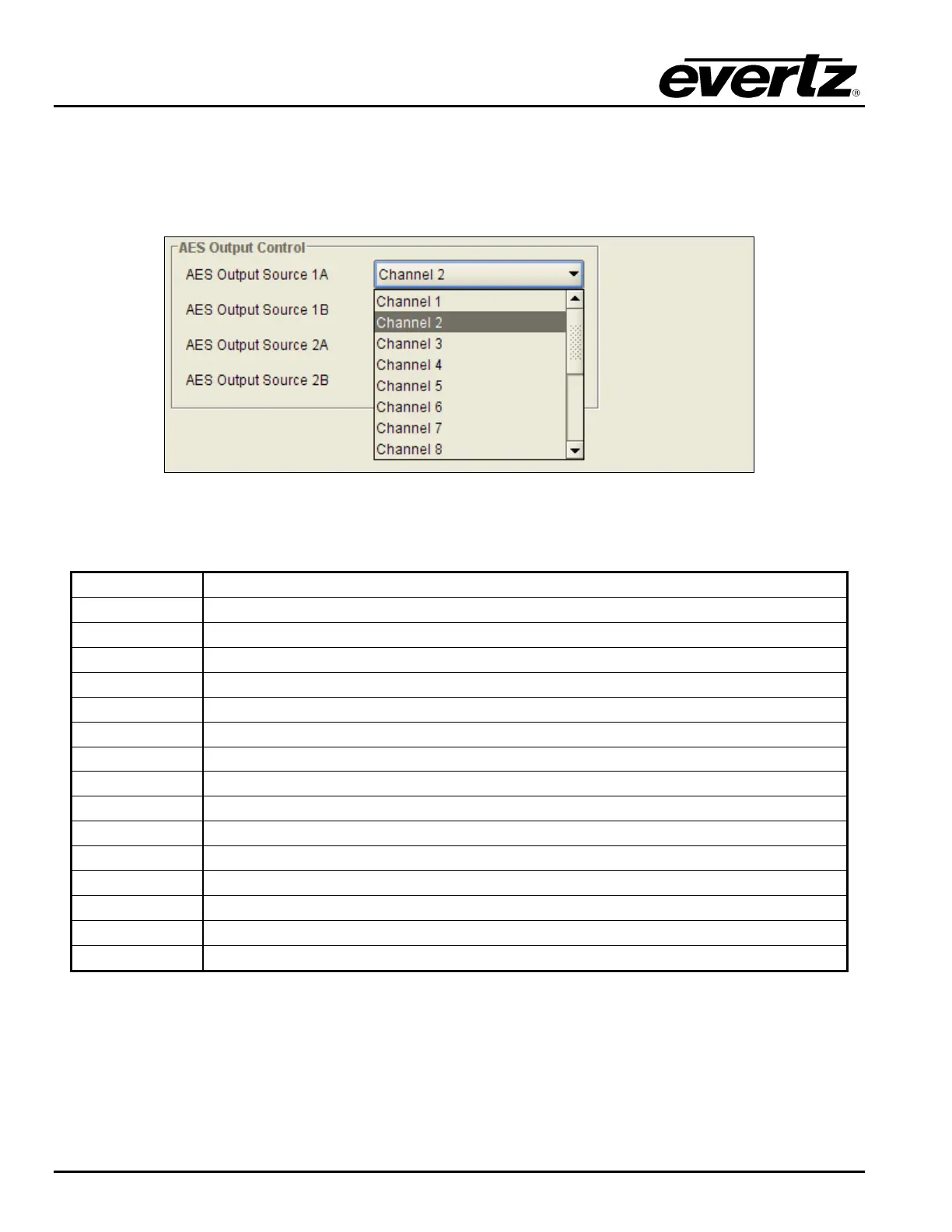
There are 2x AES outputs per processing path. AES1A and AES2A are linked to processing path 1 and
AES2A and AES2B are linked to processing path 2. Within the AES Output control tab, the user may
specify the source of audio for each of these AES outputs as shown in the VLPRO interface below. For the
sake of brevity, only the controls for AES output 1A will be discussed in detail in this manual. Controls for
other AES outputs are similar.
Figure 7-51: AES Output Control Drop Down Menu
The total set of available options for the AES Output Source 1A control is as follows:
Channel 1
Select the output from Output Channel Mixer 1 as the source of audio for AES1A
Channel 2
Select the output from Output Channel Mixer 2 as the source of audio for AES1A
Channel 3
Select the output from Output Channel Mixer 3 as the source of audio for AES1A
Channel 4
Select the output from Output Channel Mixer 4 as the source of audio for AES1A
Channel 5
Select the output from Output Channel Mixer 5 as the source of audio for AES1A
Channel 6
Select the output from Output Channel Mixer 6 as the source of audio for AES1A
Channel 7
Select the output from Output Channel Mixer 7 as the source of audio for AES1A
Channel 8
Select the output from Output Channel Mixer 8 as the source of audio for AES1A
Channel 9
Select the output from Output Channel Mixer 9 as the source of audio for AES1A
Channel 10
Select the output from Output Channel Mixer 10 as the source of audio for AES1A
Channel 11
Select the output from Output Channel Mixer 11 as the source of audio for AES1A
Channel 12
Select the output from Output Channel Mixer 12 as the source of audio for AES1A
Channel 13
Select the output from Output Channel Mixer 13 as the source of audio for AES1A
Channel 14
Select the output from Output Channel Mixer 14 as the source of audio for AES1A
Channel 15
Select the output from Output Channel Mixer 15 as the source of audio for AES1A
Channel 16
Select the output from Output Channel Mixer 16 as the source of audio for AES1A



 To Next Page