7800 MultiFrame Manual
7812DCDA2Q-HD (-AA, –AES4) Dual Path HDTV Down-converter
Revision 1.0 Page 75
8. JUMPERS
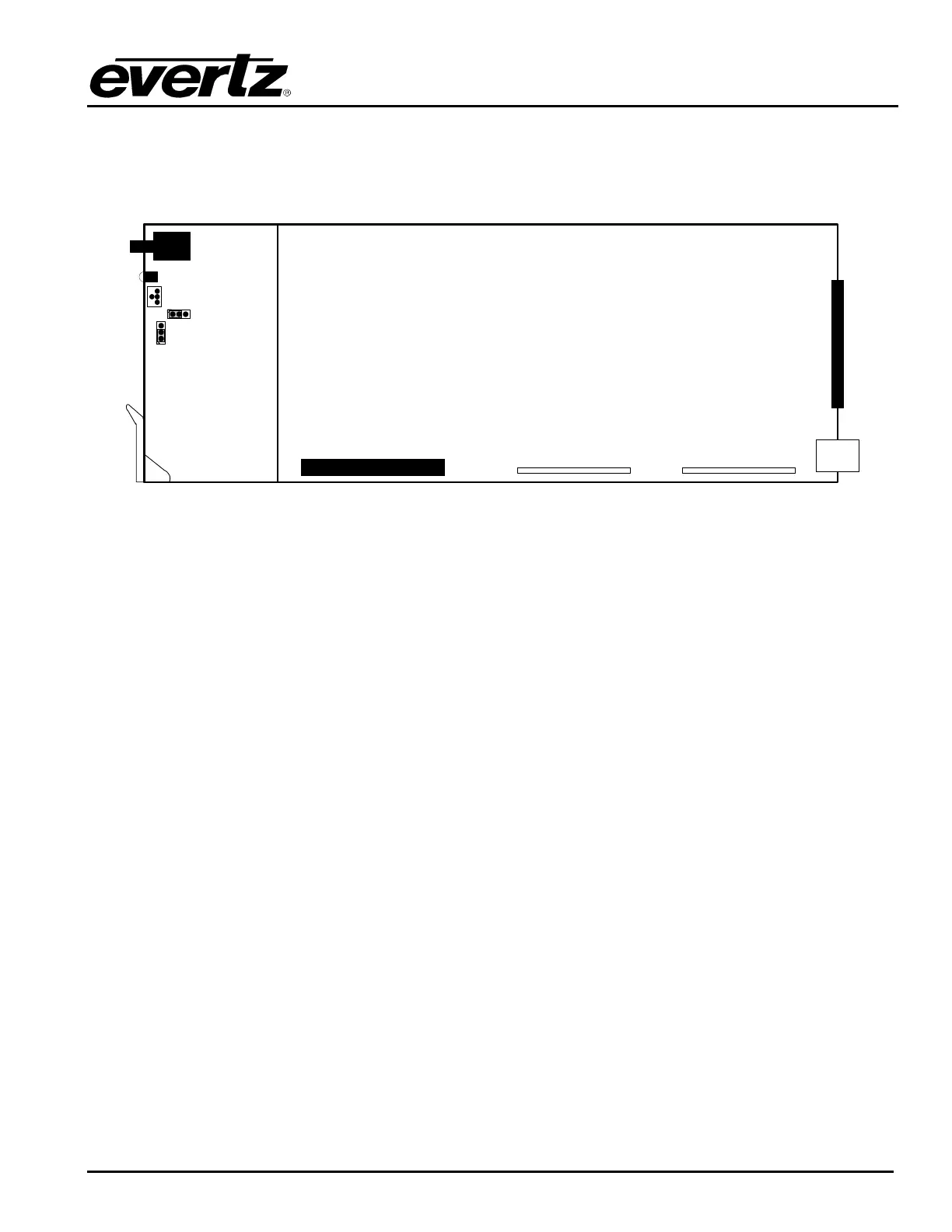
The following diagrams provide the locations of the jumpers and LEDs on the 7812DCDA2Q series
boards.
MODULE
STATUS
Run
Serial
Port
Upgrade
ON OFF
FRAME
STATUS
(J2002)
UPGRADE
(J2000)
Figure 8-1: 7812DCDA2Q Location of Jumpers – Top View Main Module
8.1. SELECTING WHETHER LOCAL FAULTS WILL BE MONITORED BY THE GLOBAL FRAME
STATUS
FRAME STATUS: The FRAME STATUS jumper (J2002) is located near the front of the board and
positioned slightly below the module’s serial interface. The FRAME STATUS
jumper determines whether local faults (as shown by the Local Fault indicator) will
be connected to the 7800FR frame's global status bus.
To monitor faults on this module with the frame status indicators (on the PS FRAME
STATUS LED's and on the Frame's Fault Tally output) install this jumper in the On
position. (Default)
When this jumper is installed in the Off position, local faults on this module will not
be monitored.
8.2. CONFIGURING THE MODULE FOR FIRMWARE UPGRADES
Firmware updates can be performed using the UPGRADE jumper.
UPGRADE: The UPGRADE jumper (J2000) is located on the top side of the main board near the front
of the card and is used when firmware upgrades are being done to the module. For
normal operation it should be switched to the RUN position as shown in the diagrams
above. See the Upgrading Firmware chapter in the front of the binder for more
information.
To upgrade the firmware in the module unit pull it out of the frame. Move Jumper J2000
into the UPGRADE position. Install the Upgrade cable provided (located in the vinyl
pouch in the front of this manual) onto serial port header at the card edge. Re-install the
module into the frame. Run the upgrade as described in the Upgrading Firmware
chapter.



 To Next Page