7800 MultiFrame Manual
7812DCDA2Q-HD (-AA, –AES4) Dual Path HDTV Down-converter
Revision 1.0 Page 49
7.6. CONFIGURING CLOSED CAPTIONING
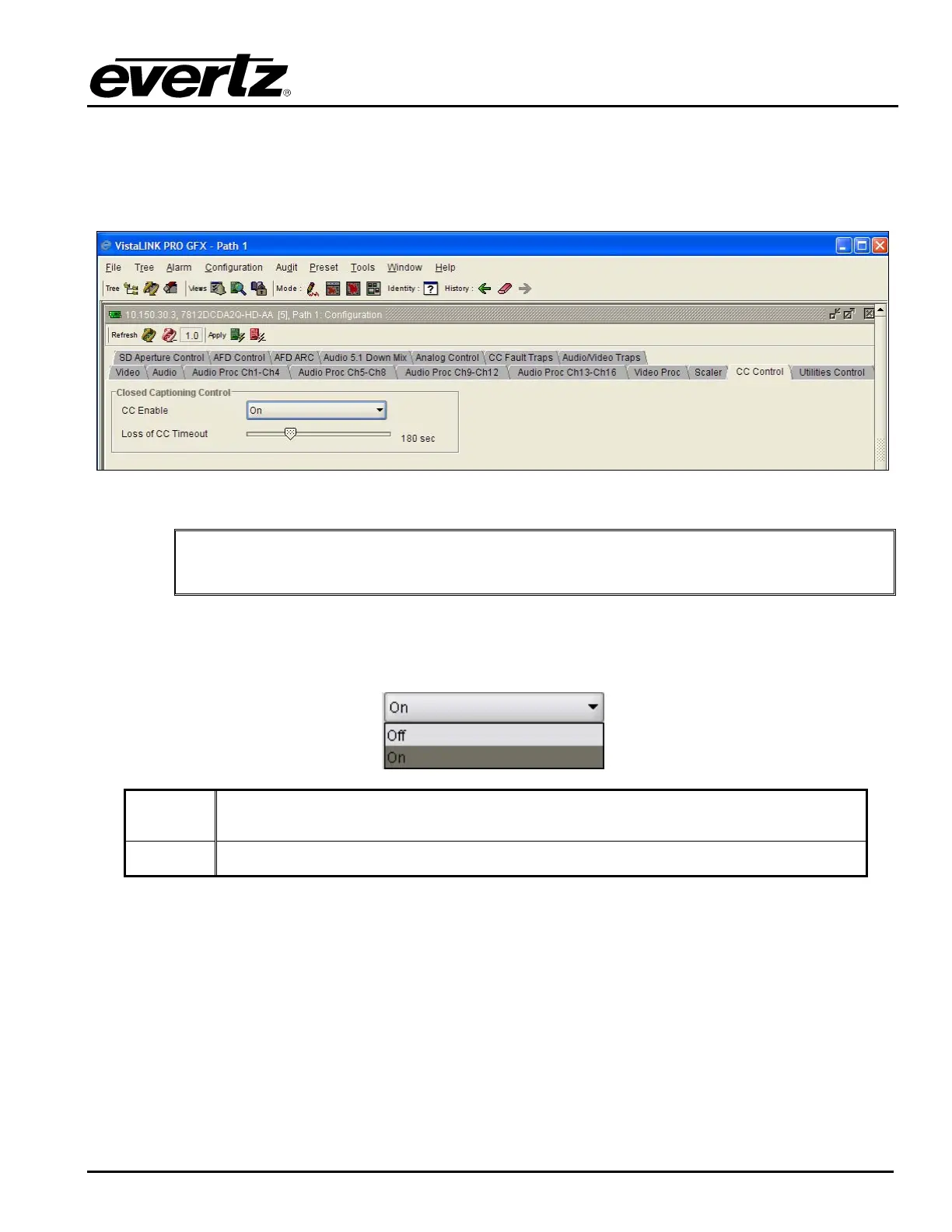
The 7812DCDA2Q series extracts closed captioning from the input signal and translates it to the output
video signal. The Closed Captioning control tab is used to configure parameters associated with the
closed caption handling.
Figure 7-32: Closed Captioning Control Screen
"
Any changes to the closed captioning settings can cause a momentary interruption.
7.6.1. Enabling Closed Captioning
The CC Enable control enables or disables closed caption handling for the module.
On
When set On, any closed captioning will be extracted from the input signal, and
mapped to line 21 of the output SD video.
Off
When set Off, no closed captioning is encoded in the output video signal.
7.6.2. Setting the Loss Of CC Timeout
This parameter enables the user to set the amount of time (in seconds) before the Closed Captioning
timeouts when the video is lost. To set the Loss of CC Timeout, drag the slider right to decrease or left to
increase the value. The value range is 1 to 600 seconds.



 To Next Page