7800 MultiFrame Manual
7812DCDA2Q-HD (-AA, –AES4) Dual Path HDTV Down-converter
Revision 1.0 Page 73
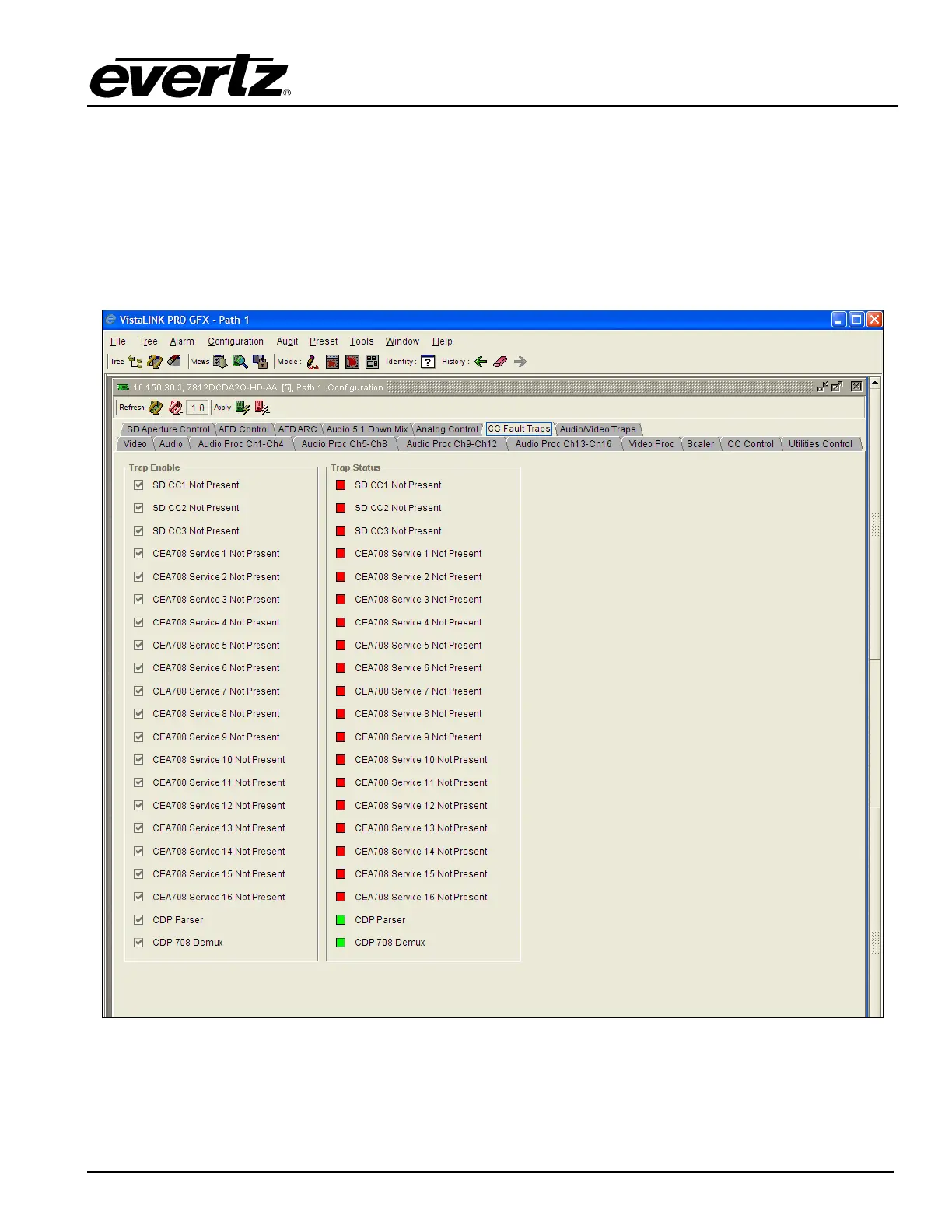
7.14. SETTING THE CC FAULT TRAP CONTROLS
The CC Fault Traps control enables the user to enable or disable Closed Caption traps and view trap
status. To enable a particular trap, simply click the box located beside each trap so that a check-mark
appears. When a check-mark is present, the trap is enabled. When a check-mark is not present, the trap
is disabled.
The Trap Status section defines whether a trap is present or missing. If the box is green, then the
corresponding trap is present. If the box is red, then the corresponding trap is missing.
Figure 7-52: CC Fault Traps



 To Next Page