7800 MultiFrame Manual
7812DCDA2Q-HD (-AA, –AES4) Dual Path HDTV Down-converter
Page 54 Revision 1.0
First Pixel Num in SD Clean Aperture
By moving the slider bar up and down you can define the first
active horizontal pixel for the SD Clean Aperture.
Last Pixel Num in SD Clean Aperture
By moving the slider bar up and down you can define the last
active horizontal pixel for the SD Clean Aperture.
First Line Num in SD Clean Aperture
By moving the slider bar up and down you can define the first
active line for the SD Clean Aperture.
Last Line Num in SD Clean Aperture
By moving the slider bar up and down you can define the last
active line for the SD Clean Aperture.
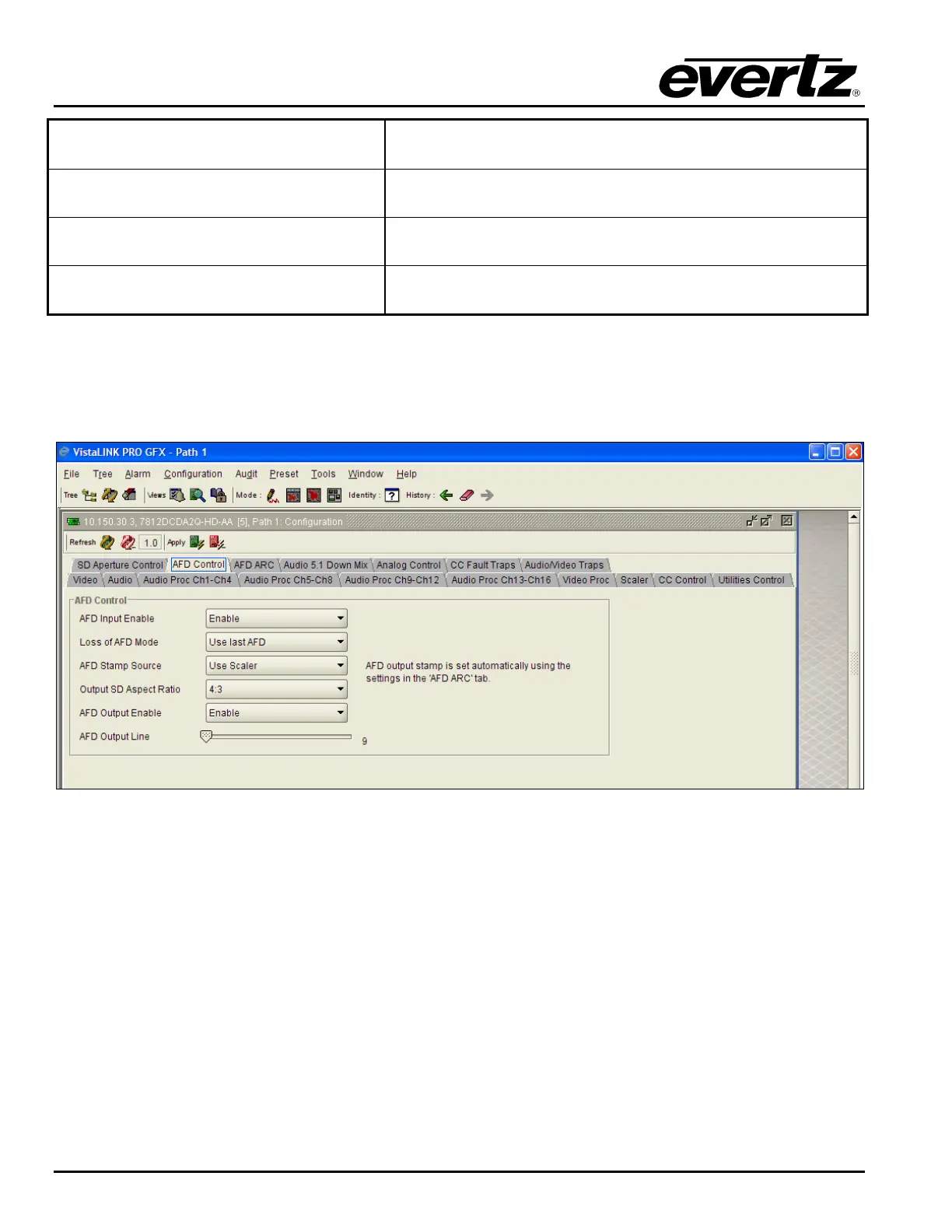
7.9. CONFIGURING THE AFD CONTROL
The 7812DCD2Q-HD-AA series of converters have the ability to read incoming AFD values, automatically
adapt ARC processing based on the inbound AFD value and stamp outgoing AFD values.
Figure 7-38: AFD Control
7.9.1. Configuring the AFD Input Enable Control
This control enables and disables the input side of AFD processing. When Enabled, the module will
decode incoming AFD values and change its processing in response to those codes. The AFD ARC
control tab is used to define the card’s response for each individual incoming AFD code. When Disabled,
the module will not decode incoming AFD values. When incoming AFD codes are not decoded, automatic
steering of ARC processing based on AFD presets is not possible. In this case, the ARC settings
contained within the SCALER control tab are utilized.



 To Next Page