7800 MultiFrame Manual
7812DCDA2Q-HD (-AA, –AES4) Dual Path HDTV Down-converter
Revision 1.0 Page 71
The full set of available options for the Analog Audio Output Source control is as follows:
Channel 1
Select the output from Output Channel Mixer 1 for the source of channel 1 analog audio.
Channel 2
Select the output from Output Channel Mixer 2 for the source of channel 1 analog audio.
Channel 3
Select the output from Output Channel Mixer 3 for the source of channel 1 analog audio.
Channel 4
Select the output from Output Channel Mixer 4 for the source of channel 1 analog audio.
Channel 5
Select the output from Output Channel Mixer 5 for the source of channel 1 analog audio.
Channel 6
Select the output from Output Channel Mixer 6 for the source of channel 1 analog audio.
Channel 7
Select the output from Output Channel Mixer 7 for the source of channel 1 analog audio.
Channel 8
Select the output from Output Channel Mixer 8 for the source of channel 1 analog audio.
Channel 9
Select the output from Output Channel Mixer 9 for the source of channel 1 analog audio.
Channel 10
Select the output from Output Channel Mixer 10 for the source of channel 1 analog
audio.
Channel 11
Select the output from Output Channel Mixer 11 for the source of channel 1 analog
audio.
Channel 12
Select the output from Output Channel Mixer 12 for the source of channel 1 analog
audio.
Channel 13
Select the output from Output Channel Mixer 13 for the source of channel 1 analog
audio.
Channel 14
Select the output from Output Channel Mixer 14 for the source of channel 1 analog
audio.
Channel 15
Select the output from Output Channel Mixer 15 for the source of channel 1 analog
audio.
Channel 16
Select the output from Output Channel Mixer 16 for the source of channel 1 analog
audio.
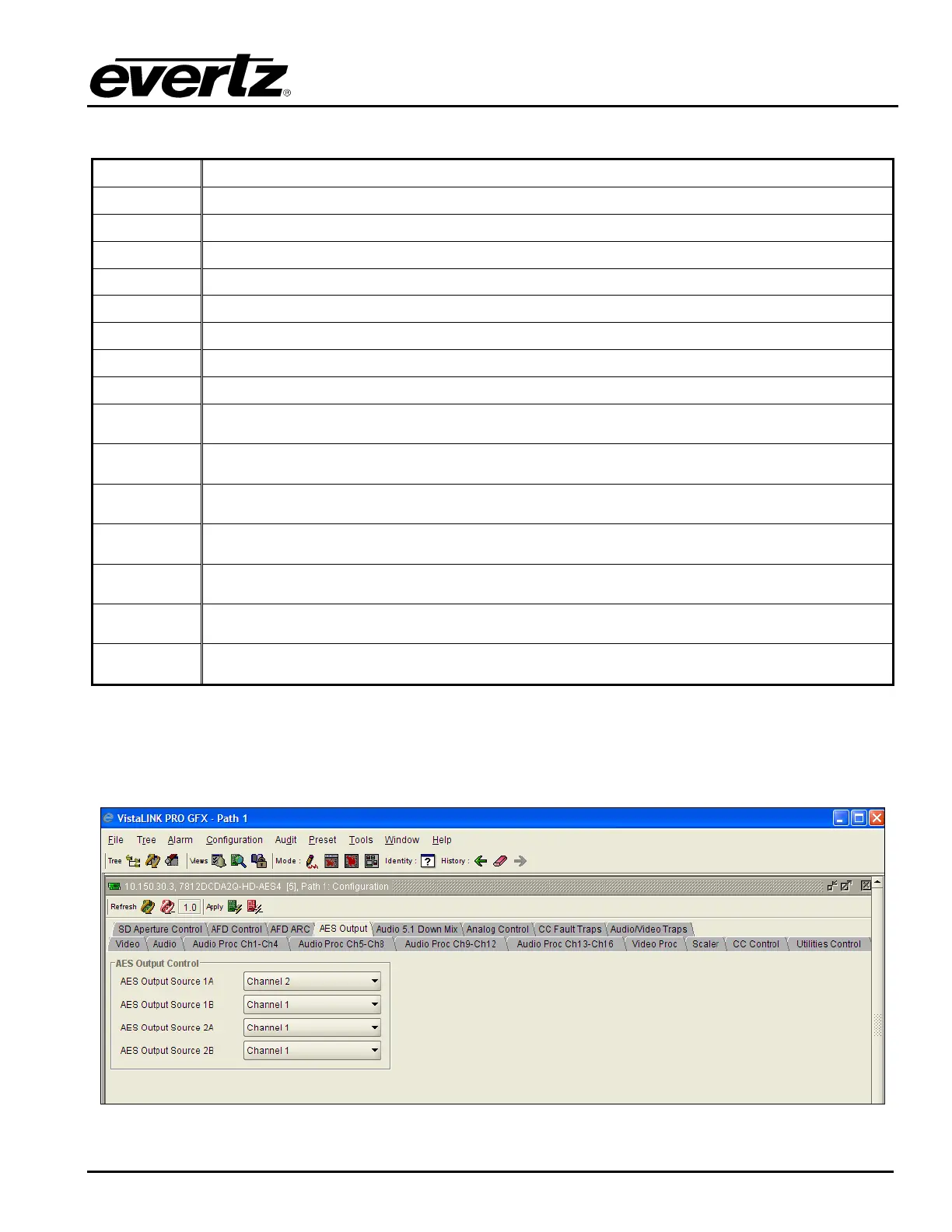
7.13. CONFIGURING THE AES OUTPUTS
The 7812DCDA2Q-HD-AES4 has a specific control tab that enables the user to control the AES outputs
on the card as shown in Figure 7-50.
Figure 7-50: AES Output Screen



 To Next Page